AI Content Creation Software: Complete Guide for 2026
What is AI Content Creation Software? AI content creation software uses machine learning and natural language processing to generate written, visual, and video...
Wilmer KarlssonTarstad
What is AI Content Creation Software?
AI content creation software uses machine learning and natural language processing to generate written, visual, and video content automatically, according to Bigtincan's analysis. At its core, this technology learns patterns from vast amounts of existing content, then produces new material based on what you ask it to create.
Here's how it works in practice: You provide a prompt or brief, and the software processes your input through neural networks that understand language structure, context, and meaning. The system then generates relevant, contextually appropriate content in seconds. It's not magic; it's pattern matching at scale.

An important distinction exists between AI-generated content (fully created by the system) and AI-assisted content (where humans guide and refine AI output). Most practical applications fall into the assisted category, where the software handles heavy lifting while you maintain control.
Adoption has accelerated dramatically since ChatGPT's public launch in 2022. The global AI-powered content creation market was valued at $2.15 billion in 2024 and is projected to reach $10.59 billion by 2033, growing at a 19.4% compound annual rate. Businesses recognize real efficiency gains without waiting for theoretical perfection.
The Market Explosion: Why AI Content Tools Are Everywhere Now
The numbers tell a clear story. The AI content creation software market is experiencing genuine, sustained growth rather than hype-driven speculation. What started as an experimental tool category has become essential infrastructure for content teams worldwide.
In 2024, 83.2% of marketers used AI for content creation, a significant jump from early adoption rates just two years prior. This isn't early adopters testing the waters anymore; it's mainstream adoption across organizations of all sizes. The market itself reflects this shift, with projections showing substantial expansion through 2033 as enterprises continue investing in automation capabilities.
The adoption acceleration stems from three concrete use cases. Deloitte research shows content personalization and creation are top AI applications, with personalization accounting for 53% of AI marketing applications. Efficiency gains matter equally; teams stretched thin can now produce more output without proportional headcount increases. HubSpot's 2025 report identifies content creation as the dominant AI use case at 55%, reflecting how central this capability has become to marketing operations.
Geographically, North America leads adoption, but Asia-Pacific markets are catching up rapidly. This regional expansion signals that AI content tools transcend specific business cultures or market conditions. They solve fundamental problems: content volume demands, personalization at scale, and production velocity.
What's important to recognize is that this growth reflects real business problems being solved, not manufactured demand. Marketing teams face genuine pressures around content frequency, personalization, and resource constraints. AI addresses these pressures directly. The market explosion isn't temporary enthusiasm; it represents how content production actually works now. Understanding this shift is essential for any organization planning its content strategy for the next several years.
How AI Content Creation Software Actually Works
AI content creation software operates through a relatively straightforward pipeline, though the underlying mechanics are more nuanced than most people realize.
These tools start with training on massive datasets of text, images, and video. AI tools utilize advanced algorithms and natural language processing to analyze input and generate output based on vast amounts of training data. This foundation shapes what the software can understand and produce.
The real action happens when you provide a prompt. Your instructions guide the generation process by telling the AI what to create, in what style, and for which audience. Think of it as extremely detailed creative direction. The software then generates output based on patterns it learned during training, producing initial drafts that range from usable to rough depending on your prompt quality.
Here's where reality diverges from the marketing hype: that first output almost never ships as-is. The software excels at rapid ideation and initial drafting, saving hours of blank-page staring. But refinement remains your responsibility. You're checking facts, adjusting tone, catching inconsistencies, and adding the specific details and nuance that only human judgment provides.
This is critical because AI systems have documented limitations. They can "hallucinate" information that sounds plausible but isn't true. They sometimes miss context or miss the mark on brand voice. They struggle with highly specialized topics requiring deep expertise.
The most effective workflow treats AI content creation software as a collaborative partner, not a replacement. Use it to accelerate the heavy lifting of initial drafts and brainstorming. Then invest your energy where it matters most: strategy, fact-checking, and the human perspective that transforms adequate content into genuinely valuable content.
Understanding this process helps you set realistic expectations and deploy these tools strategically rather than hoping they'll handle everything end-to-end.
7 Concrete Benefits That Actually Justify the Investment
The real question isn't whether AI content creation software works, but whether you can afford not to use it. Here's what the numbers actually show.
Speed translates to competitive advantage. A typical 500-word blog post takes around 4 hours to complete manually, but AI tools can streamline this considerably, cutting initial drafts down to 15-30 minutes. That's not just faster; it's the difference between publishing weekly versus monthly content schedules with the same team size.
Cost reduction is substantial and immediate. Freelance writers typically charge upwards of $175 for a 1,500-word article, while AI tools offer subscription-based alternatives that cost $20-100 monthly. Scale this across 50 articles per year, and you're looking at $8,750 in savings versus $8,000 in software costs. The math gets better as volume increases.
Scaling without hiring headcount. One content manager using AI effectively can produce what previously required two or three writers. You're not replacing talent; you're multiplying what each person can accomplish. This matters especially for startups and mid-market companies operating on tight budgets.
Consistency across channels becomes manageable. Maintaining brand voice across blog posts, social media, email campaigns, and website copy is tedious work. AI tools apply your brand guidelines systematically, reducing the back-and-forth that normally eats up editing time.
Personalization at scale actually works. Generate different content variations for different audience segments, buyer journey stages, or customer personas without manually rewriting everything. What took days of copywriting now happens in minutes.
SEO optimization is built in, not bolted on. Modern AI tools analyze keyword opportunities, suggest structural improvements, and flag readability issues during creation, not after. This means better search visibility without separate optimization passes.
Quality improvements through iteration. 75% of marketers say generative AI boosts their content output, 77% agree it enhances efficiency, and 79% report it improves content quality. The key is that AI handles the rough draft; your team focuses on refinement and fact-checking, which produces better final work in less time.

These aren't theoretical benefits. They're measurable changes to your production timeline and budget.
Top AI Content Creation Tools Compared: What Each One Does Best
The right tool depends entirely on what you're actually trying to create. Here's how the major players stack up.
For versatility and brainstorming, ChatGPT at $20/month Pro remains your best starting point. It handles everything from ideation to rough drafts across nearly any content type. The limitation? It occasionally produces generic output and can't access real-time information without extensions.
If you're drowning in research, Claude excels where others falter. Its ability to process massive amounts of context and maintain nuance through long documents makes it ideal for in-depth guides, reports, and content requiring careful source synthesis. The trade-off is slower processing speeds.
For marketing teams prioritizing brand consistency, Jasper AI starting at $49/month specializes in marketing copy with templates built around your voice. It's pricier but streamlines repetitive campaigns. However, it's overkill if you're just writing occasional blog posts.
Copy.ai from $36/month excels at short-form content like social media posts and email subject lines. It's faster and cheaper than Jasper but less sophisticated for longer pieces.
Writesonic's strength is product descriptions and website copy at $16/month. If you're an e-commerce business needing hundreds of optimized product pages, this pays for itself quickly.
For the technical side, Grammarly handles real-time grammar and style suggestions across platforms. It's not a content generator but an essential polish layer that catches what AI (and you) miss.
Finally, Surfer SEO bridges content creation and optimization by scoring drafts against top-ranking competitors and suggesting keyword placement. Use it after drafting to ensure your content ranks, not before.
The honest truth: most successful operations use three to four tools in combination rather than betting everything on one platform. Start with ChatGPT or Claude for drafting, layer in your specialty tool for your content type, then finish with Grammarly and SEO optimization.
Beyond Text: AI Tools for Video, Images, and Multimedia
AI content creation has expanded far beyond text. Today's software ecosystem handles video, images, audio, and interactive content, often within single platforms.
Video generation tools like Synthesia and Descript have transformed how teams produce visual content. Synthesia creates professional videos from scripts in minutes, while Descript enables text-based video and audio editing, allowing users to manipulate content like a document with automatic transcription and filler word removal. Lumen5 and Google Veo 3 take different approaches, converting text into animated sequences or generating video from descriptions. These tools eliminate the need for cameras, studios, or video editing expertise.
Image generation has matured significantly. Midjourney and DALL-E 3 can generate professional-grade visuals in minutes, while Canva AI integrates generation directly into design templates. Rather than replacing designers, these tools accelerate iteration and let non-designers explore visual concepts quickly.
Audio tools round out the content toolkit. Text-to-speech has moved beyond robotic voices; modern systems offer natural inflection, multiple languages, and voice cloning for brand consistency. Platforms like Eleven Labs and Google's NotebookLM produce audio that requires minimal post-production.
The real shift is convergence. Multimodal platforms now handle text, images, video, and audio in coordinated workflows. This matters because consistent brand assets across formats require significant coordination. Tools that manage this integration reduce friction and ensure visual language remains cohesive whether you're publishing a blog post, social clip, or podcast.
The practical advantage: you're no longer piecing together disparate tools and outputs. One platform can generate a script, produce accompanying visuals, create voiceovers, and assemble everything into finished content. That integration saves time and reduces the quality inconsistencies that come from juggling multiple tools.
The Quality Question: When AI Output Needs Human Touch
AI content creation software excels at generating drafts quickly, but it has real limitations that demand human oversight. Understanding these constraints isn't pessimism; it's pragmatism.
The most notorious issue is hallucination. AI models confidently produce false statistics, invented quotes, and non-existent research findings. AI content creation tools can have potential for AI hallucinations resulting in inaccurate or non-contextual outputs, and they don't provide sources for final output. You cannot publish without verification. Every factual claim needs fact-checking, especially dates, percentages, and attributions.
Beyond outright errors, AI struggles with nuance. It misinterprets context, producing generic output that sounds like every other AI-generated piece. Brand voice consistency suffers. Your company's personality, perspective, and specific terminology often flatten into corporate-neutral language. A tool might generate technically correct content that completely misses your audience's pain points or your unique angle.
Outdated information poses another challenge. Most AI models have knowledge cutoff dates, meaning they can't reflect recent industry shifts, policy changes, or emerging trends. You're essentially working with yesterday's information.
Here's what works in practice: treat AI as a drafting partner, not an author. AI works best as a drafting assistant rather than full automation, and users should always double-check stats, claims, or technical details before publishing.
Establish a quality control workflow. Have your AI output reviewed by someone familiar with your topic, audience, and brand. Verify all factual claims independently. Read for tone and adjust for voice consistency. Check whether the content actually answers the reader's question or just sounds plausible.
The sweet spot? Use AI to accelerate ideation and initial drafting, then apply human judgment to accuracy, relevance, and authenticity. This hybrid approach captures efficiency gains without sacrificing credibility.
AI Content Detection: What You Should Know
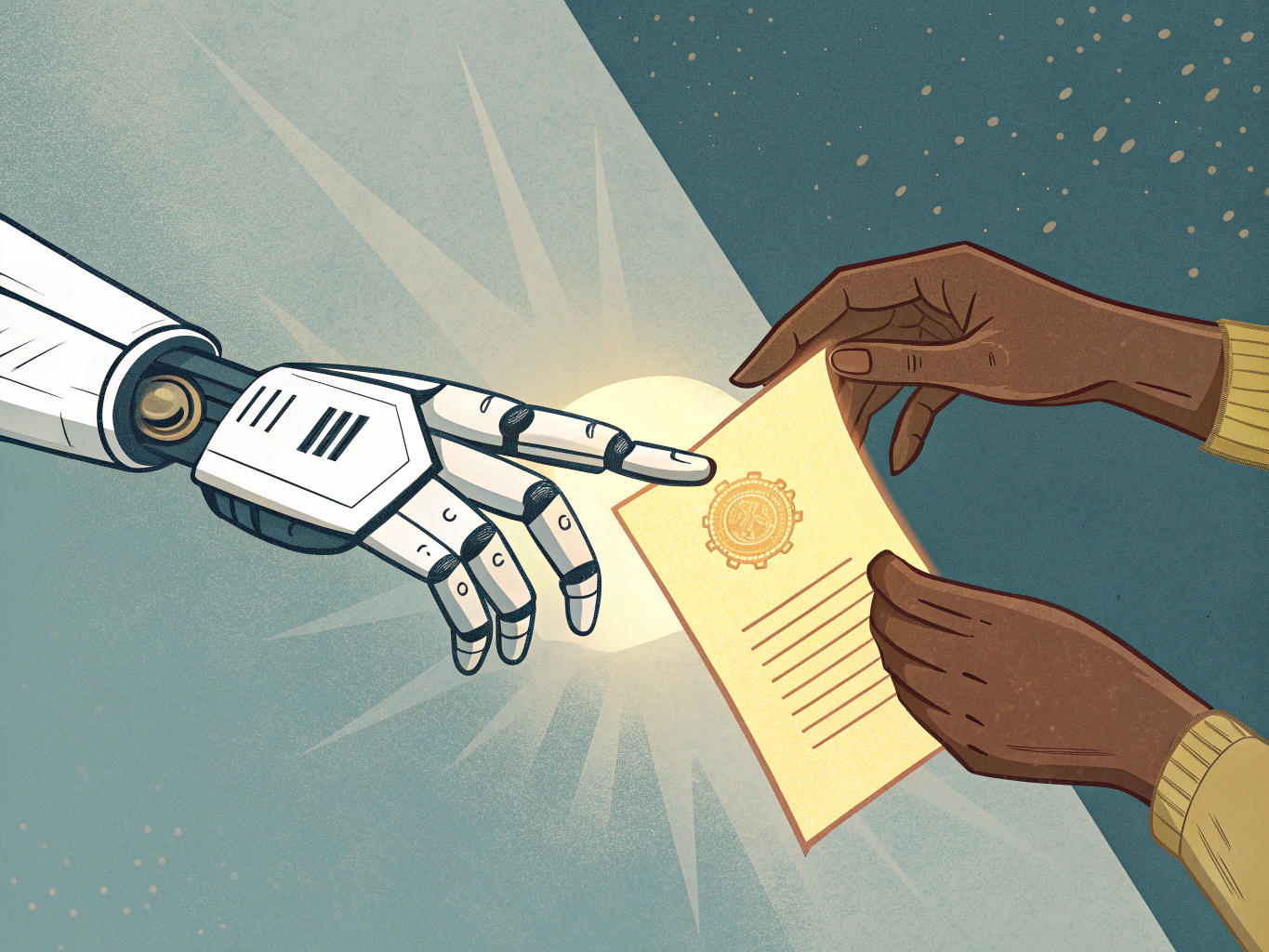
AI detection tools have become increasingly sophisticated, but they're far from perfect. These systems analyze patterns in word choice, sentence structure, and statistical probability to flag content that might be AI-generated. The problem: they produce false positives and false negatives at surprisingly high rates, sometimes flagging human writing as artificial or missing obvious AI content entirely.
Here's what matters more: Google doesn't penalize AI-generated content if you personalize it and maintain genuine connection with your audience. The search engine cares about helpful, relevant content, not whether a tool assisted in creating it.
The real issue isn't detection; it's authenticity. Content that sounds robotic or generic fails because it doesn't serve readers, not because it's AI-written. A piece crafted with AI but shaped by your unique perspective, insights, and voice will always outperform polished but impersonal output.
Building trust requires transparency and substance. If you're using AI tools, focus on what makes your content distinctly yours: your expertise, your examples, your point of view. Add specific details, original research, or personal experience that only you can provide. This approach protects your brand far better than trying to trick detection algorithms.
The human element remains essential for quality content. Think of AI as a productivity partner that handles drafting and structuring while you contribute judgment, creativity, and credibility. When you combine these elements thoughtfully, detection becomes irrelevant because your audience recognizes genuine value.
Stop worrying about whether tools can identify your content. Start focusing on whether your content actually helps people. That distinction defines successful AI-assisted publishing.
Getting Started: Implementation Strategy for Your Business
The key to successful implementation isn't choosing the fanciest tool; it's solving a real problem you actually have. Start by identifying your bottleneck. Are you drowning in first drafts? Struggling with social media captions? Need help with research summaries? Pinpoint this before evaluating any software.
Next, audit your current workflow. The best tools integrate seamlessly into existing processes rather than forcing you to work around them. If you're already using Notion or Google Docs, prioritize software that connects there. If your team lives in Slack, look for integrations that reduce context switching.
Run a limited pilot before committing budget. Most platforms offer free trials lasting a week or two; use them to test with your actual content types and team members. This reveals whether the tool matches your needs or just seems promising in theory.
Once you've selected something, establish quality checkpoints. AI content creation software works best as a starting point, not a finish line. Build a simple review process: one person edits, another approves before publication. This prevents embarrassing errors while maintaining speed advantages.
Train your team on effective prompting. People who craft detailed, specific instructions get dramatically better results than those who write vague requests. Spend an hour teaching your writers how to structure prompts, and you'll see immediate quality improvements.
Track what matters. Monitor time saved per piece, publication velocity, and content performance metrics. After four weeks, compare these against your baseline costs. If you're producing more than three or four pieces weekly, upgrading to at least a $20/month plan usually makes financial sense and eliminates hitting usage limits.
Finally, avoid the biggest pitfall: treating AI as a replacement for strategy. Software can accelerate execution, but it can't fix unclear messaging or poorly defined audience targeting. Use these tools to amplify what you're already doing well, not to bypass the thinking work that makes content effective.
The Future of AI Content Creation: What's Coming Next
The next generation of AI content creation software won't just produce faster. It will produce smarter, across every format simultaneously.

Multimodal AI is already reshaping what's possible. The proliferation of multimodal AI tools capable of producing text, images, video, and audio from a single prompt is expanding the market's addressable scope. Instead of juggling separate tools, you'll input a concept once and get cohesive assets across channels. Accuracy will improve too, with fewer hallucinations and more reliable outputs grounding claims in fact.
Real-time personalization takes this further. Rather than static content, AI will anticipate what each user needs before they ask for it. AI is enabling hyper-personalization where AI anticipates user needs and delivers content proactively, enhancing experiences in 2025. Content adapts dynamically based on engagement signals, adjusting tone, depth, and format on the fly.
Yet the most significant shift isn't technological. It's philosophical. AI won't replace strategic thinking; it will demand more of it. Your competitive advantage shifts from execution speed to decision-making quality. Which stories matter? Who needs to hear them? What's the actual business outcome?
The tools keep improving. Your job becomes ensuring they serve something worth saying. That's where human creativity remains irreplaceable.