How to Create a Company LinkedIn Page: 2026 Guide
Last Updated: February 6, 2026 TL;DR: Key Takeaways for Creating Your LinkedIn Company Page Set up takes 5 minutes: company name, URL, logo, and basic info. Pag...
Wilmer KarlssonTarstad
Last Updated: February 6, 2026
TL;DR: Key Takeaways for Creating Your LinkedIn Company Page
- Set up takes 5 minutes: company name, URL, logo, and basic info. Pages with complete information get 30% more views.
- Complete your About section with 2,000 characters, up to 20 specialties, and keyword-rich descriptions for discoverability.
- Post 3-5 times weekly with images or video. Companies posting weekly see 2x engagement lift compared to inactive pages.
- Shift strategy to employee advocacy. Personal profiles now get 561% more reach than company pages in 2026.
- Track analytics monthly and optimize based on what drives engagement. The first 60 minutes after posting determines overall reach.
Table of Contents
- Why Your Business Needs a LinkedIn Company Page in 2026
- Step-by-Step: How to Create Your LinkedIn Company Page
- Complete Your Page Profile: Essential Information and Optimization
- Content Strategy: What to Post and How Often
- The 2026 Algorithm Shift: Why Employee Advocacy Matters More Than Company Posts
- Maximizing Your Company Page: Advanced Strategies and Ongoing Optimization
- Frequently Asked Questions About LinkedIn Company Pages
- Conclusion: Your LinkedIn Company Page is Just the Beginning
Why Your Business Needs a LinkedIn Company Page in 2026 {#why-your-business-needs-a-linkedin-company-page-in}
A LinkedIn company page is your brand's official headquarters on the world's largest professional network. It's not just another social profile; it's a credibility checkpoint where millions of professionals evaluate whether your company is worth their time, talent, or business.
The numbers tell the story. LinkedIn has over 930 million members and 75 million businesses actively using the platform. More importantly, 80% of B2B leads come from LinkedIn, making it 277% more effective at lead generation than Twitter and Facebook combined. For B2B companies, this isn't a nice-to-have; it's where your customers are already making decisions.
But the value extends beyond leads. Job seekers research companies on LinkedIn before applying or accepting offers. A polished company page signals that you're a legitimate, professionally-run organization worth joining. Your page becomes a cultural showcase, helping you attract talent aligned with your values.

Without a presence, you're invisible to this decision-making hub. With one, you're positioned for growth across recruitment, sales, and brand authority.
Step-by-Step: How to Create Your LinkedIn Company Page {#step-by-step-how-to-create-your-linkedin-company-p}
Creating your LinkedIn company page takes just a few minutes, but you need to prepare first. You cannot build a company page without an active personal LinkedIn profile, so make sure yours is up-to-date and professional before you begin.
Here's the exact process:
Step 1: Access the Create Page Option
Log into your LinkedIn account and click the Work icon in the top-right corner of your homepage. From the dropdown menu, select "Create a Company Page." This takes you to LinkedIn's company page creation interface.
Step 2: Choose Your Page Type
LinkedIn offers two page types. Small Business pages work for companies with fewer than 200 employees, while Medium to Large Business pages are for organizations with 200 or more. Select the option that matches your company size. This determines which features and tools you'll access going forward.
Step 3: Fill in Essential Information
Have these details ready before you start:
- Company name (exactly as it appears legally)
- Public URL for your page (LinkedIn creates a custom link)
- Company website
- Industry (select from LinkedIn's dropdown)
- Company size
- Optional tagline (50 characters max)
Enter each field carefully. Your company name and industry are especially important for searchability and discoverability.
Step 4: Verify Your Authority
LinkedIn requires you to confirm you have permission to represent this company. You'll verify your business email address or upload company documentation if needed. This protects against impersonation and ensures page legitimacy.
Step 5: Launch Your Page
Click "Create" and LinkedIn builds your basic page instantly. You'll see a "Start Building Your Page" prompt. This is where the real work begins: adding your logo, banner image, company description, and content strategy. Don't rush this phase; optimization here drives long-term engagement and visibility.
Complete Your Page Profile: Essential Information and Optimization {#complete-your-page-profile-essential-information-a}
Your LinkedIn company page is only as effective as the information you populate it with. Skipping these essential fields means leaving visibility and engagement on the table. Here's what matters and why.
Start with Your Logo and Banner
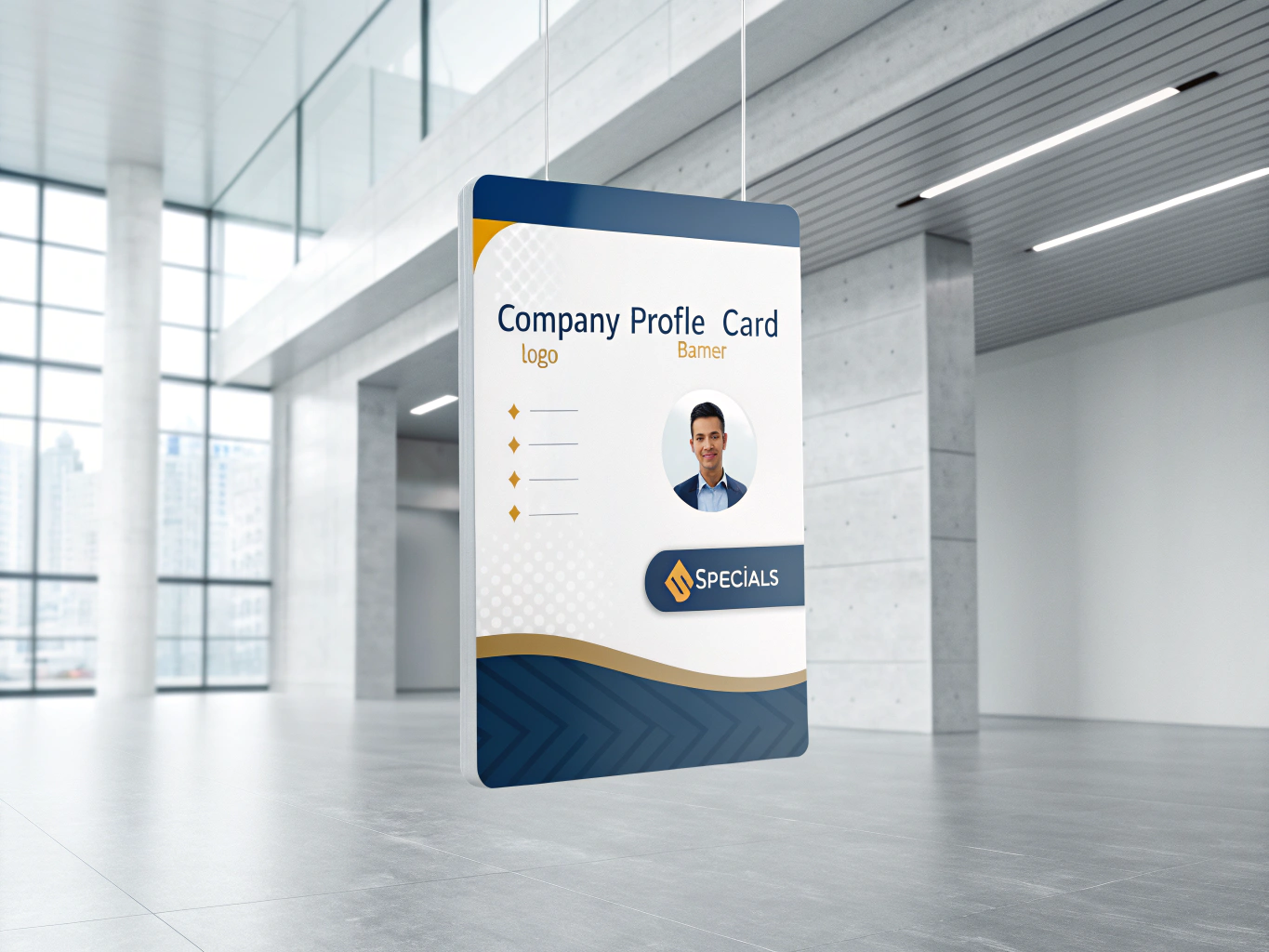
Your logo is your first impression. Companies with logo images get six times more traffic to their pages, and the recommended size is 300 x 300 pixels. This image appears in search results, employee profiles, and whenever your company is mentioned. Your banner image (1128 x 191 px) sits above everything else; use it to communicate your mission or values visually rather than just displaying a generic corporate photo.
Craft a Keyword-Rich About Section
You have up to 2,000 characters here, and every word counts for discoverability. Pages with complete information get 30% more weekly views, so don't waste this space with generic corporate speak. Lead with your strongest value proposition and naturally weave in keywords your target audience actually searches for. Mention specific industries, services, or solutions you provide. This section directly impacts whether your page surfaces in LinkedIn's search algorithm.
Add Specialties Strategically
You can list up to 20 specialties, and this field is specifically designed to increase search visibility. These shouldn't be vague; instead, list the exact services, products, or expertise areas your company offers. If you're a software company specializing in HR tech for mid-market enterprises, say that rather than just "software."
Activate Your Call-to-Action Button
This custom button can direct visitors to your website, contact form, job listings, or event registration. Choose the action that aligns with your immediate business goal. Don't overthink it; just pick what drives the most value right now.
Completing these fields takes 30 minutes. Skipping them costs you months of lost visibility.
Content Strategy: What to Post and How Often {#content-strategy-what-to-post-and-how-often}
Here's the content for your section:
Posting frequency matters more than you'd think. Companies that post weekly see a 2x lift in engagement with their content, while the sweet spot for maximum visibility lands between 3 and 5 posts per week. Going beyond five daily posts? You're adding noise without meaningful returns. Fewer than three updates weekly, and your page impressions start declining noticeably.
The type of content you share is equally critical. Stop thinking in terms of promotional blasts. Instead, focus on what actually moves your audience: behind-the-scenes glimpses, employee spotlights, company culture moments, and insights that solve real problems for your followers.
Visual content dominates right now. Images typically result in a 2x higher comment rate, and multi-image carousels achieve even stronger performance at 6.6% engagement rates. If you're embedding video, go native with YouTube links; they generate 75% higher share rates compared to other formats.
Here's the hard truth: authenticity beats polish. Your audience can smell corporate jargon from miles away. When you post about a team milestone, share the real story, not the sanitized version. When showcasing a product, explain the specific benefit your customer gets, not just what it does.
Quality beats quantity every single time. A single thoughtful post with genuine insight will outperform five mediocre updates. Each piece of content should answer one simple question for your follower: "Why should I care about this?" If you can't answer that clearly, don't post it.
Track what resonates using your analytics dashboard. Pay attention to which content types, topics, and posting times drive the most engagement. Then double down on what works. Your content strategy isn't set in stone; it evolves as your audience tells you what they value.
The 2026 Algorithm Shift: Why Employee Advocacy Matters More Than Company Posts {#the-2026-algorithm-shift-why-employee-advocacy-mat}
Here's the hard truth: if you're still betting on company page posts to drive meaningful reach in 2026, you're playing a losing game.
Organic reach for company pages plummeted between 60% and 66% from 2024 to early 2026, fundamentally restructuring how LinkedIn distributes company content. This isn't a minor fluctuation. It's a seismic shift in how the platform allocates visibility.
Here's why: LinkedIn's algorithm now reserves just 5% of user feed allocation for company pages, while personal profiles dominate at 65%. The numbers tell the story. When you publish a company page post, it initially shows that content to just 2-5% of your followers, with the first hour acting as a trial run where the algorithm measures engagement velocity. If engagement stalls, the post dies.
But here's where it gets interesting. Employee reshares reach 561% further than company page posts in 2026, representing a systematic structural advantage. When your team members share company content from their personal profiles, the algorithm treats it as authentic peer-to-peer connection, not corporate messaging. That's the difference between reaching thousands and reaching tens of thousands.
CEO content amplifies this effect even further, generating 4x more engagement than average posts. Why? Because LinkedIn rewards human voices over corporate ones.
This means your company page strategy needs a complete overhaul. Stop treating it as your primary broadcasting tool. Instead, use it as the content hub that empowers your people to amplify your message through their networks. That's not optional anymore. It's survival.
Maximizing Your Company Page: Advanced Strategies and Ongoing Optimization {#maximizing-your-company-page-advanced-strategies-a}
Your company page is live, but the real work starts now. Here's how to extract maximum value and build sustainable growth.
Activate Employee Advocacy Immediately
Employee advocacy generates 30% of total company engagement despite only 3% of employees sharing, demonstrating the power of decentralized distribution. Stop relying solely on your company page to carry the weight. Instead, equip your team to share company content through their personal profiles. This approach bypasses algorithm limitations and taps into their networks directly. Start with your most engaged employees and provide them with pre-written posts they can customize and share.
Monitor the Metrics That Matter
Track these monthly: follower growth rate, engagement rate (likes, comments, shares divided by impressions), post impressions, click-through rate, and conversion events. This data reveals what resonates with your audience and where to double down. Use LinkedIn's analytics dashboard to identify your top-performing content types.
Hit the 150-Follower Threshold
After a LinkedIn page reaches 150 followers, it will continue to grow new followers at a rate 9x faster than pages with fewer than 150 followers. This inflection point matters. Prioritize reaching this milestone through targeted outreach and consistent posting before scaling paid promotion.
Coordinate Team Engagement
During the first 60 minutes after posting, have team members engage with your content. Comments and shares signal quality to LinkedIn's algorithm, boosting organic reach significantly. This small coordination effort compounds over time.
Implement Retargeting
Install the LinkedIn Insight Tag on your website to track visitor behavior and build retargeting audiences. Use this data to promote high-performing posts to similar audiences through paid campaigns, maximizing ROI on your content investment.
Frequently Asked Questions About LinkedIn Company Pages {#frequently-asked-questions-about-linkedin-company-}
Is it really free?
Yes. LinkedIn company pages are completely free to create, with no hidden fees or surprise charges. You only pay if you decide to run paid ads later, which is entirely optional.
Can I set this up on my phone?
Technically yes, but don't. Mobile setup through the app works, but you'll miss crucial customization options like banners, detailed descriptions, and proper formatting. Desktop gives you the full experience in minutes.
What if I'm brand new to LinkedIn?
Build your personal profile first. You need at least 30 to 50 connections before creating a company page; LinkedIn requires this to prevent spam. Spend a week connecting with colleagues, industry peers, and contacts. It's worth it.
How do I add team members as admins?
Once your page launches, go to Admin View and invite team members via their email addresses. You can set different permission levels so not everyone needs full control.
Can I manage multiple company pages?
Yes, but each needs its own admin account. If you're running several brands or subsidiaries, create separate LinkedIn profiles to manage each page independently.
When will I see actual results?
Realistically, 3 to 6 months of consistent posting before meaningful traction. Don't expect overnight engagement. Focus on quality content and genuine audience interaction rather than vanity metrics. This is a marathon, not a sprint.
Conclusion: Your LinkedIn Company Page is Just the Beginning {#conclusion-your-linkedin-company-page-is-just-the-}
You've invested 30 minutes to set up your company page. You've optimized every field. You've posted three times this week. Now comes the harder part: consistency.
Here's the reality. The brands winning on LinkedIn in 2026 aren't relying solely on company page metrics; they're redirecting energy toward strategies that actually work. Employee advocacy outperforms company posts by 8x, so shift your mindset now. Your page is the foundation, not the finish line.
Expect 3 to 6 months before meaningful traction appears. This isn't pessimism; it's realistic planning. Track your metrics monthly using LinkedIn's native analytics and adjust based on what resonates. Which posts drive engagement? Which topics spark conversation? Double down on what works.
Post consistently at 3 to 5 times weekly with visual content and authentic stories. [LinkedIn is a decision-making hub where exposure to your brand boosts purchase intent], making regular engagement non-negotiable.
The opportunity ahead is substantial. Your company page connects you to decision-makers actively seeking solutions. But success demands patience and strategy, not shortcuts.
Ready to accelerate your LinkedIn strategy? Explore our LinkedIn engagement tips and analytics guide to refine your approach. Your competitive advantage starts now.