LinkedIn CRM Integration: Everything You Need to Know in 2026
Wilmer KarlssonTarstad
Last Updated: February 23, 2026
Key Takeaways
- LinkedIn CRM integration automates lead capture, saving 15 minutes per salesperson daily
- Native integrations with HubSpot and Salesforce improve conversion rates by 30%
- Companies with integrated systems see 17% higher win rates and 42% larger deal sizes
- Choose based on team size, budget, and whether LinkedIn is your primary sales channel
What Is LinkedIn CRM Integration and Why It Matters
LinkedIn CRM integration is a direct connection between LinkedIn and your customer relationship management system that automatically syncs contact data, activity records, and professional insights. Think of it as a bridge that eliminates the manual work of copying names, titles, company information, and interaction history between platforms.
Here's the problem it solves: your sales team spends roughly 15 minutes daily on manual data entry between LinkedIn and your CRM. That's not just wasted time; it's a data quality nightmare. Contacts get duplicated, information goes stale, and critical details fall through cracks. CRM integrations can improve lead conversion rates by up to 30%, and the efficiency gains compound across your entire team.
Why now? LinkedIn generates 80% of B2B leads from social media, yet most teams treat LinkedIn as a separate hunting ground from their actual sales system. The integration closes that gap. When a prospect accepts your connection request or engages with your content, that activity automatically logs into your CRM. Their job change, company update, or new skill triggers alerts. Your reps spend less time on admin and more time on actual selling.
The business case is simple: automate manual data entry, save 15 minutes per salesperson daily, and improve lead conversion rates by up to 30%. For a team of ten, that's over 40 hours reclaimed monthly. That's not efficiency; that's revenue.
The Core Benefits of LinkedIn CRM Integration
Here's the core reality: your sales team spends roughly 20% of their day switching between LinkedIn and your CRM, manually copying prospect information, and trying to piece together conversation history across platforms. LinkedIn CRM integration eliminates that friction entirely.
When you connect LinkedIn to your CRM, contact enrichment happens automatically. The moment a prospect views your profile or engages with your content, their LinkedIn data flows directly into your system in real-time. No copy-paste. No outdated phone numbers or job titles. Integration automatically enriches contact profiles with LinkedIn data, optimize lead qualification, improve lead engagement, and enable in-platform communication, which means your team works with complete, current information from day one.
One-click lead capture is a game-changer for discovery. Instead of manually creating contacts, you capture full LinkedIn profiles directly into your CRM with a single click. Their entire professional history, current role, company details, and mutual connections appear instantly. This isn't just convenience; it's about speed. Your sales reps can qualify leads faster because they're not hunting for missing context.
Here's where it gets valuable: job changes. Prospects switch companies constantly, and outdated CRM records kill deals. Centralizes data in one place providing a single source of truth on contacts and companies, allowing users to stay within one workspace, and automatic updates mean when your prospect moves to a new company, their record updates without manual intervention. You catch these transitions before your competitors do.
Communication becomes seamless too. The main advantage of LinkedIn's CRM integration is that there is no need to switch between platforms, with LinkedIn data accessible right in your CRM. Send LinkedIn messages directly from your CRM interface, track every interaction in one central location, and maintain complete conversation history without jumping between tabs.
The measurable impact: reduced administrative overhead, faster lead qualification cycles, and higher data quality. Your team stays focused on selling, not data management.
How LinkedIn CRM Integration Works: The Technical Foundation
At its core, LinkedIn CRM integration works through secure API connections that allow your sales tools to communicate with LinkedIn's platform. The most straightforward approach uses OAuth 2.0 authentication, which means you grant permission once and the systems talk to each other without storing your password. This is the technical backbone that keeps your data safe while enabling the magic to happen.
The Two-Way Data Flow
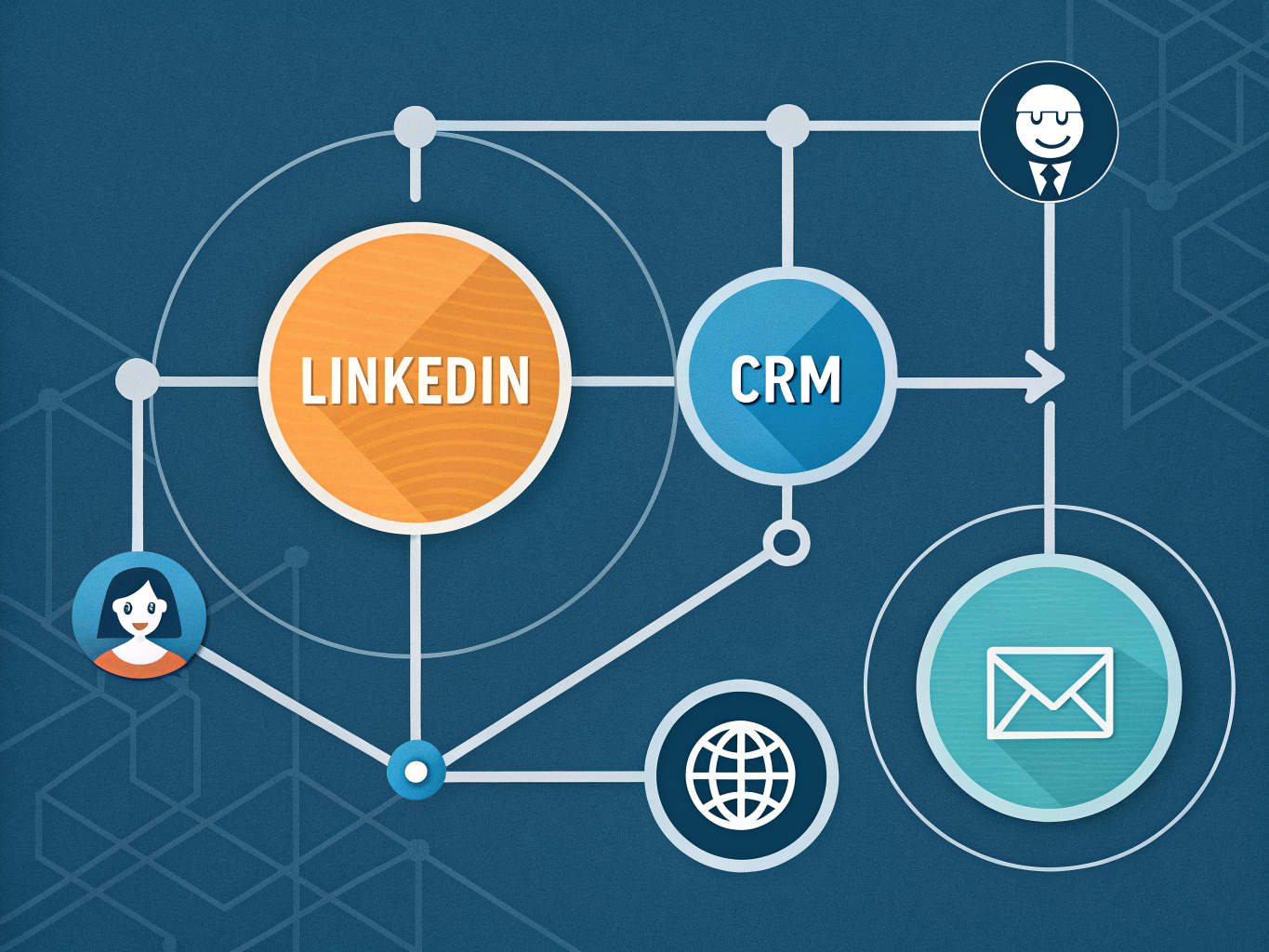
Data moves in both directions. LinkedIn feeds enriched contact information into your CRM, while your CRM can push activity data back to LinkedIn Sales Navigator. Contact enrichment includes job title, current company, industry, location, time in current role, and LinkedIn activity; company enrichment includes industry, number of employees, and location. This means your prospect profiles stay current without manual updates.
One particularly valuable feature is job change alerts. When a prospect switches companies or gets promoted, your system notifies you immediately, creating timely outreach opportunities. This alone can dramatically improve your pipeline velocity since you're reaching people during moments of transition when they're most receptive.
Native vs. Third-Party Solutions
LinkedIn offers native integration through Sales Navigator, though Advanced Plus plan is required for full CRM integration, which provides access to advanced features starting February 1, 2025. If you're using a major CRM like Salesforce or HubSpot, they likely have built-in connectors that handle the heavy lifting.
For teams using smaller platforms or wanting more flexibility, third-party tools and Chrome extensions fill the gap. These middleware solutions act as translators between LinkedIn and your CRM, offering features like bulk contact syncing, custom field mapping, and activity logging. LinkedIn CRM integration can automatically refresh customer profiles with recent LinkedIn activity like posts or updates, and some let you send messages directly from the CRM.
The choice depends on your stack and complexity. Native integrations offer simplicity and reliability; third-party tools provide customization and control. Either way, the foundation remains the same: secure data flow that keeps your sales team informed and your prospects' information current.
Best CRM Platforms for LinkedIn Integration in 2026
Choosing the right CRM for LinkedIn integration depends less on features and more on your team size, budget, and sales complexity. Let's break down your realistic options.
HubSpot remains the go-to for small to mid-market teams. It stands out as a popular choice for integrating with LinkedIn Sales Navigator, boasting over 71,000 app installs with seamless data syncing that automates key imports. Starting at $20 per user monthly, it's accessible without sacrificing functionality. The native integration means less manual work moving prospects between platforms. The catch: you'll need a separate Sales Navigator subscription ($1,600+ annually), so factor that into your total cost.
Salesforce is the enterprise standard for a reason. If your sales process involves complex pipelines, multiple stakeholders, and customization needs, Salesforce delivers. It elevates LinkedIn Sales Navigator integration to enterprise standards, offering advanced data synchronization and workflow automation tailored for large-scale sales teams. Expect to pay $165 or more per month, but you're getting infrastructure built for organizations with 500+ person sales teams. It's overkill for startups but indispensable for scaling enterprises.
Zoho CRM deserves attention if budget is tight. At $14 monthly, it's the most cost-effective option without cutting corners. Their LinkMatch feature enhances LinkedIn importing, making data capture more intelligent. Zoho works well for teams under 50 people who need solid functionality without enterprise-level complexity or pricing.
Salesflare and Folk CRM represent a newer category: LinkedIn-native platforms. Salesflare is the only CRM with native personal LinkedIn integration (not just Sales Navigator), meaning you're not locked into LinkedIn's premium tools. Folk takes a different angle, designed specifically for 20-50 person teams with one-click LinkedIn prospect capture. These work best if your entire sales motion centers on LinkedIn rather than multi-channel outreach.
Making your decision: Teams under 20 people should evaluate Zoho or HubSpot first. Between 20-100 people, HubSpot or Folk CRM handle most workflows. Enterprise teams with complex requirements need Salesforce. Consider whether you want to invest in Sales Navigator ($1,600+ annually) or prefer platforms offering independent LinkedIn functionality.
The real question isn't which platform has the most features; it's which one your team will actually use consistently. The best CRM integration is the one your sales reps won't skip.
Step-by-Step: Setting Up LinkedIn CRM Integration
Getting LinkedIn CRM integration live doesn't require technical wizardry, but it does require the right setup. Here's what you need before you start.
Prerequisites You Can't Skip
First, confirm you have admin rights in both LinkedIn and your CRM platform. You'll also need LinkedIn Sales Navigator with an Advanced Plus subscription (the basic tier won't cut it for API access). On LinkedIn's side, you'll need OAuth 2.0 API authentication and approved developer credentials from the LinkedIn Developer Portal. To connect LinkedIn with your CRM, ensure you have API Authentication using OAuth 2.0, Platform Permissions with Admin rights for Company Page and Campaign Manager, and Developer Access with approved credentials from LinkedIn's Developer Portal.
Platform-Specific Setup
For HubSpot, navigate to your Marketplace, search for the Sales Navigator integration, and authenticate your LinkedIn account when prompted. The system will walk you through field mapping automatically.
Salesforce users should head to AppExchange, locate the LinkedIn integration, and enable it through your org settings. You'll then manually configure which LinkedIn fields sync to your Salesforce objects.
Zoho requires installing the LinkMatch tool from the marketplace, then mapping LinkedIn profile fields to your custom Zoho properties. Zoho CRM's automation capabilities including Blueprints feature help streamline LinkedIn-driven workflows, automatically generating tasks when prospects view profiles or respond to InMails.
Testing and Security
After setup, run a test sync with 5-10 contacts. Verify that profile data, job titles, and company information populate correctly. Check that contact enrichment is accurate before rolling out to your full team.
Finally, lock down security. Always check for solid encryption and data protection, ensure the CRM follows privacy laws like GDPR and offers access controls so only authorized users can see LinkedIn data. Configure role-based access so junior reps can't export bulk contact lists, and enable audit logs to track who accessed what data.
Maximizing ROI: Best Practices for LinkedIn CRM Integration
Getting maximum ROI from LinkedIn CRM integration means treating it as a strategic system, not just a data sync tool. Here's what separates high-performing teams from those stuck in setup mode.
Start with your LinkedIn profile itself. Industry-specific keywords in your headline and about section directly improve how Sales Navigator filters identify you as a relevant connection, which influences lead scoring accuracy in your CRM. This foundational step pays dividends across your entire pipeline.
Before importing prospects, use Sales Navigator's advanced filters to pre-qualify leads. Don't just pull everyone into your CRM; be intentional about who deserves immediate attention. Companies with integrated Sales Navigator and CRM systems see 17% higher win rates, 42% larger deal sizes, and a 15% boost in pipeline opportunities, partly because they're working smarter from the start.
Automation is where integration truly transforms your workflow. Set up triggers that fire follow-ups when prospects engage with your content, visit your profile, or respond to initial outreach. This removes the manual grind and ensures no momentum is lost. Pair this with enrichment tools that add verified contact details directly to your CRM records, eliminating the back-and-forth between platforms.
Data quality requires discipline. Regularly audit your contact records for duplicates, outdated information, and incomplete fields. A clean database means your metrics actually reflect reality. Track response rates, connection approval trends, and conversion velocity from LinkedIn sourced leads. These metrics tell you whether your integration is driving real business results or just creating busy work.
Finally, team adoption makes or breaks everything. Your integration is only as effective as your team's willingness to use it consistently. Invest time in training on both the technical setup and the strategic intent behind your workflow. Align your team so everyone knows who's reaching out to which prospect, preventing the awkward duplicate outreach that erodes your reputation.
The best integration is one your team actually uses every day, not one that sits half-configured and forgotten.
Common Challenges and Solutions
Most teams hit the same roadblocks when setting up LinkedIn CRM integration. Here's what's actually happening and how to fix it.
Data isn't syncing? Start with the basics: verify your API authentication tokens haven't expired, confirm your user permissions allow data access, and check that you have Sales Navigator Advanced Plus ($1,600+ annually). Most sync failures trace back to one of these three. If you're still stuck, your CRM might not have native LinkedIn integration. LinkedIn has built stringent controls over its APIs since 2015, limiting which CRMs can access data, so only five CRMs enjoy native connections.
Can you bulk export your entire network? Not officially. LinkedIn doesn't allow full network exports through native integrations for privacy and competitive reasons. Third-party tools like LeadCRM exist as workarounds, but they come with their own compliance considerations.
What data actually transfers? Contact enrichment, company information, job change notifications, and activity alerts move seamlessly. Full profile exports don't. This limitation frustrates teams wanting comprehensive records, but it's deliberate LinkedIn policy.
Worried about GDPR compliance? You're right to be cautious. Native integrations are compliant when your CRM uses proper encryption, granular access controls, and transparent data handling. Always verify your CRM's data practices before connecting.
Which CRM should you choose? If native integration matters, HubSpot, Zoho, and SugarCRM offer exclusive features like InMail messaging. Others require manual workarounds or third-party bridges.
The reality: LinkedIn CRM integration works best when you set realistic expectations about data scope and choose platforms aligned with your workflow. Don't fight the system's limitations; build around them.
Key Takeaways and Your Next Steps
LinkedIn CRM integration isn't optional anymore if you want to stay competitive in 2026. The teams that move fast on this will have a significant advantage: better data quality, faster sales cycles, and higher conversion rates.
Here's what you need to do right now:
First, audit your current setup. How much time does your team spend manually updating CRM records? Where are you losing leads in the process? This baseline matters because it shows your ROI potential.
Second, run a pilot program. Don't integrate across your entire team immediately. Start with one sales rep or a small group. Test the integration for 30 days, measure adoption rates and conversion impact, then decide on full rollout. This approach reduces risk and builds internal buy-in.
Third, choose the right platform. Your decision depends on three factors: team size, budget, and your existing sales methodology. Smaller teams might start with native LinkedIn tools, while enterprises typically need robust third-party integrations. Don't overthink this; pick one and optimize later.
Finally, commit to training and metrics. Integration only works if your team actually uses it. Set clear success metrics: conversion rates, sales cycle length, and adoption rates. Review these monthly and adjust your process accordingly.
The best time to integrate LinkedIn with your CRM was last year. The second best time is today. Your competitors aren't waiting, and neither should you.