LinkedIn Profile Picture Guide: Best Practices for 21x More Views
Wilmer KarlssonTarstad
Last Updated: September 16, 2026
Key Takeaways
- Profiles with professional photos get 21x more views and 9x more connection requests than those without
- Simple backgrounds, natural lighting, and genuine smiles create the strongest first impressions with recruiters
- Your profile picture should be recent, centered, and fill roughly 60% of the image with your face
- Technical specs matter: use 1200x1200 pixels minimum, 1:1 aspect ratio, JPG or PNG format
Why Your LinkedIn Profile Picture Matters More Than You Think
Here's the reality: your LinkedIn profile picture isn't just a nice-to-have detail. It's the single most consequential element determining whether people actually see your profile, connect with you, or engage with your content.
The numbers are staggering. Profiles with professional photos receive 21 times more views than those without. That's not a marginal improvement; that's a fundamental difference in visibility. If you're serious about building your network, this statistic alone should shift how you think about your profile setup.
But visibility is just the beginning. A professional headshot drives 9 times more connection requests and up to 36 times more messages compared to profiles without photos. For founders trying to attract investors, salespeople working to land meetings, or creators building an audience, this difference translates directly to opportunities.
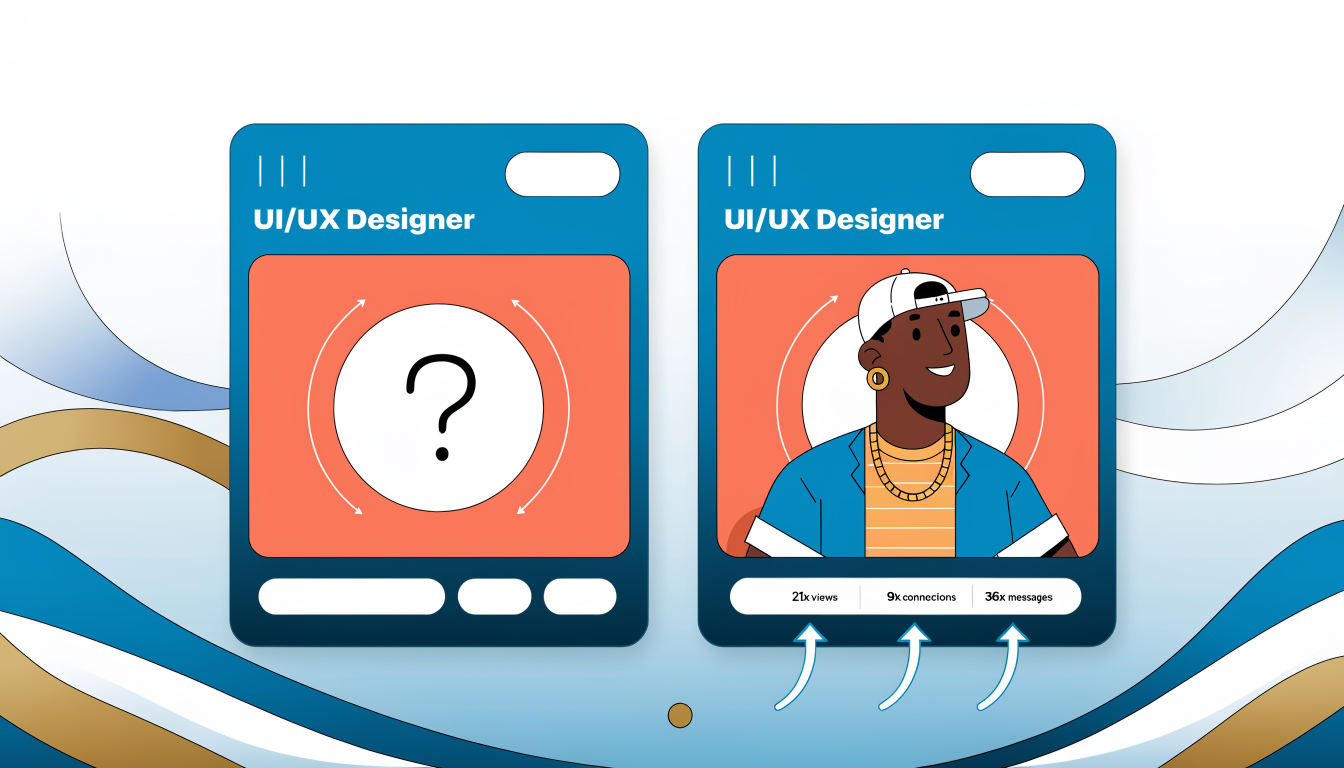
Your profile picture isn't separate from your LinkedIn strategy; it's the foundation of it. Without this element in place, every other effort you make on the platform faces an uphill battle. This is where growth actually begins.
The Essential Elements of a Professional LinkedIn Profile Picture
Your LinkedIn profile picture isn't just decoration. It's the first impression that determines whether someone clicks into your profile or scrolls past. The difference between a forgettable photo and a compelling one comes down to five core elements that work together to create trust and approachability.
Lighting sets the foundation for everything else. Natural light, particularly during golden hour (early morning or late afternoon), creates flattering results that studio equipment often can't replicate. Avoid harsh overhead lighting or shadows across your face; position yourself facing the light source so your features are evenly illuminated and your skin appears vibrant.
Your background should be intentionally simple. A plain wall, soft blur, or professional office setting keeps focus squarely on your face rather than competing for attention. Research shows simple backgrounds keep focus on your face and ensure professionalism. Cluttered backgrounds distract viewers and diminish perceived professionalism.
Framing matters more than most people realize. Position yourself so your head and shoulders fill the frame, with your face occupying roughly 60% of the image. This creates an intimate connection without feeling invasive. You're close enough to show genuine emotion but far enough to appear approachable.
Your expression communicates confidence and warmth simultaneously. Smiles showing teeth are rated twice as likable as closed-mouth alternatives, but authenticity matters more than technique. Make direct eye contact with the camera; this creates psychological connection with viewers.
Finally, clothing should reflect your industry's standards. A tech professional might wear a casual blazer, while a financial advisor should opt for traditional business wear. Your outfit signals professionalism without overshadowing your face.
These elements aren't arbitrary rules; they're psychology-backed principles that influence how people perceive competence and trustworthiness. When aligned properly, they transform your profile picture from a forgotten detail into a genuine networking asset.
Lighting and Background: The Two Most Important Factors
Here's where most LinkedIn profile pictures fail. You can have perfect styling and genuine confidence, but poor lighting and a cluttered background will tank your results before anyone even reads your headline.
Think of lighting and background as the foundation of your photo. They determine whether someone's eye lands on you or gets distracted by visual noise. Psychologically, our brains process backgrounds faster than faces; a messy or competing background actually makes people less likely to focus on you.
Natural light is your best friend. Position yourself near a window for even, flattering lighting without harsh shadows. Soft window light eliminates the unflattering shadows that overhead lighting creates under your eyes and chin. The key is timing: shoot during mid-morning or late afternoon when sunlight is diffused and warm, not harsh midday sun. If you're shooting indoors without windows, invest in a basic ring light or two-light setup; it's cheaper than a professional headshot and gives you complete control.
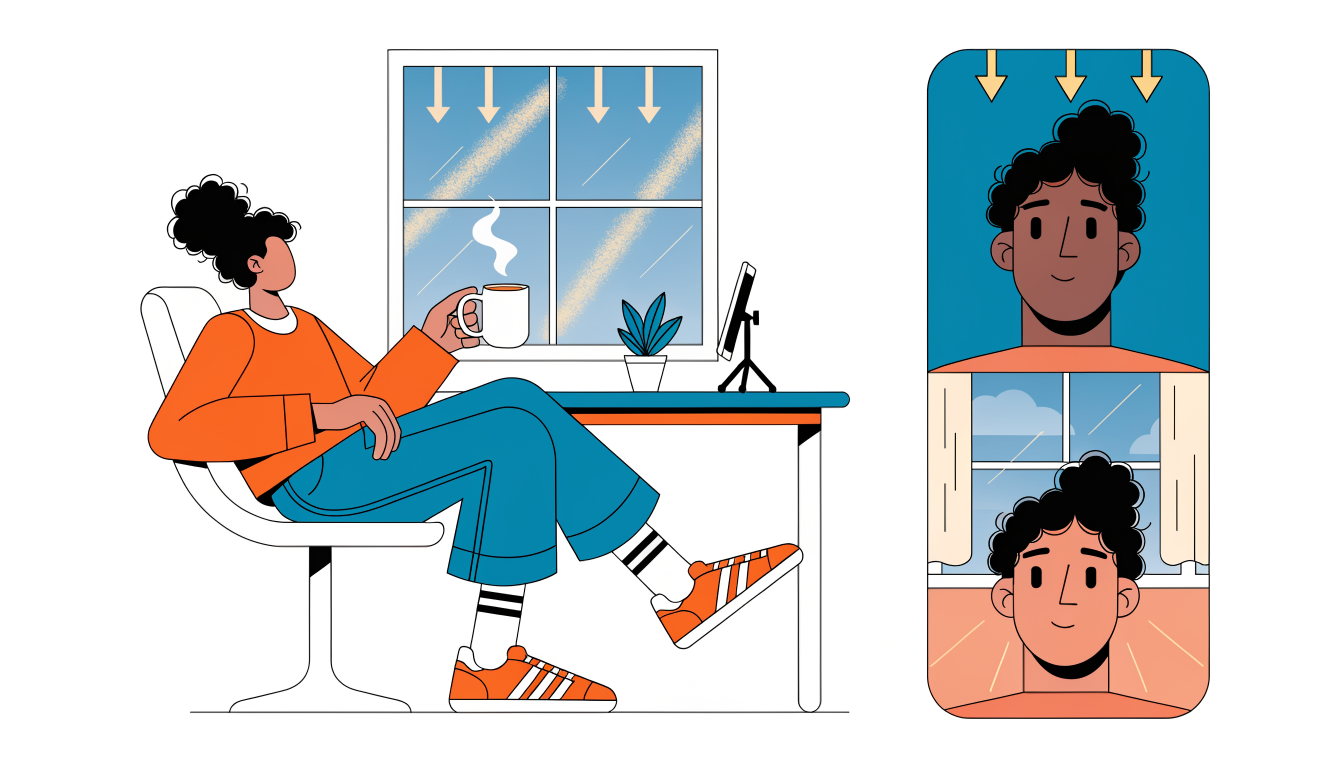
On background, simplicity wins every time. Neutral colors like white, gray, and soft blue work best for professional backgrounds. A plain background immediately attracts attention because it's not distracting. Avoid busy bookshelves, busy offices, or anything that pulls focus away from your face. If you're in a specific industry like tech or creative, a subtle branded element works, but resist the urge to show off your entire workspace. Your face is the product here; everything else should support it, not compete with it.
Technical Specifications and File Requirements
LinkedIn has specific technical requirements that directly impact how your photo displays across devices and in search results. Ignore these specs, and your carefully chosen headshot becomes pixelated, cropped awkwardly, or fails to upload entirely.
Start with resolution: upload at least 1200x1200 pixels. This ensures your image stays sharp whether someone views it on desktop or mobile. LinkedIn automatically crops your photo into a circle, so keep your face centered and avoid placing important elements near the edges where they'll get cut off.
Aspect ratio matters too. Use a perfect 1:1 square (equal width and height). This prevents distortion and ensures consistent display across LinkedIn's various interfaces. File size should stay under 8MB; both JPG and PNG formats work, though JPG typically compresses better without quality loss.
Composition is equally critical. Your face should fill roughly 60% of the total image for optimal impact. This framing creates professional presence without feeling cramped. Your shoulders should be visible, but the focus stays on your face and expression.
These specifications exist because LinkedIn optimizes for visibility and consistency. When your image meets these standards, it loads faster, displays crisply in notifications and search results, and creates the polished impression that attracts profile views and connection requests. Cutting corners here wastes the potential of your entire profile.
Common Mistakes That Kill Your Profile Picture Impact
Let's be real: most LinkedIn profiles have at least one photo disaster. Here are the mistakes that quietly tank your visibility.
No photo at all. This is the cardinal sin. Profiles without photos get rejected and appear as bots or fake accounts. Recruiters skip you instantly. Your network assumes you're either not serious about your career or hiding something. The fix is obvious: upload something professional today.
Outdated photos. That headshot from 2015 when you had different hair, different glasses, maybe even a different face? It signals dishonesty and screams that you're not invested in your personal brand. Use a recent photo, ideally taken within the last year.
Group photos or cropped people. LinkedIn isn't Where's Waldo. Hiring managers want to see you, not guess which person you are. Stick to solo shots.
Vacation and party photos. Your beach sunset looks great on Instagram, but on LinkedIn it reads as unprofessional. Same goes for cocktail photos or anything that looks like it belongs in a personal album.
Heavy filters and over-editing. Instagram filters don't belong on LinkedIn; minimal editing like brightness and contrast only. You want to look like yourself, just better lit.
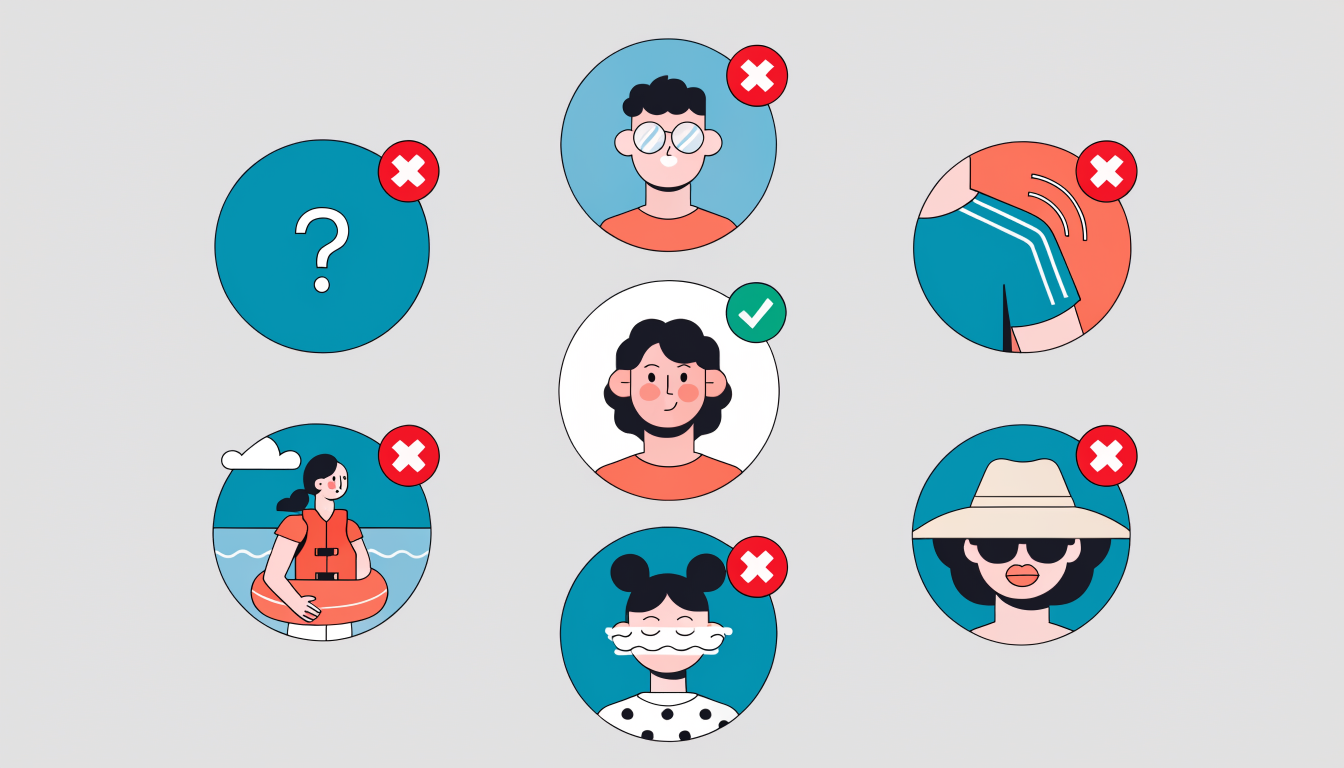
Sunglasses, hats, or anything hiding your face. You need to be recognizable. Accessories that obscure your features work against you.
Looking away or appearing uncomfortable. Make eye contact with the camera. You're not being interrogated; you're introducing yourself. A genuine smile beats a stiff grimace every time.
Poor lighting. Dark, shadowy, or blown-out images make you look unprofessional or unwell. Natural light is your friend. If you're investing in a headshot, invest in proper lighting too.
Free vs Paid: DIY Photo vs Professional Headshots
Here's the honest truth: your budget shouldn't determine your networking potential. The quality of your LinkedIn profile picture depends far more on lighting and composition than on what device captured it or how much you spent.
Professional headshots typically cost between $200 and $400, and they deliver consistency, expert posing, and polished results. If you're in sales, executive leadership, or actively job hunting, this investment pays dividends. A professional knows how to flatter your features, choose flattering colors, and create images that stand out in recruiter searches.
But here's where it gets practical: the camera on your smartphone will do the trick if you don't have the budget. Modern phones produce genuinely excellent image quality. The real differentiator is natural lighting. Shoot near a window during midday, avoid harsh shadows on your face, and you're already ahead of most profiles.
The middle ground is AI-generated headshots. They're affordable, fast, and increasingly realistic. However, there's a perception gap worth knowing: recruiters preferred AI headshots 76.5% of the time in blind tests, but 66% said they'd be put off if they knew. The technology works, but transparency matters in professional contexts.
Choose based on your situation. Early career or budget-conscious? Smartphone with good lighting works. Sales role or executive position? Professional investment makes sense. Want convenience? AI headshots deliver solid results without the transparency concern if you're not explicitly advertising them.
The bottom line: a well-lit, genuine photo beats a mediocre expensive one every time.
Maximizing Your Profile Picture's Impact: Beyond the Photo
Your profile picture is the foundation, but it's not the whole structure. Think of it as the entry point to a much larger strategy that determines whether someone clicks deeper into your profile or scrolls past.
The real magic happens when you pair that compelling photo with an optimized headline and summary. Your headline should communicate your value proposition in seconds, not just your job title. Your summary fills in the story your picture started. Together, these elements create a cohesive first impression that converts casual viewers into genuine connections.
Profile completeness matters more than most people realize. A complete profile with filled-out experience, skills, and recommendations signals credibility and increases your visibility in LinkedIn's algorithm. Each section you complete is another opportunity for discovery.
Consistency across platforms amplifies your impact. Using consistent imagery across all social channels reinforces trust and authority in your field. When your LinkedIn photo matches your other professional platforms, you build recognition and trust faster.
But here's what really separates high-performing profiles from the rest: your profile picture works hardest when paired with a content strategy. Regular posts, thoughtful engagement, and sharing valuable insights turn that photo into a recognizable brand. Every comment, share, and connection strengthens what your picture started.
The 21x view increase doesn't come from the photo alone. It comes from treating your entire profile as an integrated growth engine where every element supports the others.
Your Complete LinkedIn Growth Strategy Starts Here
Your LinkedIn profile picture isn't just a detail you check off a to-do list. Profiles with professional photos are 14 times more likely to be viewed by others, which means this single element directly influences your visibility and opportunity flow.
But here's what matters: the photo is your foundation, not your entire strategy.
A polished headshot opens doors. What keeps them open is consistent, valuable content. Pair your professional image with regular posts that showcase your expertise, engage thoughtfully in your network, and contribute to conversations that matter in your industry. The synergy between a credible first impression and authentic engagement is what transforms passive viewers into meaningful connections.
This is where strategy becomes measurable. Your profile picture gets people to look; your content keeps them engaged; your consistent presence builds real relationships.
If you're serious about maximizing every element of your LinkedIn presence, consider optimizing beyond just the photo. Refine your headline, strengthen your summary, and plan a content calendar that actually drives results. The best profiles aren't built overnight; they're built systematically.
Start here: update that profile picture this week. Choose the one that feels authentically professional and approachable. Then commit to one meaningful post next week. Small actions compound into significant growth when they're intentional and sustained.
Your network is waiting. Make sure they can find you, and give them reasons to stay.