how to get connections on linkedin: B2B Growth Playbook
how to get connections on linkedin: actionable strategies, templates, and a step-by-step plan to grow your B2B network.
Wilmer KarlssonTarstad
If you want to get more connections on LinkedIn, you first have to stop thinking of your profile as a resume. It’s not. It’s a magnet. Your goal is to build a profile that pulls in your target audience, making people want to connect with you before you ever send a request.
Turn Your Profile Into a Connection Magnet
Your LinkedIn profile is the bedrock of your entire networking strategy. Think of it as your digital storefront. Before you start inviting people in, you need to make sure it’s clean, inviting, and screams, "I can solve your problem."
A weak or half-finished profile sends the wrong message. It kills your credibility and leads to abysmal connection acceptance rates, sinking your outreach efforts before they even begin.
This isn't about listing accomplishments. It’s about strategically positioning yourself as an indispensable resource. Every single element, from your banner image to your skills, needs to tell a cohesive story about the value you deliver.
Craft a Headline That Stops the Scroll
Your headline is the most critical piece of real estate on your entire profile. It follows you everywhere—in connection requests, comments, and search results. A generic title like "Sales Manager at Company X" is a massive missed opportunity.
A powerful headline doesn't describe your job; it describes the outcome you create. It needs to answer the "What's in it for me?" question from your ideal connection's perspective. Make it benefit-driven, clearly stating who you help and how you help them.
For instance, instead of "Marketing Director," try something like: "I Help SaaS Founders Build Predictable Pipeline with Content Marketing | B2B Growth Strategy." This immediately signals who you are for and what problem you solve, attracting the right people and repelling the wrong ones.
If you’re stuck staring at a blank text box, a specialized tool can help get the gears turning. You might want to check out our free LinkedIn headline generator to spark some ideas.
This visual shows the flow from a killer headline to a compelling summary, all anchored by a professional picture. It’s a simple but powerful formula.
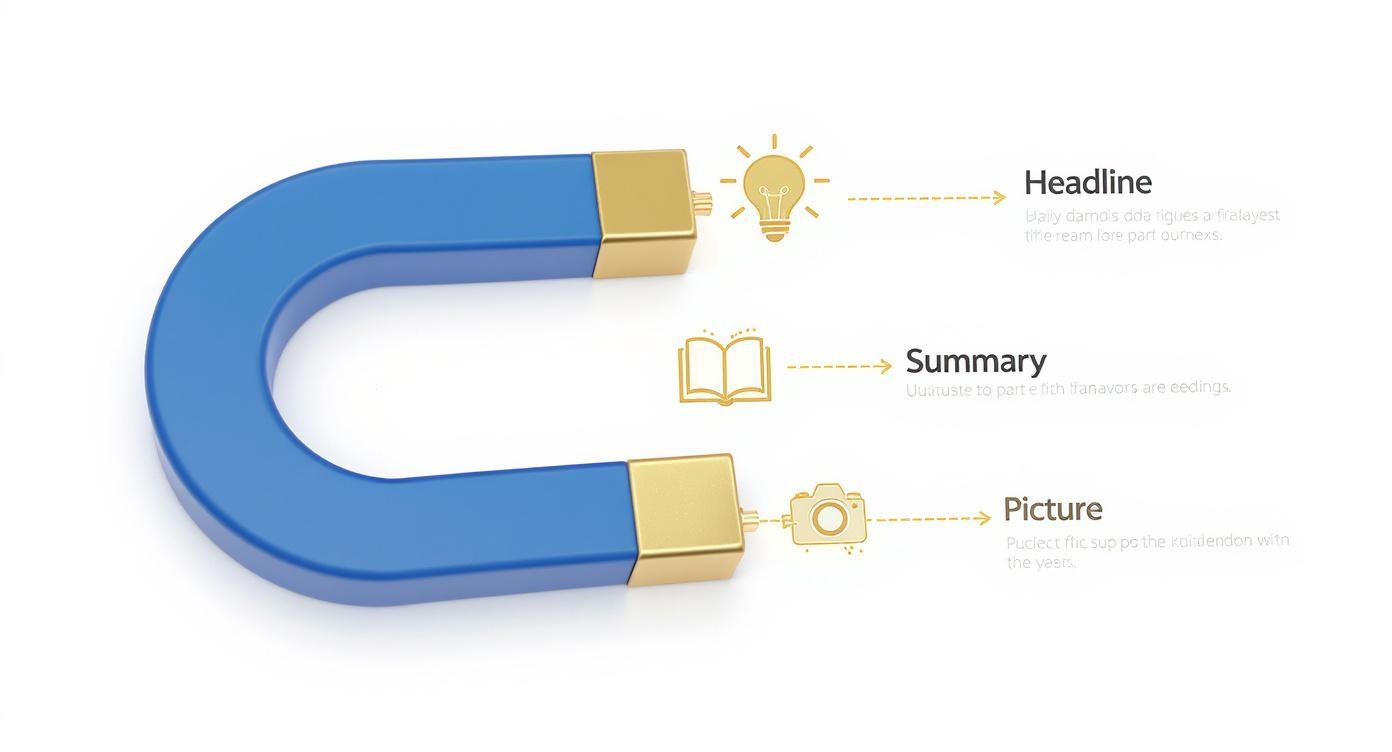 Getting this right isn't about one perfect element. It's about getting all the strategic pieces working together to attract your ideal connections on autopilot.
Write a Summary That Tells Your Story
Your "About" section is where you expand on the promise you made in your headline. For the love of all that is holy, do not just paste your resume here. Use this space to tell a story that connects with your target audience's biggest frustrations and goals.
A simple structure for maximum impact:
- The Hook: Kick things off with a bold statement that hits on a common pain point your audience faces.
- The Solution: Briefly explain how you solve that problem. What’s your unique approach?
- The Proof: Drop in a mini case study, a key statistic, or a client quote to build instant credibility.
- The Call to Action: End with a clear next step. Do you want them to connect? Visit your site? Book a call? Tell them exactly what to do.
Your LinkedIn summary shouldn't just be about what you've done. It should be about what you can do for the person reading it. Frame your experience through the lens of their needs.
This narrative approach is far more engaging than a dry list of job duties and helps build trust before you've even had a single conversation.
Choose a Professional and Approachable Profile Picture
Your profile picture is your digital first impression. A selfie from your car, a cropped photo from a wedding, or a picture from ten years ago will instantly tank your credibility. Invest in a professional headshot or have a friend with a decent camera take a high-quality photo.
A few non-negotiable rules for a winning photo:
- High-Resolution: Make sure it's crisp and clear, not a pixelated mess.
- Professional Attire: Dress like you would for a meeting with your dream client.
- Warm and Approachable: A genuine smile makes you seem more trustworthy and open. No grim mugshots.
- Clean Background: Don't let a cluttered office or distracting landscape pull focus from you.
Understanding the platform's audience is also key. LinkedIn just blasted past 1 billion users, making it a massive professional playground. The dominant demographic is Millennials (25–34), who make up 47.3% of users, with Gen Z (18–24) right behind them at 28.7%. This means your profile's tone and visuals need to connect with a digitally savvy crowd that values authenticity and clarity above all else.
Here's a quick checklist to run through as you optimize your profile.
Profile Optimization Checklist
| Profile Element | Optimization Goal | Key Action |
|---|---|---|
| Headline | Stop the scroll and attract the right audience. | Use a benefit-driven formula: "I help [Ideal Client] achieve [Desired Outcome] through [My Method]." |
| Profile Photo | Convey professionalism and approachability. | Use a high-resolution headshot with a clean background and a warm expression. |
| Banner Image | Reinforce your value proposition visually. | Create a custom banner with your headline, a client logo, or a call to action. |
| "About" Section | Tell a compelling story that builds trust. | Structure it with a hook, solution, proof, and a clear call to action. |
| Featured Section | Showcase your best work and social proof. | Pin your top-performing posts, case studies, or links to valuable resources. |
| Experience | Frame past roles around results, not duties. | For each role, list 2-3 bullet points that highlight quantifiable achievements. |
Running through these key areas ensures every part of your profile is working hard to turn passive viewers into active, high-quality connections.
Find and Qualify the Right B2B Prospects
Alright, your profile is looking sharp. Now the real work begins.
Growing your LinkedIn network isn’t about collecting contacts like they're Pokémon cards. It’s about building a curated list of the right people. I’d take 500 hyper-relevant connections over 5,000 random ones any day of the week.
The old "spray and pray" method of blasting out connection requests is dead. Not only does it tank your acceptance rate, but it’s a fast track to getting your account flagged by LinkedIn. The key is to be surgical.
Go Beyond the Basic Search Bar
The standard LinkedIn search is fine for finding an old colleague. It's not for building a client pipeline. This is the first place amateurs get it wrong—they type "Marketing Manager" into the bar, send 50 requests, and wonder why they get zero results.
You need to start layering filters. Think like a detective. Combine job titles with specific industries, locations, and company sizes.
Instead of just "VP of Sales," you should be searching for "VP of Sales" in the "Software as a Service (SaaS)" industry, located in "North America," at companies with "51-200 employees." Just like that, you’ve gone from an ocean of irrelevant profiles to a manageable pond of high-potential leads.
Master Advanced Search with Boolean Logic
To really dial this in, you need to speak LinkedIn's native language: Boolean logic. It sounds intimidating, but it’s just a few simple commands that give you incredible control over your search results.
These are the operators that will change the game for you:
- "QUOTES": This is for exact phrases. Searching for "Content Marketing Manager" filters out anyone who is just a "Content Manager" or a "Marketing Manager." No more noise.
- AND: Use this to narrow your search. A query for "Founder AND SaaS" ensures both keywords appear in the profile, saving you from sifting through founders of non-tech companies.
- OR: This broadens your search for similar titles. "CEO OR Founder OR President" is perfect when you need to find the person at the top, regardless of their exact title.
- NOT: This is your exclusion tool. A search for "Director NOT Assistant" instantly removes junior-level roles and cleans up your results.
Get comfortable combining them. A sophisticated search like ("VP of Sales" OR "Head of Sales") AND SaaS NOT (intern OR assistant) can generate a high-quality list of prospects in seconds.
Building a quality network is like building a house. You wouldn't use shoddy materials and hope for the best. You carefully select each brick. Your connections are your bricks—choose them wisely.
Once you have a list, the qualification process starts. A title alone doesn’t mean they're a good fit.
Analyze Profiles for Personalization Clues
Before you even think about clicking that "Connect" button, take two minutes to actually look at their profile. This is your intelligence-gathering phase. You’re looking for hooks—genuine, authentic reasons to connect that show you’ve done your homework.
Here’s what to look for:
- Recent Activity: Did they just post an article or comment on something? Referencing this in your note is the warmest possible intro. It shows you’re paying attention right now.
- Common Ground: Do you share mutual connections? Are you in the same LinkedIn Groups? Did you work at the same company five years ago? This creates an immediate feeling of familiarity.
- Profile Content: Read their "About" section. What projects are they proud of? What language do they use to describe their role? You can find gold in here for a personalized message.
This tiny investment of time is what separates the spammers from the pros, and it will dramatically increase your connection acceptance rate. For agencies, this level of detail isn't optional—it's essential. You can find more strategies in our complete guide to agency LinkedIn lead generation.
By shifting your process from casting a wide net to throwing a sharp spear, you ensure every new connection has the potential to become a valuable relationship. This is the foundation of learning how to get connections on LinkedIn that actually move the needle for your business.
Create Content That Pulls Connections to You
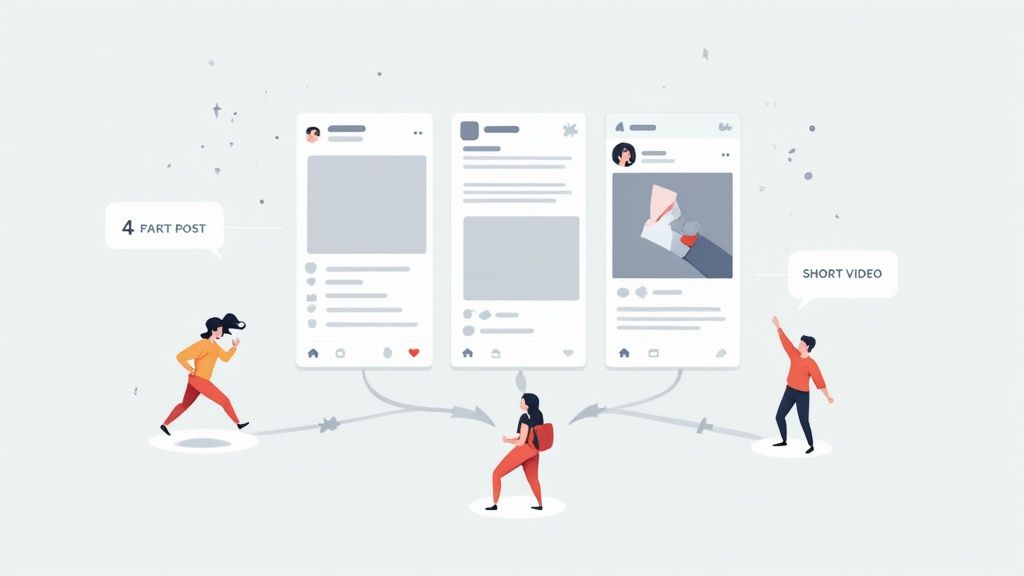
While targeted outreach has its place, the real power move is getting your ideal connections to come knocking on your door. This is where a smart content plan stops your LinkedIn profile from being a static resume and turns it into a lead-generating machine that works for you 24/7.
Forget the old-school advice about posting three times a day. Quality demolishes quantity every single time. A single, insightful post that solves a genuine problem for your target audience is worth more than a dozen generic updates that get scrolled past.
The goal isn't just visibility. It's to become a trusted authority they actively want to connect with.
Get Inside Their Head and Solve Their Problems
Before you write a single word, you have to know what keeps your ideal connections up at night. What are the daily frustrations they complain about? What goals are they desperately trying to hit this quarter?
Your content needs to be the direct answer to those questions. Don't guess. Talk to your current clients. Lurk in industry forums. Pay attention to the questions people are asking in the comments of other popular posts.
Jot down a list of 5-10 core problems your audience is dealing with. This is your content playbook. Every single post should tackle one of these issues, offering a unique take, a practical tip, or just a new way of thinking about the challenge.
Your content's job is simple: make your audience feel seen, understood, and a little bit smarter. When you consistently deliver that kind of value, people stop seeing you as a vendor and start seeing you as an indispensable resource.
This relentless focus on problem-solving is the secret sauce. It's how you create content that doesn't just get likes—it starts conversations that turn into connections.
Choose Content Formats That Actually Work for B2B
Not all content formats are created equal on LinkedIn. A simple text post can be incredibly powerful, but mixing up your approach keeps your feed from getting stale and appeals to how different people like to learn.
Here are a few formats that consistently kill it for B2B audiences:
- Text-Plus-Image Posts: The classic. Combine a short, punchy insight with a high-quality, relevant image. This is your go-to for grabbing attention in a busy feed.
- Carousels (PDFs): These are absolute gold for breaking down complex topics into bite-sized, swipeable slides. Use them for step-by-step guides, checklists, or pulling key takeaways from a longer blog post.
- Polls: Polls are engagement magnets. They're low-effort for your audience and give you direct, unfiltered insight into their priorities. The pro move? Always follow up with another post analyzing the results to provide even more value.
- Short-Form Video: A quick, 60-second video sharing a single tip or a behind-the-scenes look can build a massive amount of personal connection. Authenticity wins over high production value here. Don't overthink it.
The key is to experiment. See what resonates. Dive into your analytics to see which formats are driving the most comments and shares, then pour gasoline on what's working.
Show Up Consistently and Engage Everywhere
Putting out great content is only half the battle. You have to show up, week in and week out. Aim for a posting schedule you can actually stick to, whether that’s two or four times a week. Consistency builds expectation and keeps you top-of-mind.
But your content strategy can't live on an island. You need to be actively engaging with other people's posts, especially content from your target prospects and industry leaders.
Leaving thoughtful, insightful comments—not just "Great post!"—is one of the most underrated ways to expand your reach and attract new connections. When someone comments on another person's popular post, they're raising their hand and telling you what they care about. A smart reply can put you on their radar and lead directly to an inbound connection request.
This two-pronged attack—publishing great stuff and engaging thoughtfully elsewhere—creates a powerful flywheel. You're not just waiting for people to find you; you're actively meeting them where they are. With LinkedIn's average engagement rate hitting 6.50%—far higher than other platforms—this is a massive opportunity. For a deeper dive, check out these LinkedIn's engagement benchmarks to see how you stack up.
And remember, smart content is efficient content. You don't need a new idea for every post. You can learn how we turn one idea into a dozen different pieces in our guide on content repurposing for LinkedIn.
Mastering Personalized Outreach That Gets Replies
You've polished your profile and have a list of ideal prospects. Now comes the moment of truth: the connection request. This is where most people crash and burn, sending the default, self-serving "I'd like to add you to my professional network" message and crossing their fingers.
Let’s be clear: hope is not a strategy.
Effective outreach is a science, blending genuine curiosity with sharp personalization. The goal isn't just to get an "accept." It's to kickstart a real conversation that can grow into a valuable business relationship. Every request needs a clear "why" behind it—a reason so compelling that ignoring it feels like a missed opportunity. Forget your pitch for now. Your only job is to be interesting and relevant.
The Anatomy of a High-Converting Connection Request
A winning connection request is built on a simple foundation: it’s about them, not you. Your message has to instantly signal that you’ve done your homework and aren't just firing off requests to hit a quota.
Every great message has a "hook." This is a specific, personalized detail that proves you see the person behind the profile, not just another lead in your CRM.
Here are a few hooks that actually work:
- Recent Content Engagement: "Hi [Name], I really enjoyed your recent post on B2B content attribution. Your point about dark social is something our team has been wrestling with, too."
- Shared Connections or Groups: "Hi [Name], saw we're both in the 'SaaS Growth Hacks' group. Your comment on the latest PLG thread was spot on."
- Company News or Achievements: "Hi [Name], congratulations to you and the team at [Company] on the big Series B funding round. It's awesome to see your growth in the fintech space."
- Past Experience or Alma Mater: "Hi [Name], I noticed we both spent some time at [Previous Company] a few years back. Always great to connect with a fellow alum."
Each of these examples opens the door with context and common ground, making it way more likely you'll get a yes.
From Accepted Request to Meaningful Conversation
Getting your request accepted is just the first step. The real art is in the follow-up. This is where you gently guide the interaction toward a business conversation without sounding pushy or desperate.
Do not, under any circumstances, pitch them immediately. The person just let you into their network; don't repay them by trying to sell them something. It’s the digital equivalent of being invited into someone's home and immediately trying to sell them a vacuum cleaner. It's just bad form.
Instead, your first message after connecting should be a simple, value-driven thank you.
Example Follow-Up Message: "Thanks for connecting, [Name]. Looking forward to following your work. By the way, since you’re into [Topic from their post/profile], I thought you might find this recent report on [Relevant Trend] useful. No strings attached, just thought it might be valuable. Cheers!"
This approach does three things brilliantly:
- It proves you're still paying attention.
- It gives immediate, no-ask value.
- It positions you as a helpful resource, not a salesperson.
It helps to have realistic expectations. The average LinkedIn connection request acceptance rate is around 45%, and the reply rate to follow-up messages is closer to 20%. By using personalized, value-first messaging, you can blow these benchmarks out of the water. You can dive deeper into the numbers by checking out these LinkedIn outreach statistics.
Battle-Tested Outreach Scenarios
Generic templates fail because they're lazy and lack context. A personalized approach, on the other hand, shows you've put in the work. It makes all the difference.
Here’s a side-by-side look at how lazy outreach compares to a strategic, personalized message.
Outreach Message Templates
| Scenario | Generic (Low-Success) Message | Personalized (High-Success) Message |
|---|---|---|
| Connecting with an Event Speaker | "Hi, I saw you spoke at the event. Let's connect." | "Hi [Name], your keynote on AI in sales at the RevGen Summit was fantastic. The framework you shared for qualifying leads is something my team is implementing this week. Would love to connect." |
| Referencing a Mutual Connection | "Hi, I see we both know John Smith. We should connect." | "Hi [Name], our mutual connection John Smith mentioned you’re the go-to expert on scaling marketing teams. I’m currently facing that challenge and would appreciate the chance to connect and follow your insights." |
| Commenting on Recent Work | "Hi, I liked your recent article. Let's connect." | "Hi [Name], your recent article in Forbes about the future of remote work was a great read. Your perspective on asynchronous communication was particularly sharp. I'd love to connect and learn more from your content." |
See the difference? The personalized messages work because they are specific, genuinely complimentary, and demonstrate real interest. This is exactly how to get connections on LinkedIn that aren't just vanity metrics, but the start of real professional relationships.
How to Measure Your Networking Success
"What gets measured gets managed." It's an old cliché, but on LinkedIn, it’s the absolute truth. Flying blind is a surefire way to burn hours on activities that feel productive but deliver zero real results.
If you want to build a system that predictably grows your network with the right people, you need to know your numbers.
And no, I'm not talking about vanity metrics like profile views or likes. While those can give you a nice little ego boost, they don't pay the bills. We're focusing on the data that tells you if your networking is actually moving your business forward.
Key Performance Indicators: What Actually Matters
Think of your LinkedIn activity as a funnel. Prospects see your profile, you send a request, they accept, you start a conversation, and that conversation leads to a tangible outcome. The pros know their conversion rates at every single stage.
Here are the core numbers you should be tracking every single week:
- Connection Acceptance Rate: Simple math: (Accepted Requests ÷ Sent Requests) x 100. This is the ultimate test of your profile and your outreach message. If this number is low—I’m talking below 30%—it’s a massive red flag. Either your targeting is off, or your message is falling flat.
- Message Reply Rate: Of all the new connections you message, what percentage actually write back? This tells you if your follow-up is building rapport or just adding to the noise in their inbox. A healthy reply rate shows your value-first approach is working.
- Inbound Connection Requests: How many ideal prospects are sending you requests? This is the clearest sign that your content strategy and personal brand are firing on all cylinders. It means you're becoming an authority.
These aren't just numbers on a spreadsheet; they're diagnostic tools. They pinpoint exactly where your process is leaking so you can patch the holes.
Your Social Selling Index (SSI) Score
LinkedIn gives you a free, built-in report card called the Social Selling Index (SSI). It’s a score out of 100 that grades your effectiveness across four key areas of the platform.
The Four Pillars of SSI are:
- Establishing Your Professional Brand: How well does your profile scream "expert"? This is a direct measure of your profile optimization.
- Finding the Right People: How good are you at using LinkedIn's tools to pinpoint ideal prospects?
- Engaging with Insights: Are you sharing valuable content and joining relevant conversations? This is all about your content and engagement game.
- Building Relationships: Are you successfully connecting with and nurturing relationships with decision-makers in your target market?
Your SSI score isn't just a number to brag about. A low score in one category tells you exactly which part of your strategy needs work right now.
While you shouldn't obsess over it, a steadily rising SSI score is a strong indicator of a healthy, effective networking presence. Aim to be in the top 5-10% for your industry.
The Art of the A/B Test: How to Iterate and Improve
The best networkers on LinkedIn are relentless testers. They don’t guess what works; they run small, simple experiments to find out for sure. This is how you turn your LinkedIn activity from a guessing game into a data-driven machine.
The key is to change only one variable at a time. Run a test for a set period—say, two weeks—and measure the impact on your key metrics.
Here’s a simple framework to get you started:
- The Headline Test: Use your current headline for two weeks and track the number of inbound connection requests you receive. Then, switch to a more outcome-focused headline for the next two weeks. Compare the results. Which one attracted more of the right people?
- The Connection Request Test: Send your next 50 connection requests with your standard message. For the 50 after that, try a different angle (e.g., mention a shared group instead of their recent post). Which version gets a higher acceptance rate?
- The Content Format Test: Got a great idea for a post? This week, share it as a text-only insight. Next week, create a simple carousel breaking down the same concept. Compare the engagement, reach, and profile views driven by each format.
This constant loop of testing, measuring, and refining is the secret to sustainable growth. You double down on what works, ditch what doesn't, and build a reliable engine that consistently attracts high-value connections.
Your Top LinkedIn Connection Questions, Answered
Even with the best strategy, you're going to have questions as you start scaling up your LinkedIn networking. Let's tackle some of the most common ones that pop up when you're in the trenches.
Is There a Limit to LinkedIn Connections?
Yep, there is. LinkedIn puts a hard cap on first-degree connections at 30,000.
While that number sounds massive, serious networkers and well-known industry players can absolutely hit that ceiling. Once you do, you can't send or accept any new connection requests. Game over.
But don't panic. People can still follow you, which is an unlimited metric. They’ll see all your content in their feed, which is what really matters for building influence.
How Many Connection Requests Can I Send?
LinkedIn has a rolling weekly limit, which currently sits around 100 requests per week for most people. This isn't a fixed number; it can change based on how old your account is, your activity, and whether you've been flagged for spammy behavior before.
Honestly, if you're hitting this limit, you're probably doing it wrong. The cap is there to stop spam. A handful of thoughtful, personalized requests will always outperform a hundred generic ones. Always.
Should I Accept Every Connection Request?
Absolutely not. Please don't. Think of your network as a curated asset, not a random collection of contacts. Accepting every request just fills your feed with noise and dilutes the value of your connections.
Before hitting "accept," ask one simple question: "Is this person a potential client, partner, or someone who adds real value to my professional world?" If the answer is a clear "no," it's completely fine to ignore the request. Your goal isn't to rack up numbers; it's to build a powerful, relevant network.
A huge mindset shift happens when you start treating your network like a private, curated community instead of a public phone book. Every connection should add value, turning your feed into a source of real insight, not a distraction.
What Is the Difference Between Connecting and Following?
This is a big one. The difference boils down to reciprocity and how you can communicate.
-
Connecting: This is a two-way street. You both see each other's content, and more importantly, you can slide into each other's DMs. You're officially part of each other's networks.
-
Following: This is a one-way deal. You see their posts, but they won't see yours unless they decide to follow you back. You also can't message them directly unless they have an Open Profile.
Following is the perfect way to keep up with industry giants or thought leaders without needing them to formally "accept" you into their circle.
Ready to turn your LinkedIn activity into a predictable pipeline? GetViews.AI uses an AI Story Engine to help you create authentic, high-performing content that attracts your ideal buyers, so you can stop chasing leads and start having conversations that convert. Learn how to put your growth on autopilot at https://getviews.ai.