The LinkedIn Formatting Tricks That Get 10x More Views (With Examples)
Line breaks, hooks, emojis, hashtags—here is exactly how top creators format posts that get 10x more views than average.
Wilmer KarlssonTarstad
Formatting your LinkedIn posts isn't just about making them look pretty—it's about making them instantly readable and impossible to ignore. It’s the smart use of short paragraphs, clean white space, and visual cues like bold text or emojis that grab a reader's eye and make sure your message actually lands in a crowded feed.
Why Post Formatting Is Your Secret Weapon
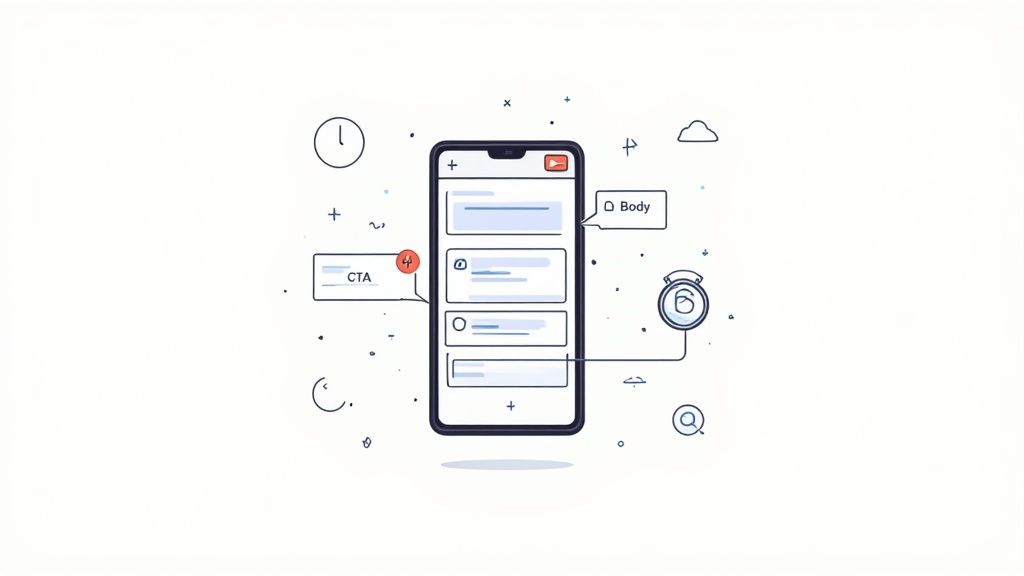
Let’s be honest: if your LinkedIn post is a giant wall of text, you’ve already lost. People are scrolling through their feeds at lightning speed, usually on their phones between meetings. You have about three seconds—maybe less—to convince them your content is worth their time.
This is where strategic LinkedIn post formatting becomes your most powerful, and often most overlooked, tool.
Great formatting isn’t just decoration; it's about clarity. It’s a sign of respect for your audience's time, making your hard-won insights easy to digest. When a post is visually organized, a reader can scan it and get the core message almost immediately. That scannability is what turns a passive scroller into an engaged reader.
The Psychology of a Scannable Post
Think about your own online habits. You don't read every single word from top to bottom, at least not at first. Your eyes jump around, hunting for keywords, headings, and visual anchors that signal value. A well-formatted post works with this behavior, not against it.
By breaking your content into bite-sized chunks, you lower the cognitive load—the mental energy it takes to process information. That simple act makes your post feel far more approachable and less like a chore to read.
Here’s what’s happening in your reader’s brain:
- Reduced Friction: Short paragraphs and generous line breaks create a smooth, almost effortless reading experience. It encourages them to just keep going.
- Clear Hierarchy: Bolding, bullet points, and even a well-placed emoji act like signposts, guiding the reader’s attention straight to the most important takeaways.
- Increased Dwell Time: When a post is easy to consume, people are more likely to stick around and read it all. That longer dwell time is a huge signal to the LinkedIn algorithm that your content is valuable.
Formatting is the body language of your writing. It communicates professionalism and clarity before a single word is fully read, making it effortless for your audience to receive your message.
To help you get started, here's a quick cheat sheet of the key elements that make up a visually compelling LinkedIn post.
Key Formatting Elements for LinkedIn Posts
| Element | Purpose | Best Practice Example |
|---|---|---|
| The Hook | Stop the scroll and create immediate curiosity. | "I wasted $10k on LinkedIn ads. Here's the one thing I learned." |
| Short Paragraphs | Make text scannable and easy to read, especially on mobile. | Keep paragraphs to 1-2 lines maximum. |
| Line Breaks | Create white space that reduces cognitive load and improves readability. | Use double line breaks between paragraphs for a clean look. |
| Bullet Points/Lists | Break down complex information into digestible, easy-to-follow points. | • Highlight key features • List actionable steps • Summarize takeaways |
| Bold Text | Emphasize keywords and critical data points to guide the reader's eye. | We saw a 227% increase in lead conversions. |
| Call-to-Action (CTA) | Clearly direct the reader on what to do next. | "What's your biggest challenge with this? Comment below." |
These aren't just arbitrary rules; they're the building blocks of communication on a platform where attention is the most valuable currency.
Core Elements of Post Structure
Every high-performing post you see, no matter the topic, follows a similar underlying structure. Smart formatting is what holds these pieces together, creating a seamless journey from the first word to the last.
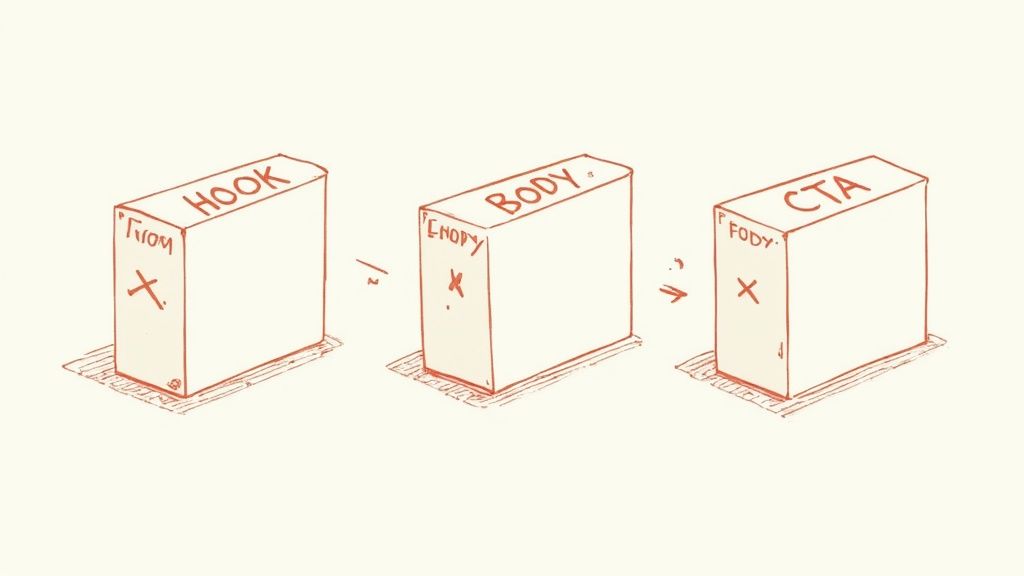
Think of it as a simple, three-part story:
- The Hook: The first one or two lines designed to stop the scroll and earn you a few more seconds of attention.
- The Body: The main event. This is where you deliver the goods—your insights, your story, your data.
- The Call-to-Action (CTA): A clear, simple instruction telling the reader what to do next.
When you nail the formatting, each of these elements can do its job perfectly, guiding your reader from casual observer to active participant.
Building the Anatomy of a High-Performing Post
 A truly great LinkedIn post isn’t just written; it’s engineered. It follows a deliberate structure—a beginning, a middle, and an end—that pulls the reader in and guides them from a casual scroll to a meaningful action.
If you want to format posts that consistently hit their mark, you have to master this anatomy.
The whole thing boils down to three core pieces: the Hook, the Body, and the Call-to-Action (CTA). Each part has a specific job, and when they work together, they create something that feels natural, valuable, and impossible to ignore.
Crafting a Hook That Stops the Scroll
You’ve got less than three seconds. On the feed, people only see the first two lines of your post before the "...see more" link appears. Your hook has one job and one job only: make them click that link.
It needs to be sharp, intriguing, and straight to the point.
This is no place for generic openings. Lead with a bold statement, a relatable struggle, or a statistic that makes people do a double-take. The idea is to create an "information gap"—a little bit of mystery that your reader feels a burning need to solve.
Here are a few formulas I’ve seen work time and time again:
- The "I screwed up" hook: "I wasted $5,000 on a marketing campaign. Here’s the one lesson that came out of it."
- The contrarian hook: "Hot take: Most networking advice is garbage. Here's what actually gets you meetings."
- The question hook: "What's the one skill that separates the top 1% of performers from everyone else?"
These hooks work because they immediately promise a payoff for the reader’s attention. They signal value and create a little bit of urgency.
Building an Engaging Body
Okay, you got the click. Now, the body of your post has to deliver on the hook's promise. This is where you lay out the good stuff—the story, the data, the actionable tips. But here's the thing: how you format this section is just as crucial as what you write.
Think of your post’s body as a conversation, not a lecture. Use short paragraphs, plenty of white space, and visual cues to create a natural reading rhythm. Make it effortless.
Walls of text are instant death on mobile. Keep your paragraphs to 1-3 sentences maximum. This forces you to be tight with your language and makes your content incredibly easy to scan. I love using single-line sentences to make a key point really land.
For example, instead of this mess: "Last quarter, our team implemented a new content strategy that involved repurposing existing assets into different formats, which ultimately led to a significant increase in engagement and inbound leads across the board."
Try this instead: "Last quarter, our team tried a new content strategy.
We focused on repurposing existing assets.
The result? A massive lift in engagement and inbound leads."
See the difference? The second one is breathable. It’s easy to follow. You can find more powerful techniques for content repurposing on LinkedIn in our detailed guide on the topic.
Mastering the Call-to-Action
Finally, every post needs a purpose. Your Call-to-Action (CTA) is where you tell your reader what to do next. A post with a weak or nonexistent CTA just sort of fizzles out, leaving your audience thinking, "...so what?"
A good CTA shouldn't feel like a hard sell. It should feel like the natural next step in the conversation you just started.
Most effective CTAs fall into one of these buckets:
- Encourage discussion: "What’s your take on this? Share your experience in the comments."
- Ask a specific question: "What’s the biggest challenge you face with [topic]?"
- Drive traffic (but do it carefully): "If you want the full breakdown, you can find the guide in the link in the comments."
Honestly, a simple, low-effort question is often the best CTA you can use. It invites engagement, which tells the algorithm your content is sparking conversation, which in turn boosts its reach. It’s a win-win.
Using White Space and Symbols to Guide the Eye
Here's a secret that separates amateur posts from pro-level content: the most powerful parts of your post are often the empty parts.
I’m talking about white space. Strategic line breaks and simple symbols are the unsung heroes of effective formatting for LinkedIn posts. They take a daunting wall of text and turn it into something clean, scannable, and respectful of your reader's time.
Think of white space as breathing room for your ideas. On a crowded mobile feed, a post with plenty of spacing is a welcome sight. It cuts down on the mental effort needed to read, making your content feel approachable. This is why you see so many top creators using short, single-line paragraphs—it creates a rhythm and punches up their key points.
Every line break is a deliberate pause, pulling the reader's eye down the page. This is absolutely critical in the first few lines of your post, where you have a split second to make an impression.
Mastering the First Impression
LinkedIn gives you a massive 3,000-character limit for posts, but the only number that really matters is 210. That's the preview text people see before they have to click "...see more."
If that snippet is a jumbled, dense sentence, they won't click. They'll just keep scrolling.
The goal is to make those first few lines so clean and compelling that clicking to expand feels like a natural next step, not a chore. Strategic spacing creates a visual path that grabs attention instantly, especially on a phone.
For busy execs, a quick insight under 300 characters often hits the sweet spot. On the other hand, a deeper dive between 1,500–3,000 characters can showcase true expertise, but it demands a strong hook to get people to commit. For more on this, the team at magicpost.in has a solid breakdown on LinkedIn post length and formatting.
Using Symbols as Signposts
Beyond just white space, simple symbols and emojis act like visual signposts. They break up the monotony of black-and-white text and point your reader's eyes exactly where you want them to go.
The key is restraint. Overdo it, and your post looks spammy and unprofessional. Think of them as tools to boost readability, not as decorations.
Here are a few practical ways I use symbols:
- Arrows (→, ➤): Perfect for pointing to a key result or a CTA. They create forward momentum. For example: The result? → A 40% jump in inbound leads.
- Checkmarks (✓, ✔): Great for listing benefits or key takeaways. They give a sense of clarity and accomplishment.
- Bullets (•, ▪): The classic choice for making lists digestible. They turn complex info into scannable points.
Let's look at a quick before-and-after.
Before: Our new framework helps teams improve their sales process by focusing on three key areas. These include better lead qualification, streamlined follow-up sequences, and data-driven performance reviews to ensure consistent growth.
After: Our new framework transforms sales processes. We focus on 3 key areas:
✓ Better lead qualification ✓ Streamlined follow-ups ✓ Data-driven reviews
See the difference? The second version is instantly scannable and gets the core value across in seconds. When you combine crisp sentences with simple symbols, you make it easy for your audience to get the message, even if they're just skimming. This is the kind of thoughtful formatting that separates content that gets ignored from content that gets results.
How to Add Media and Links Without Killing Reach
Let's be honest: adding visuals and links to a LinkedIn post can feel like a roll of the dice. You wonder if that awesome graphic will actually grab eyeballs or if the algorithm is going to bury your post the second it sees an outbound link.
The secret to great formatting on LinkedIn posts goes way beyond just the text. It's about picking the right media for your message and understanding the game LinkedIn is playing.
LinkedIn wants one thing above all else: to keep its users scrolling on its platform. The moment you drop in a link that sends people somewhere else, you're working against their primary goal. And that reality has kicked off one of the biggest debates in the world of LinkedIn strategy.
The Great Link Debate: In the Post vs. In the Comments
So, where do you put the link to that new case study or webinar signup? You’ve got two main schools of thought, and both have their die-hard followers for good reason.
The "Link in the First Comment" Strategy:
- The Theory: This is the classic "beat the algorithm" move. The belief is that by leaving an external link out of the main post, you signal to LinkedIn that your content is purely for on-platform consumption, earning you a bigger initial boost in reach.
- The Tactic: You're also creating a small hook. Telling people "link in comments" prompts them to click and scroll, which is a form of engagement that tells the algorithm your post is worth showing to more people.
- The Catch: It adds friction. You're making your audience work to find what you're offering. Some people just won't bother making that extra click.
The "Link Directly in the Post" Strategy:
- The Theory: This is all about the user experience. It’s clean, direct, and dead simple for your reader. The link is right there—no hunting required.
- The Tactic: The LinkedIn algorithm isn't what it was a few years ago. It’s gotten much smarter. A truly high-quality post that earns legitimate engagement won't get slammed just for having a relevant link.
- The B2B Reality: For most of us in B2B, clarity trumps cleverness. If your number one goal is to drive traffic to a high-value resource that generates leads, putting the link front and center is the most direct path to that goal.
My advice? Always start by prioritizing the user experience. Put the link directly in your post. Spend your energy writing a hook so compelling that people can't help but click. If you see a consistent, undeniable drop in reach across multiple posts, then you can start testing the "link in comments" method.
Ultimately, tracking what really moves the needle is what matters. A full understanding of LinkedIn attribution and ROI will show you which approach is actually driving qualified leads, not just vanity metrics.
Choosing Media That Amplifies Your Message
Links are just one piece of the puzzle. The type of media you attach to your post has a massive impact on how it performs. Each format tells a different story and gets a different reaction from your audience and the algorithm.
Think of your media as the vehicle for your message. A quick tip is perfect for a static image, while a complex case study shines in a multi-slide carousel. Match the format to the content's depth.
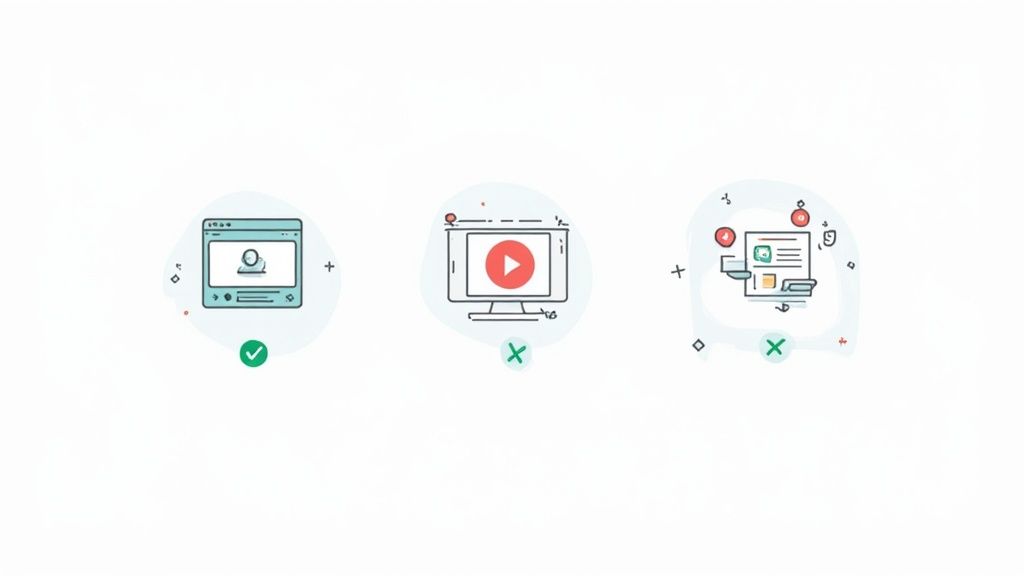
Here are the heavy hitters and when to deploy them:
- Video: An absolute engagement machine. LinkedIn's own data shows that video content racks up 1.4 times more engagement than other formats. It's hands-down one of the best ways to stop the scroll and capture attention. For more on this, check out these insights on LinkedIn's best practices.
- Carousels (PDFs): These are storytelling gold. Carousels let you break down a complex idea into a series of digestible slides, which is fantastic for increasing "dwell time"—a metric LinkedIn loves. Use them for mini-guides, repurposing blog content, or walking through a compelling case study.
- Images: Don't underestimate the power of a single, striking image. A simple graphic with a bold stat or a powerful quote pulled from your post can be incredibly effective at grabbing attention in a crowded feed.
- Polls: Looking for a quick engagement win? Polls are your best friend. They're a low-effort way for your audience to interact, and you can use them to gather valuable feedback or validate a pain point before you invest time in creating a bigger piece of content about it.
A Practical Guide to Hashtags and Tagging
Hashtags and tags are the discovery engine for your posts. But let’s be honest, just slapping on a dozen generic tags is a surefire way to get lost in the noise. Getting your formatting right on LinkedIn isn't just about spacing out your text; it’s about strategically using these tools to pull in the right people.
The secret isn't quantity, it's quality. Sure, you can technically use a bunch of hashtags, but the real sweet spot is 3 to 5 highly relevant ones. This focused approach gives the algorithm a crystal-clear signal about your content, helping it find the ideal audience without making your post look desperate or spammy.
Choosing Your Hashtag Mix
Your goal is to build a small but powerful portfolio of hashtags that covers all your bases. A balanced mix makes sure you're showing up in broad industry conversations while also capturing the attention of a highly targeted niche audience—the people most likely to buy from you.
A winning strategy usually includes a mix of these three types:
- Broad Industry Tags: Think of high-traffic hashtags like #Marketing or #Sales. These give you massive exposure and get your content into general feeds.
- Niche-Specific Tags: This is where you get targeted. Use tags like #B2BContentStrategy or #SaaSsales to find the people who truly care about your specific corner of the world.
- Branded or Event Tags: Create a unique tag like #GetViewsAI to track conversations around your brand, a specific campaign, or an event you're running.
The most effective hashtag strategy acts like a funnel. Broad tags pull in a wide audience, while niche tags filter for the people who are most likely to care about your specific message.
The Etiquette of Tagging People and Companies
Tagging individuals or companies is a fantastic way to boost your post’s visibility, but it comes with one non-negotiable rule: always tag with relevance and respect. Never, ever tag someone just to get their attention or hijack their network. It's tacky and it backfires.
You should only tag someone when:
- You are directly quoting their work or referencing their ideas.
- They were part of the event, project, or conversation you’re discussing.
- The post is genuinely relevant to their expertise and adds value to a conversation they’d actually want to be part of.
For instance, tagging a team member who helped on a project is a great way to give them credit and is a key part of successful employee advocacy programs. On the flip side, tagging a major industry influencer in a totally unrelated post is just spam. Use this tool to build genuine relationships, not to chase cheap views.
LinkedIn Formatting FAQs (The Questions Everyone Asks)
Even after you’ve got the basics down, a few tricky formatting questions always seem to pop up. You’re not alone. Here are the straight answers to the most common questions we hear from founders and sales leaders trying to nail their LinkedIn content.
Does Using an External Scheduler Hurt My Post’s Reach?
This is the age-old debate, isn’t it? The short answer is: not really, if you're smart about it.
Years ago, the LinkedIn algorithm definitely seemed to punish posts from third-party tools. But things have changed. Many of today’s top schedulers are official LinkedIn partners, which means any potential penalty is minimal to non-existent.
Here’s the truth: consistency and content quality are infinitely more important than how you publish. If a scheduling tool helps you show up 3-5 times a week with valuable, well-formatted content, that consistency will blow any minor algorithmic hiccup out of the water.
Focus on creating great content first. The tool is just the delivery mechanism.
How Often Should I Edit a Post After It’s Live?
My rule of thumb is simple: fix glaring typos within the first 5-10 minutes, or leave it alone.
Catching a small mistake right after you hit “Post” is fine. A quick fix won't hurt you. But making significant edits an hour later, after the post has already started gaining momentum, can sometimes reset its performance in the algorithm. It's like tripping right as you leave the starting blocks.
It's far, far better to proofread everything—the copy, the line breaks, the hashtags, the tags—before you publish. That extra 60 seconds of review can save your post's initial (and most critical) wave of reach.
Your best bet is to get it 99% right before it goes live. A post that performs well from the start is much more powerful than one that needs a bunch of edits to get there.
What’s the Best Format for Sharing a Case Study?
Hands down, a carousel post (uploaded as a PDF) is the killer format for case studies on LinkedIn. It turns a potentially dry story into an engaging, bite-sized visual journey.
Think of it as a mini-presentation designed to stop the scroll. Here’s a structure that works every time:
- Slide 1: The Hook. A massive, jaw-dropping result. Something like, "How [Client Name] added $800k in pipeline in 90 days."
- Slides 2-3: The Problem. Briefly set the scene. What challenge were they facing before they found you?
- Slides 4-5: The Solution. Detail the specific strategy or framework you implemented.
- Slide 6: The Results. Showcase the impressive data, charts, or key metrics.
- Final Slide: The CTA. A crystal-clear call-to-action. "Want to see how we can do this for you? DM me 'Pipeline'."
This format is gold because it massively boosts "dwell time"—the amount of time someone spends on your post. LinkedIn's algorithm sees that as a huge positive signal, pushing your content out to even more people.
Ready to turn your expertise into a predictable inbound pipeline on LinkedIn without spending hours writing? GetViews.AI uses an AI Story Engine and Content Amplifier to automate your content creation, optimize your unique voice, and get your posts in front of qualified buyers. Stop cold outreach and start building your revenue machine today. Learn more at GetViews.AI.