How to Generate Leads on LinkedIn
Learn how to generate leads on LinkedIn with proven strategies. Turn your profile and content into a predictable lead generation system.
Wilmer KarlssonTarstad
Generating leads on LinkedIn isn't about spamming DMs. It's about building a machine that attracts prospects to you. The whole game is to build authority and trust first. Your profile and content need to become a magnet for inbound interest before you even think about outreach.
Build Your High-Converting LinkedIn Foundation
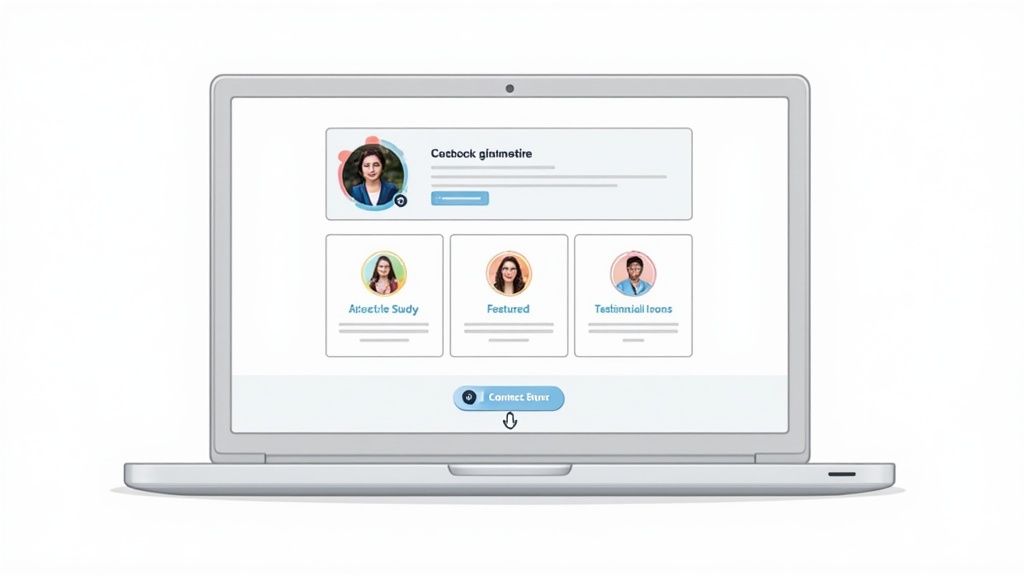
Before you post a single thing, you need to stop thinking of your LinkedIn profile as a resume. It’s not. It's your highest-intent landing page, period. Every single element, from your banner to your headline, has to work together to scream one thing: "I am the solution to your specific problem."
The data doesn't lie. A staggering 89% of B2B marketers are on LinkedIn specifically to find leads. Why? Because it works. 40% of them call it their most effective channel for high-quality prospects. This isn't just luck; it's a platform built on massive organic engagement, creating a perfect environment for lead gen without dumping money into ads.
Craft a Benefit-Driven Headline
This is the most valuable real estate on your entire profile. Your headline shows up next to your name in every comment, post, and connection request you make. Don't waste it with a boring job title like "CEO at Company X." It tells people nothing.
Instead, turn it into a tiny, powerful sales pitch.
A great headline immediately answers three questions:
- Who do you help? (e.g., "SaaS Founders," "Marketing Directors")
- What result do you get them? (e.g., "achieve predictable pipeline," "double their MQLs")
- How do you do it? (e.g., "with inbound content systems")
For example, "Sales Consultant" is a snooze-fest. But "I Help B2B Tech Founders Secure 5+ Qualified Demos a Month Without Cold Calls" is a magnet. It instantly filters for the right people and speaks directly to a result they crave.
Want to go deeper? We have a whole guide on how to optimise your LinkedIn profile for this stuff.
Write an 'About' Section That Sells
Your 'About' section isn't a boring bio. It's your chance to tell a story that resonates with your ideal client's pain. Stop listing accomplishments and start guiding the reader from their current problem to your solution.
Key Insight: Think of your 'About' section as the first page of a conversation. It's not a monologue about how great you are. It’s an empathetic story that shows you understand their world and have a clear path to get them where they want to go.
Hook them in the first two lines by addressing their biggest challenge. Then, briefly explain your philosophy for solving that problem. Wrap it up with some social proof (like a killer client result) and a crystal-clear call-to-action. Something like, "DM me 'Growth' to talk strategy" or "Book a 15-minute discovery call here [link]."
Optimize Visual Elements for Trust
People make snap judgments. Your visuals need to scream "professional and trustworthy" in about three seconds.
- Profile Picture: Get a high-quality, professional headshot. Smile. Make eye contact. No distracting backgrounds, no blurry vacation photos. It's that simple.
- Banner Image: This is your free billboard. Use it to reinforce your headline's value prop. Add your logo, a tagline, or even logos of clients you’ve helped. Don't leave it as the default blue blob.
- Featured Section: This is your personal portfolio. Pin your absolute best content here—client testimonials, juicy case studies, or a direct link to book a call with you. It's the perfect spot to guide visitors from just browsing to actually converting.
Create Content That Attracts Inbound Leads
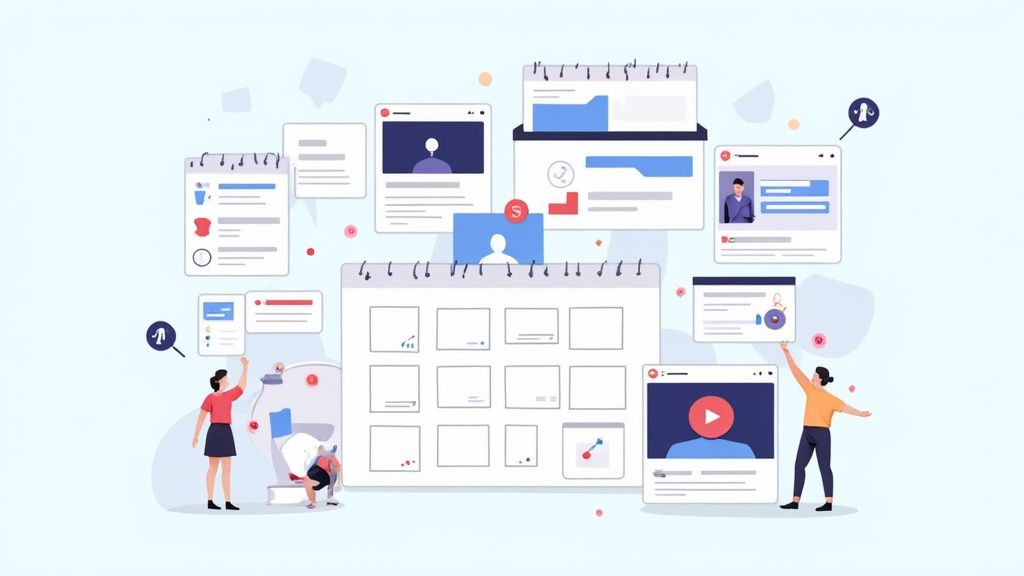
You’ve optimized your profile. Great. Now it’s time to turn that static page into a dynamic lead magnet. Because let’s be honest, randomly posting company news or motivational quotes isn't a strategy—it's noise.
If you want to generate actual leads on LinkedIn, you need a content system. One that consistently attracts and nurtures your ideal prospects, turning your feed into a predictable source of inbound meetings.
This isn't about going viral. It’s about building authority. Your goal is to become the go-to expert in your niche. When your ideal client has a problem you solve, your name should be the first one that pops into their head.
That’s the shift: from chasing leads to attracting them. It's how you build a real pipeline.
Pinpoint Your Audience's Core Challenges
The best content comes from a deep understanding of your audience’s world. Before you write a single post, you have to get inside their head. What’s keeping them up at night? What are the biggest roadblocks standing between where they are and where they want to be?
Don’t guess. Your content needs to hit these pain points directly and offer real, actionable insights. This does two things: it proves you get their reality, and it establishes that you have credible solutions.
-
Pain Point: A marketing director is struggling to prove ROI on their campaigns.
-
Your Content: A post titled, "3 Simple Ways to Track Content ROI Without Expensive Software."
-
Pain Point: A SaaS founder is on the verge of burnout, trying to do everything themselves.
-
Your Content: A carousel breaking down the first five tasks every founder should delegate.
This targeted approach does more than just rack up likes; it pre-qualifies your audience. The people engaging with this content are the very people who need what you sell. A well-crafted LinkedIn content strategy ensures every single post is a strategic piece of your lead funnel.
Master the High-Performing Content Formats
Not all content gets treated the same by the LinkedIn algorithm—or by your audience. Different formats are good for different things, whether it's grabbing attention, educating, or building trust. A winning strategy mixes it up.
Here's a quick rundown of what's working now and why.
- Text-only posts with a killer hook are incredibly effective for starting conversations. They're simple, easy to read, and a strong opening line can stop someone mid-scroll.
- Carousels (shared as PDF documents) are my go-to for educational content. They let you break down complex ideas into simple, step-by-step slides, positioning you as a knowledgeable guide.
- Native video builds a personal connection faster than anything else. A short, unpolished video sharing a quick tip or a behind-the-scenes look at your process can build massive trust.
The key isn't the format itself, but the value you deliver through it.
To help you decide what to post and when, here’s a quick performance matrix I use to plan content. It breaks down which format works best depending on what I’m trying to achieve.
LinkedIn Content Type Performance Matrix
| Content Type | Primary Goal | Best For Engagement | Best For Driving Clicks |
|---|---|---|---|
| Text-Only Posts | Spark Conversation | High | Low |
| Carousels (PDFs) | Educate & Build Authority | Very High | Medium |
| Image Posts | Grab Attention | Medium | Low |
| Native Video | Build Trust & Connection | High | Medium |
| Polls | Gather Insights & Boost Reach | Very High | Low |
| External Links | Drive Off-Platform Traffic | Low | High |
As you can see, formats like text posts and polls are fantastic for getting comments and reactions, which trains the algorithm to show your content to more people. But when you need to get someone to a landing page, a post with a clear, clickable link is the only way to go, even if it means sacrificing some initial engagement.
Build a Practical Content Calendar
Consistency is the engine of any inbound strategy. Posting once in a blue moon signals that you're not serious. You need to show up regularly. A manageable cadence of 3-5 posts per week is the sweet spot—enough to stay top-of-mind without burning yourself out.
A simple content calendar is a game-changer. It’s not about being rigid; it’s about being intentional, ensuring you have a balanced mix of content that speaks to people at every stage of their journey.
Expert Tip: I stick to a 90/10 rule. 90% of my content is pure, unfiltered value—it educates, inspires, or entertains my audience. Only 10% is promotional, where I might point to a service or a call-to-action to book a meeting.
This approach builds a massive amount of goodwill and trust. Then, when you do share something promotional, people actually listen.
The professional vibe of LinkedIn makes it uniquely suited for this kind of value-first marketing. In fact, research shows LinkedIn is 277% more effective at generating B2B leads than other major social platforms. That number alone should tell you where to focus your energy.
Your content is the tool you use to tap into this high-intent audience. By consistently delivering valuable insights, you position yourself not as a seller, but as a trusted advisor. That's how your LinkedIn feed becomes a powerful, automated lead machine that works for you 24/7.
Master Proactive Outreach and Engagement
Having a solid content game is great for building your reputation and pulling in leads. But if you want to really take control of your pipeline, you need to get proactive. This is the accelerator.
I'm not talking about blasting out a hundred generic connection requests and hoping for the best. This is about a methodical, almost surgical, process for finding and warming up your ideal prospects without ever looking like a spammer.
It all starts with a hyper-targeted lead list. Garbage in, garbage out. If you’re talking to the wrong people, even the world's most perfect message is going to fall completely flat. This is where a tool like LinkedIn Sales Navigator becomes non-negotiable. Seriously, if you're trying to generate leads on LinkedIn without it, you're fighting with one hand tied behind your back.
Build Your Ideal Prospect List
Forget the standard LinkedIn search bar—it’s just too basic. Sales Navigator lets you drill down with incredible precision, building lists based on dozens of criteria so you only spend time on prospects who are a perfect fit.
Here are the filters I lean on most heavily:
- Job Title & Seniority: Obvious, but crucial. Get straight to the decision-makers.
- Company Headcount & Industry: Make sure you're targeting businesses that actually fit your ideal customer profile (ICP).
- "Posted on LinkedIn in the last 30 days": This is a goldmine. It instantly filters for people who are active on the platform, meaning they're way more likely to see and respond to you.
- "Changed jobs in the last 90 days": New leaders are often looking to shake things up and bring in new solutions. They have a budget and a mandate to make an impact, making them incredibly receptive to a well-timed approach.
Building these lists is the first step. The real art is in how you approach them. A sloppy outreach campaign can do more harm than good, so your approach is everything.
Warm Up the Interaction Before the DM
Here’s the biggest mistake I see people make: they send a connection request and immediately launch into a sales pitch. It’s the digital equivalent of walking up to a stranger at a networking event and shoving a brochure in their face. It just doesn’t work.
The real strategy is to get on their radar before you ever land in their inbox. It’s all about creating familiarity and context.
Pro Tip: Your goal is to make your name familiar before you send the connection request. You want them to see your name and think, "Oh yeah, I've seen them around," not, "Who the heck is this?"
Here’s a simple warm-up sequence that works wonders:
- Follow Them: The first, most passive step. No notification overload, just a subtle first touch.
- Engage with Their Content: For a week or two, leave thoughtful comments on their posts. Don’t just write "Great post!" Add to the conversation. Ask a smart question. Share a related insight.
- Engage with Their Comments: This is a seriously underutilized tactic. Find where they are commenting on other people's posts and reply to their comments. It shows you're really paying attention.
After you've done this for a bit, your connection request won't feel cold or random. It will feel like the natural next step in a conversation that's already started.
Craft Connection Requests That Actually Get Accepted
Okay, you've warmed them up. Now it's time to connect. My one non-negotiable rule: always, always add a personalized note. A blank request is just lazy and has a much lower chance of being accepted.
Your note needs to be short, contextual, and about them—not you. Reference something specific, like a post they shared, a comment they made, or a mutual connection.
Example of a bad request: "Hi Jane, I see we're both in the SaaS space. I help companies like yours increase their MRR. Let's connect." (It’s all about me, me, me.)
Example of a great request: "Hi Jane, loved your recent post on product-led growth. Your point about user onboarding really resonated. Would love to connect and follow your insights." (It’s genuine, references their work, and asks for nothing.)
That tiny shift makes all the difference. If you're struggling to grow your network, check out our guide on how to get connections on LinkedIn.
This stuff really works. The data shows that communication on LinkedIn is incredibly effective—the average reply rate to messages is around 85%. To put that in perspective, that’s almost three times higher than cold email campaigns, which are lucky to crack a 30% response rate. According to Salesbread, targeted outreach campaigns see a 45% acceptance rate for connection requests and a 48% positive reply ratio, even for direct meeting requests. This proves that a thoughtful, personalized strategy isn't just a "nice-to-have"—it's what drives real, measurable results.
Turn Conversations into Qualified Meetings
Getting a like or a comment isn't the finish line. It's the starting pistol.
The real money on LinkedIn isn't made in the feed; it's made in the DMs. The trick is turning that first flicker of interest into a real business conversation and, eventually, a booked meeting. This is where most people drop the ball. They either jump straight to a hard pitch (and get ignored) or let a warm conversation fizzle out.
Your goal is to build a simple, repeatable process that gracefully guides someone from a public comment to a private DM, and finally, to a slot on your calendar. This whole thing should feel less like a sales script and more like a helpful chat. You're not trying to close a deal in the DMs—you're just trying to see if a real conversation is even worth the time for both of you.
From Public Comments to Private DMs
The best place to start is the comments section of your own posts. When someone leaves a thoughtful comment, they’re basically raising their hand.
First, always reply to their comment publicly. This bumps your post's engagement and shows you're active.
Then, you take the conversation private.
This move has to be smooth and contextual. A simple, non-salesy message is all you need to crack the door open.
Here's a DM script that works:
"Hey [Name], really appreciated your insight on my post about [Topic]. Your point about [mention their specific comment] was spot on. Curious to hear more about how you're approaching this at [Their Company Name]?"
Why does this work? It’s not a pitch. It’s a genuine continuation of the public conversation, which makes the person 10x more likely to reply. You're leading with their expertise, not your own agenda.
Key Takeaway: The only goal of the first DM is to get a reply and start a dialogue. Lead with a compliment and a question about them. That's it.
Qualifying Prospects Without an Interrogation
Once they write back, your next job is to softly qualify them. You need to figure out their situation, their headaches, and what they're trying to achieve. I use a simple, three-part framework to guide the chat without making it feel like I'm reading from a script.
-
Understand Their Current State: Ask questions to get a picture of what they're doing right now.
- "What’s your team's current process for handling [Problem Area]?"
- "How are you currently approaching [Goal You Help With]?"
-
Uncover Pains and Goals: Gently probe to find out what's broken and what their ideal future looks like.
- "What's the biggest bottleneck you're seeing with that approach?"
- "If you could wave a magic wand, what would an ideal outcome look like in the next six months?"
-
Gauge Timeline and Intent: See how urgent this really is for them.
- "Is solving this a major priority for your team this quarter?"
- "Have you started exploring any other solutions for this yet?"
This framework lets you gather critical intel conversationally. You’re acting like a doctor diagnosing the problem before you even think about prescribing a solution.
The Graceful Transition to a Call
Once you've uncovered a clear pain point that you know you can solve, it's time to suggest a call. The transition should feel like the obvious next step, not a sudden, awkward pivot.
Here's how to phrase it:
"Thanks for sharing that, [Name]. It sounds like [restate their problem in their words] is causing a real challenge. We actually developed a framework that helps [Your ICP] solve exactly that. Would you be open to a quick 15-minute call next week where I can walk you through how it works? No pressure at all."
This approach lands well because it’s low-commitment ("quick 15-minute call"), it’s directly tied to the problem they just told you about, and it removes any feeling of obligation ("no pressure at all").
If they say yes, send your calendar link immediately. Don't wait.
But what if they say "not interested right now"? Don't push. Instead, keep the door open by providing more value.
Example for handling objections:
"No problem at all, [Name]. Totally understand. In that case, you might find this case study on how we helped [Similar Company] with [Same Problem] useful. Happy to stay in touch!"
This keeps the relationship warm, positions you as a helpful resource, and lets you continue the conversation down the road. Turning comments into meetings is a dance, not a wrestling match. Lead with genuine curiosity, and your LinkedIn inbox will stop being a chore and start becoming a predictable source of qualified meetings.
Scale Your Efforts with Smart Systems
Trying to manage every comment, DM, and connection request by hand is a fast track to burnout. You'll hit a ceiling, and your lead flow will flatline. To really turn your LinkedIn activity into a predictable pipeline, you need systems.
This isn't about blasting out spammy, set-and-forget automations. It’s about using smart tools to handle the repetitive, low-value tasks so you can pour your energy into what actually matters: high-value conversations with potential buyers.
The real goal here is to scale your output without killing the personal touch that makes this whole strategy work in the first place. Get it right, and you can amplify your efforts, collect priceless data on what’s working, and constantly refine your approach.
This whole process follows a simple, effective flow: a public interaction leads to a private conversation, which then, hopefully, turns into a scheduled call.
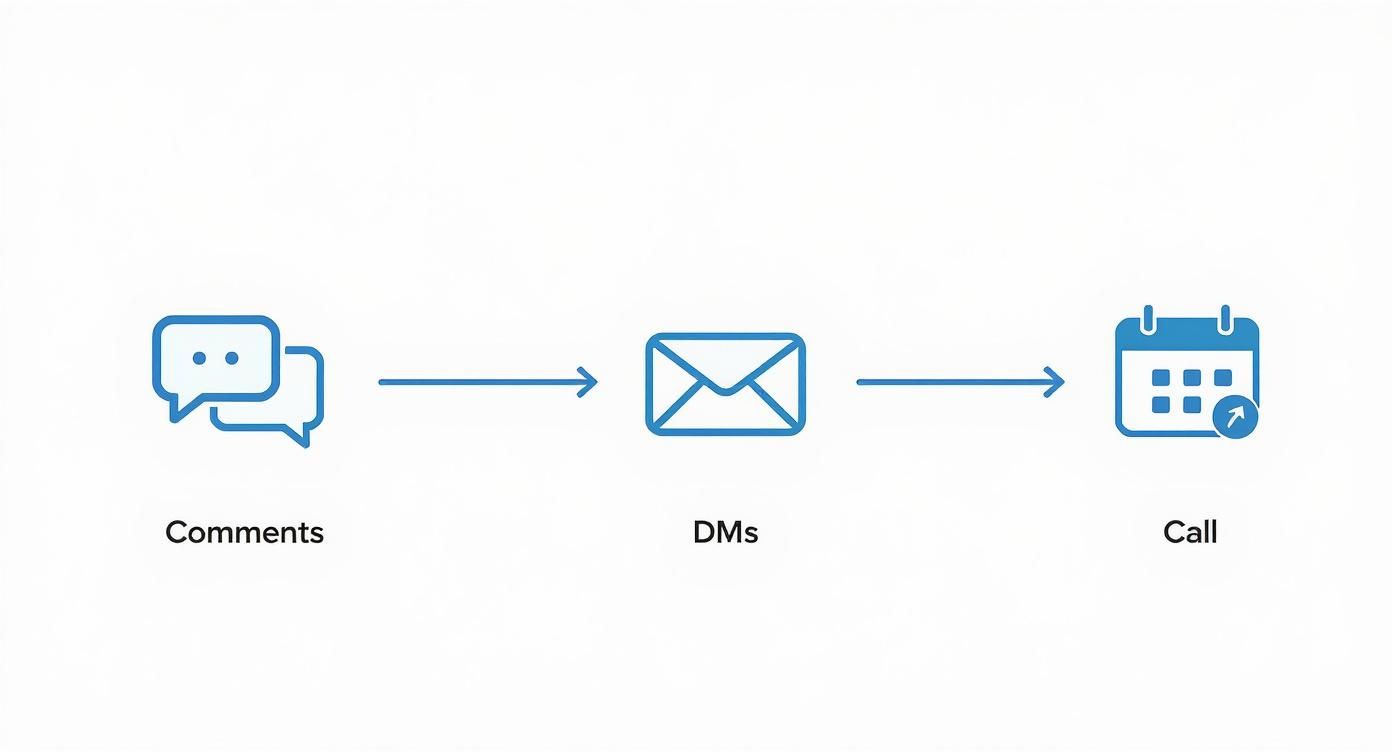
This visual just hammers home the point that every single lead starts with a small, public interaction. From there, it's all about nurturing it through distinct, personal stages.
Using Automation Responsibly
Let's get one thing straight: mass-sending generic, automated DMs is the fastest way to get your account flagged and destroy your reputation. Don't do it.
However, smart automation can be a game-changer for top-of-funnel activities.
Certain tools can help manage things like sending connection requests to a pre-vetted list of prospects. The absolute key is hyper-personalization. Even when you’re using a tool, you should be able to customize messages with variables that pull directly from a prospect’s profile, like their name, company, or job title. A personalized message that references their specific role at their company is infinitely more effective than a generic one.
Crucial Insight: The best automation feels like you have a personal assistant, not a robot. Use it to start conversations, not to run them for you. The second a real person replies, the automation needs to stop, and you need to jump in personally.
Platforms like GetViews.AI can automate the initial touchpoint with people who engage with your posts, making sure you follow up in a timely and relevant way. This frees you from the tedious task of manually tracking every single like and comment, letting you focus on the actual conversations that follow.
Track What Matters Most
You can't improve what you don't measure. It’s that simple. If you're serious about making LinkedIn a real lead source, you have to treat it like any other sales funnel and track your key performance indicators (KPIs). Flying blind is just a recipe for wasted time and effort. Data gives you a clear roadmap.
This table breaks down the essential metrics you should be watching like a hawk to see where your funnel is leaking and how to plug the holes.
Key LinkedIn Lead Generation KPIs to Track
| Metric (KPI) | What It Measures | Good Benchmark | How to Improve It |
|---|---|---|---|
| Connection Acceptance Rate | The effectiveness of your profile & connection request message. | Above 30% | Optimize your headline, use a professional photo, and personalize your connection request note to be relevant and non-salesy. |
| Reply Rate to First DM | How engaging your opening message is after connecting. | Above 40% | Ask an open-ended question related to their role or a recent post they made. Avoid pitching immediately. Offer value first. |
| Comments to DM Conversion Rate | How well you move public engagement into private conversations. | Above 50% | Reply publicly to their comment, then send a DM that references their comment and offers a relevant resource or asks a deeper question. |
| Meetings Booked from DMs | The ultimate bottom-line metric: turning conversations into qualified sales opportunities. | 5-10% of conversations | Develop a smooth transition from conversation to a call-to-action. Qualify them in the DMs before suggesting a meeting to respect their time. |
| Profile Views | A leading indicator of how well your content and engagement strategy is working. | 10-20% increase month-over-month | Post consistently valuable content and leave thoughtful comments on the posts of others in your target audience. |
Monitoring these KPIs weekly will show you exactly where the bottlenecks are in your process. Is your acceptance rate great but your reply rate is terrible? Your initial DM needs work. Are people replying but never booking meetings? Your qualification script and call-to-action need a tune-up.
By analyzing this data, you stop guessing and start making informed, strategic decisions. This is how you methodically build and optimize your process, turning LinkedIn from a source of random luck into a predictable, scalable pipeline for your business.
Common Questions About LinkedIn Lead Gen
As you start putting this system into action, you're going to have questions. Everyone does. Here are the most common ones I hear, along with straight-up answers to keep you moving.
How Many Connection Requests Should I Send Per Day?
This is where everyone gets tripped up, focusing on the wrong metric. Forget volume. Focus on quality.
While LinkedIn has a weekly limit to stop spammers, your real limit is your ability to personalize. Aim for 15-20 highly personalized connection requests a day.
That’s the sweet spot. It's a number you can actually manage, giving you enough time to quickly research each person, find a real reason to connect—a post they wrote, a shared connection, a company milestone—and write a note that proves you’re not a bot. A custom message can skyrocket your acceptance rate, making sure your network is full of ideal clients, not just random contacts.
Is LinkedIn Sales Navigator Actually Worth It?
If you're serious about making LinkedIn a predictable source of leads, the answer is an absolute yes. Sales Navigator isn't a luxury; it's a non-negotiable tool for anyone doing serious prospecting.
The free version of LinkedIn is for casual networking. You'll hit the search and profile view limits in a matter of days. It's just not built for the kind of precision targeting you need.
Sales Navigator flips the script. It gives you a whole suite of advanced filters to build hyper-targeted lists based on things like company size, recent job changes, and even how active someone is on the platform. It turns a social network into a finely tuned prospecting machine.
Bottom Line: Think of it this way—if your time is valuable, Sales Navigator pays for itself almost immediately. It ensures every minute you spend on outreach is aimed at someone who perfectly fits your ideal customer profile. It’s a direct investment in efficiency.
What's The Best Way To Follow Up Without Being Annoying?
The golden rule of follow-ups: always lead with value, never with a needy "just checking in." Messages like that add nothing and instantly mark you as a pest.
Instead, treat every single follow-up as a chance to be helpful.
Here are a few ways to do that:
- Share a useful resource: "Hey [Name], I saw this article about [Industry Trend] and thought of our chat. Figured you might find it useful."
- Reference their activity: "Just read your latest post on [Topic]—great point about X. It reminded me of..."
- Congratulate them: "Saw the news about [Their Company's recent win]. Huge congrats to you and the team!"
As a rule of thumb, give it 3-5 business days between messages. If you get radio silence after two or three attempts, it's time to move on. The goal is to stay on their radar by being a valuable resource, not just another persistent salesperson in their inbox.
Should I Focus On Content Creation or Direct Outreach?
This is the classic chicken-or-egg question, but the answer isn't "either/or." The most effective LinkedIn strategies don't treat these as separate activities. They integrate them into a powerful flywheel where each one feeds the other.
- Content creation is how you build authority and trust at scale. It warms up your entire audience, sparks inbound interest, and gets people familiar with your name and how you think.
- Direct outreach is how you proactively target your absolute best-fit clients and start conversations now, without waiting for them to find you.
Your content makes your outreach so much more effective because a prospect might have already seen your posts, making your connection request feel familiar and welcome. And in turn, the one-on-one conversations you have during outreach will give you incredible insight into your audience's biggest problems—fueling your next round of super-relevant content. They work together.
Ready to turn your LinkedIn presence into a predictable pipeline without the manual grind? GetViews.AI uses AI to help you create high-performing content and automate engagement, turning your daily posts into a consistent source of inbound leads. Stop guessing and start growing at https://getviews.ai.