How to Get More Connections on LinkedIn
Discover how to get more connections on LinkedIn with proven strategies. Learn to optimize your profile, craft perfect requests, and create engaging content.
Wilmer KarlssonTarstad
If you want more connections on LinkedIn, you have to stop thinking of your profile as a resume. It’s not a static document. It’s a dynamic, living resource hub that should be actively working for you.
This means crafting a benefit-driven headline, writing an ‘About’ section that actually tells a compelling story, and using the ‘Featured’ section to put your best work on display. A profile that’s strategically built like this doesn't just sit there—it pulls in connection requests from the exact people you want to meet.
Build a Profile That Attracts Connections
Your LinkedIn profile is your digital handshake. It’s your personal landing page. It’s the entire foundation of your networking strategy on the platform.
Before you even think about sending a single connection request, you have to make sure your own house is in order. An incomplete or uninspired profile screams low effort and will actively turn away the high-value connections you’re trying to make. The goal is to evolve beyond a boring list of past jobs and create a narrative that makes people want to know more.
Think of it this way: your profile is a resource, not a resume. When a potential connection lands on your page, they need to understand three things almost instantly: who you are, who you help, and the value you bring to the table. Every single element, from your headline to your banner, has to work together to build trust and spark curiosity.
Craft a Headline That Speaks to Your Audience
Your headline is the most valuable piece of real estate on your entire profile. It follows you everywhere—in connection requests, comments, and search results.
A generic job title like "Sales Director" is a massive missed opportunity. You need to reframe it to highlight the benefit you offer to your target audience.
A founder, for example, could go from "CEO at Tech Startup" to "Building AI Tools That Automate Workflow for Marketing Agencies." See the difference? An SDR could switch from "Sales Development Representative" to "Helping B2B SaaS Founders Connect with Enterprise Buyers." This simple tweak instantly communicates your purpose and acts as a filter for the right kind of people.
Tell Your Story in the About Section
This is where you inject your personality. The ‘About’ section is your chance to add color and context to your experience, so don't waste it with a dry, third-person summary of your career. Use a conversational, first-person tone to tell a story that resonates with your ideal network.
Here’s a simple structure that works:
- Start with a hook: Open with a crystal-clear statement about who you help and what problems you solve.
- Showcase tangible results: Use a few bullet points to highlight key achievements with real numbers. Think: "Scaled user base from 10k to 100k in 12 months."
- Explain your 'why': Briefly share what drives you. What are you passionate about in your field? This is what makes you human.
- End with a clear call-to-action: Don't leave them hanging. Tell visitors what to do next. Invite them to connect, follow you, or check out your featured work.
The Non-Negotiable Profile Visuals
First impressions are almost entirely visual. Two elements on your profile are completely non-negotiable if you want to attract quality connections.
First, your headshot. It has to be professional. Your photo is the first thing people see, and it needs to convey both competence and approachability. It’s worth taking the time to understand what makes a good LinkedIn photo because it directly impacts how people perceive you.
Your LinkedIn profile isn't just a record of your past; it's a marketing document for your future. Every section should be optimized to attract the opportunities and connections you want.
Second is your banner image. That default blue banner is a blank canvas you’re leaving empty. It’s a huge missed opportunity. Create a simple, on-brand banner that reinforces your headline. It could feature your company logo, a tagline, or a list of services you offer. This small detail instantly makes your profile look more polished, credible, and intentional.
To really dig into these foundational elements, check out our detailed guide on how to optimise your LinkedIn profile.
Connection Requests That Actually Get Accepted
So, your profile is looking sharp. It’s ready to make a great first impression. Now what? It’s time to start reaching out, but hitting that default "I'd like to connect" button is a complete waste of time. It screams zero effort, gives people no reason to say yes, and usually gets your request ignored or deleted on sight.
The difference between a request that gets accepted and one that gets ignored almost always comes down to personalization. You want every request to feel like a deliberate, thoughtful introduction, not just another number in a spray-and-pray campaign.
Think about it: you’re not just trying to inflate your connection count. You’re starting a potential relationship. A personalized note shows you’ve done your homework and have a real reason for reaching out. In a world of automated spam, that simple act immediately sets you apart.
The "Why You, Why Now" Framework
The best connection requests instantly answer two questions floating in the recipient's mind: "Why me?" and "Why now?" This simple framework cuts through the noise by providing immediate context and relevance. Your request feels specific and timely, not random.
Instead of a generic message, find a specific anchor point—a shared group, a recent post they wrote, a mutual connection you both respect.
Here’s how that looks in the real world:
- Shared Experience: "Hi [Name], I saw your insightful comment on [Industry Leader]'s post about AI in marketing. Your point about data privacy really stood out. I'm also focused on this space and would love to connect and follow your work."
- Recent Content: "Hi [Name], I just finished reading your article on scaling B2B sales teams and found your advice on SDR coaching particularly valuable. I'm working on a similar challenge and would appreciate the chance to connect."
- Common Connection: "Hi [Name], I see we're both connected with [Mutual Connection's Name]. I've always been impressed with their work at [Company], and since we're in similar circles, I thought it would be great to connect."
This isn’t about empty flattery. It’s about showing you paid attention and see a genuine point of professional alignment.
Personalization Isn't Just Nice—It's Necessary
The numbers back this up, big time. While the average connection request acceptance rate on LinkedIn hangs around a dismal 45%, personalization changes the game completely.
Users who take a minute to write a custom note see a reply rate of nearly 20%, and almost half of those replies are positive. And it all starts with your profile. Having a complete profile—professional photo, sharp headline, and solid summary—makes you 40% more likely to have your requests accepted in the first place. For a deeper dive, you can check out more LinkedIn outreach statistics to see what’s working now.
Your profile is the foundation. It builds the credibility that makes your outreach effective.
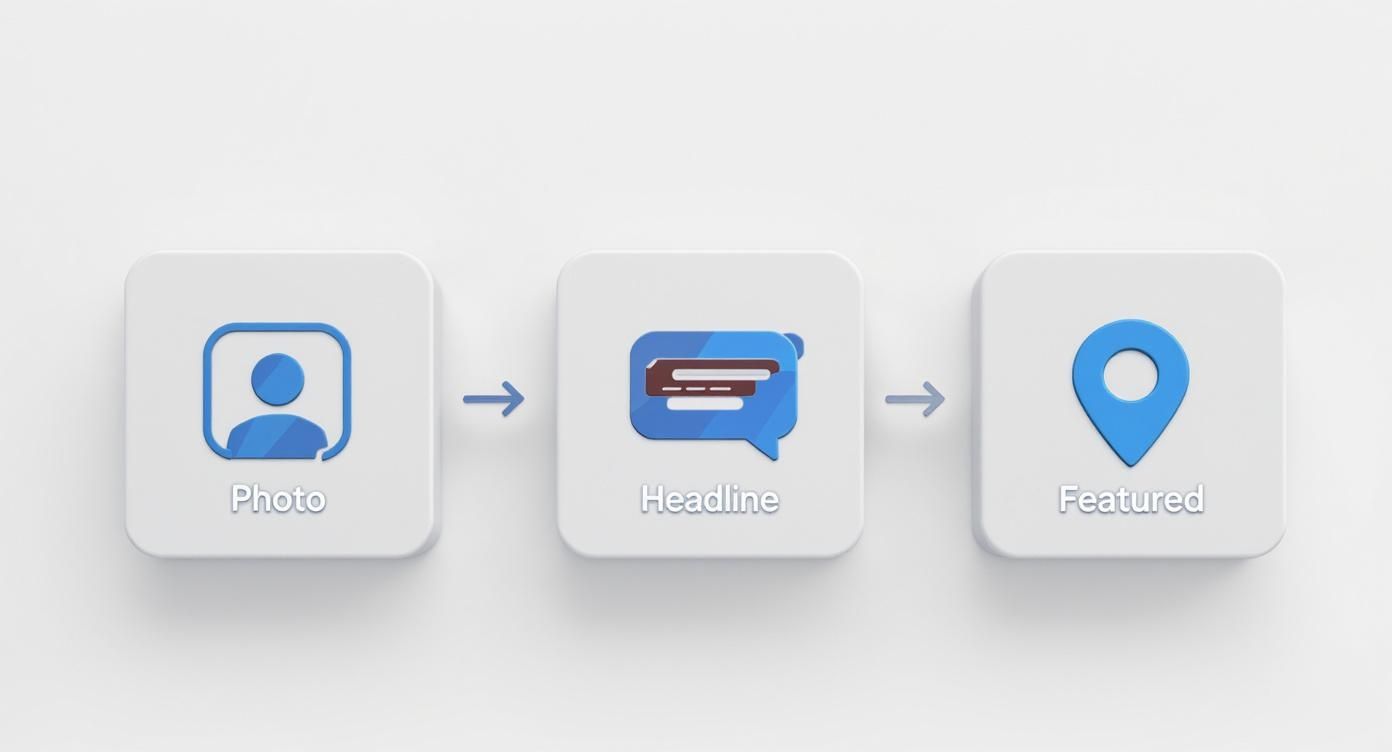
As you can see, that headshot, headline, and featured section are the trifecta of a profile that gets your connection requests taken seriously.
The difference in outcomes between a generic request and a thoughtful, personalized one is night and day. One feels like spam, the other feels like the beginning of a valuable professional relationship.
Generic vs Personalized Connection Request Impact
| Element | Generic Request (Low Acceptance) | Personalized Request (High Acceptance) |
|---|---|---|
| Opener | The default "I'd like to connect with you on LinkedIn." | References a specific, shared context (post, event, mutual connection). |
| Tone | Impersonal, automated, low-effort. | Genuine, respectful, and shows you've done your homework. |
| Perception | Looks like a numbers game or a sales pitch is coming. | Feels like a peer-to-peer introduction. |
| Typical Outcome | Ignored, deleted, or left pending indefinitely. | High acceptance rate, often leads to a positive reply or conversation. |
Ultimately, the goal is to make the recipient feel like you chose to connect with them specifically, not just because they fit a search filter.
A Few Starting Points (But Always Customize)
While every message should be unique, you don't need to reinvent the wheel every time. Having a few go-to frameworks can save you time. Just remember to adapt them to your voice and the specific situation.
After a Webinar or Event
"Hi [Name], I really enjoyed your presentation on [Topic] during the [Event Name] webinar today. Your insights on [Specific Point] were fantastic. I'd love to connect to continue learning from your expertise."
This works because it’s timely, specific, and shows you were actually paying attention.
Reaching Out to Someone at a Target Company
"Hi [Name], I've been following [Their Company]'s work in the [Industry] space for a while and am consistently impressed. As a [Your Role] focused on [Your Area], I'm always keen to connect with other professionals pushing the industry forward. Hope we can connect."
This approach lands well because it's built on professional admiration, not an immediate ask. It’s a much warmer way to get on someone’s radar.
Don't Forget About Timing
Finally, think about when you hit send. A request sent late on a Friday afternoon is likely to get buried under a pile of weekend notifications and forgotten by Monday morning.
There’s no magic hour, but aiming for business hours early in the week—like a Tuesday or Wednesday morning—often works best. People are at their desks and actively checking notifications. A perfectly timed, personalized request is a powerful combo that turns a cold outreach into a warm connection.
Create Content That Pulls Your Network In
An optimized profile and personalized outreach are a great start, but they're only half the battle. The real secret to explosive growth is turning your LinkedIn presence into a magnet.
Effective networking isn't just about who you reach out to; it's about creating a gravitational pull that brings high-value professionals to you. This is where a smart content strategy comes in, shifting you from a passive participant to an active authority in your field.
When you consistently share valuable insights, you stop chasing connections and start attracting them. Your content becomes your silent salesperson, working around the clock to showcase your expertise and build trust far beyond your immediate network.
Choose the Right Content Format
Not all content is created equal. The format you choose needs to match your message and the kind of engagement you want to spark. Mixing it up keeps your feed fresh and appeals to different preferences.
Here are a few core formats I've seen work time and time again:
- Text-Only Posts: Perfect for sharing a quick insight, telling a personal story, or posing a thought-provoking question. Their simplicity makes them incredibly scannable and fantastic for starting conversations.
- Carousels (or Documents): These are your best friend for breaking down complex topics into digestible, step-by-step guides. A founder could create a carousel on "5 Lessons from Our First Seed Round," while a marketer could detail "Our 3-Step Process for A/B Testing Ad Copy."
- Polls: This is the easiest way to get a quick pulse on your audience's opinions and give your engagement a serious boost. Use them to validate an idea, ask about industry trends, or just start a lighthearted debate.
- Long-Form Articles: When you have deep expertise to share, a LinkedIn Article cements your status as a genuine thought leader. It's the ideal format for comprehensive guides or in-depth industry analysis that just won't fit in a short post.
The Power of Consistent, Valuable Posts
Consistency is the engine of your content strategy. One or two posts a month won't build momentum or keep you top-of-mind. Aim for a manageable schedule—even 2-3 high-quality posts per week is far more effective than posting seven low-value updates just for the sake of it.
The goal isn't just to be seen; it's to be remembered. A consistent posting schedule trains both the LinkedIn algorithm and your audience to expect value from you, building a loyal following that turns into meaningful connections.
The data backs this up. People who post at least once a week see their connection count grow by an average of 20% more than those who don't. It's clear: your content needs to solve a problem or provide a clear takeaway for your reader.
Real-World Examples That Work
Generic advice is a waste of time. Your content has to be grounded in real experience to actually connect with people.
Here are a few audience-specific examples of posts that attract the right kind of attention.
For a B2B Founder:
- Topic: "Lessons learned from our first failed product launch."
- Why it Works: This is transparent, relatable, and packed with hard-won wisdom other entrepreneurs are desperate for. It signals both vulnerability and confidence, which is a powerful combination.
For an SDR (Sales Development Rep):
- Topic: "The one cold email subject line that got a 60% open rate this week (and why it worked)."
- Why it Works: It’s tactical, specific, and immediately useful for other sales pros. It showcases expertise through tangible, shareable results.
For a Content Marketer:
- Topic: A detailed breakdown of a successful content campaign, complete with metrics and key takeaways.
- Why it Works: This is a mini-case study that demonstrates a proven track record and provides a blueprint others can learn from, instantly building your credibility.
To really dig into turning these ideas into killer content, check out our guide on https://getviews.ai/blog/how-to-write-linkedin-posts that stop the scroll and drive engagement.
Use Hashtags to Expand Your Reach
Hashtags aren't just an afterthought; they're your content's discovery engine. Think of them as signposts telling the LinkedIn algorithm exactly what your post is about and who needs to see it.
The best strategy is to stick to 3-5 highly relevant hashtags per post. A smart mix includes:
- Broad Industry Tags:
#SaaS,#Marketing,#FinTech - Niche-Specific Tags:
#B2BLeadGen,#FounderLife,#ContentStrategy - Branded or Community Tags:
#YourCompanyNameor a tag for an event or group.
This focused approach helps your content land in the feeds of people actively following those topics, bringing a steady stream of relevant professionals right to your profile. If you need some more inspiration, these 12 Fresh Social Media Content Ideas can help get the wheels turning.
Engage Strategically Within Your Industry
Putting out your own content is great for broadcasting your expertise, but that’s only half the battle. If you really want to kick your networking into high gear, you need to jump into the conversations already happening all over LinkedIn.
Think about it: your next big client or partner isn't just sitting around waiting for you to find them. They're already active in groups, commenting on posts from industry leaders, and talking about the exact problems you solve.
A proactive engagement strategy gets you noticed for the right reasons. It’s about shifting from a passive scroller to a recognized voice in your niche. When you consistently add thoughtful insights where your target audience hangs out, you build familiarity. That cold connection request you were planning to send suddenly becomes a warm, welcome introduction.
This is a long game. Instead of just asking for something, you’re offering value first. You’re proving your expertise in public forums before you ever hit the "Connect" button.
Find and Get Active in High-Value Groups
LinkedIn Groups can be a goldmine. They are literally curated communities where professionals in your field gather to talk shop, share challenges, and find solutions. It's a concentrated hub of your target audience.
But let’s be honest, not all groups are created equal. A lot of them are ghost towns or, even worse, overrun with spammy self-promotion. The trick is to find the gems—the ones with active, high-quality discussions—and focus your energy there.
Here’s how to find the right ones:
- Search with keywords. Use terms that describe your industry, your role, or your ideal customer. Think "SaaS Founders," "B2B Marketing Leaders," or "E-commerce Logistics."
- Check for a pulse. Before you join, just lurk for a minute. Scan the recent posts. Are people commenting and replying every day? A group with daily chatter is infinitely more valuable than one with a new post every few weeks.
- Gauge the quality. Are members sharing real insights and asking smart questions, or are they just dropping links to their latest blog post? Stick with the groups where actual conversations are happening.
Once you’re in, the goal is simple: add value, don’t sell. Answer a question. Share a useful resource (without a sales pitch). Offer a unique perspective on a trending topic. Do this consistently, and you'll quickly become known as one of the helpful, knowledgeable people in the community.
Master the Art of the Insightful Comment
Commenting on posts from industry influencers is probably the most underrated networking tactic on LinkedIn. When you leave a genuinely thoughtful comment on a post from someone with a huge, engaged following, you're not just talking to them—you're getting seen by their entire audience.
But a lazy "Great post!" or "I agree!" is a complete waste of time. It adds nothing and gets you nowhere. Your comment needs to move the conversation forward.
A great comment does one of three things: it asks a clarifying question that sparks deeper discussion, it offers a counterpoint respectfully, or it builds on the original idea with a personal experience or data point.
For instance, say a marketing influencer posts about the decline of organic reach. A killer comment would be:
"This tracks with what we're seeing. We ran a test last quarter and found that carousel posts outperformed single-image posts by 35% in reach. Have you noticed a similar lift with specific formats?"
This kind of comment works on so many levels:
- It shows your expertise by dropping a specific data point.
- It adds value for everyone else reading the comments.
- It engages the original poster directly with a question, making a reply much more likely.
Do this consistently on posts from just 5-10 key people in your industry, and you’ll pop up on the radar of hundreds, if not thousands, of relevant professionals.
Engage With Target Companies and Key People
Beyond individuals, you should also be interacting with the content from your target accounts. Follow their company pages, but more importantly, follow the key decision-makers who work there.
When one of your target companies shares a milestone, a new case study, or an industry report, jump on it. A "like" is fine, but a comment that shows you actually read and processed the information is so much better.
For example, if a target company announces a new product feature, you could say:
"That new integration with [X software] is a really smart move. I can see that being a huge time-saver for teams struggling with workflow automation. Congrats to the team on the launch!"
This simple act shows you're paying attention and you understand their world. So when you eventually send a connection request to a decision-maker at that company, there’s a good chance they’ll recognize your name from the comments. That little bit of familiarity is often all it takes to turn a cold request into a warm yes.
Take Off the Training Wheels: Advanced LinkedIn Tools for Growth
To really crank up your networking, you've got to graduate from the free version of LinkedIn. While a polished profile and good content are the price of entry, tools like LinkedIn Premium and Sales Navigator are the force multipliers. They turn your manual, one-by-one efforts into a scalable growth engine.
These tools are designed to give you a serious leg up. They help you find the right people faster, craft outreach that actually gets read, and build authority in ways a basic account just can't touch.
Think of it as moving from a paper map to a live-traffic GPS. Both get you there, but one is a whole lot faster and more strategic.
Go Beyond Basic Search with Premium Tools
The free search bar is fine for finding old colleagues. But for building a high-value network? It’s like fishing with a single hook and line. Sales Navigator is the equivalent of a full-size fishing trawler with sonar.
The real magic is in the advanced search filters. You can slice and dice the entire LinkedIn database to build hyper-targeted lists based on criteria that actually matter.
Instead of just searching for "VP of Marketing," you can filter by:
- Company Size & Headcount Growth: Find companies that are actively hiring and expanding. Big green flag.
- Job Function & Seniority Level: Cut through the noise and go straight to the decision-makers.
- Keywords in Profile: Pinpoint professionals who are talking about the exact challenges you solve.
- Recent Job Changes: Connect with new leaders in their first 90 days when they’re most open to new ideas and vendors.
For example, a founder could instantly build a list of VPs of Engineering at Series B SaaS companies (50-200 employees) that have grown their engineering team by 20% in the last year. That’s not a cold list; it’s a high-intent audience. This level of precision saves dozens of hours of mindless scrolling.
Get Your Message Read with InMail
One of the best perks of a Premium account is InMail. These are your golden tickets—direct messages you can send to people outside your network, landing right in their primary inbox.
You don't want to waste them, but for reaching out to a key decision-maker or a high-value prospect, they're invaluable. The data doesn't lie: InMails typically see a 25-30% higher response rate than a standard "cold" connection request. When you absolutely need to get a message seen, a sharp, well-written InMail is your best bet.
By upgrading, you’re not just buying features; you're joining a community of over 175 million Premium users who see an average connection growth of 40-50% over six months by actually using these tools.
These tools shift your outreach from a game of chance to a strategic, data-driven process. And if you're looking to manage this at scale, exploring the best LinkedIn automation tools is the logical next step.
Cement Your Expertise with Collaborative Articles
This is one of the most under-utilized features on the platform right now. LinkedIn is using AI to generate articles on trending topics and then inviting recognized experts—people like you—to weigh in with their unique insights.
Getting featured is a massive credibility booster. When your contribution gets the nod, you can earn a "Top Voice" badge for your profile. This little badge signals to anyone visiting your page that you're not just another professional; you're a go-to expert.
This isn't just a vanity play. The readership for these articles is exploding, creating a huge new channel for visibility. Every contribution you make acts like a beacon, drawing profile views and inbound connection requests from people who are actively looking for your expertise. It’s one of the best ways to get connections on LinkedIn without sending a single outbound request.
Common LinkedIn Networking Questions
Even with a solid game plan, you're going to hit a few tricky spots when you're scaling up your LinkedIn connections. Let's tackle some of the most common questions that pop up, because getting these details right can be the difference between steady growth and hitting a wall.
First up, the big one: the weekly invitation limit. Right now, LinkedIn lets most people send around 100 connection requests per week. This isn't a bug; it's a feature meant to stop spammers in their tracks. Think of it less as a restriction and more as a forcing function—it makes you prioritize quality over sheer quantity.
When you only have 100 shots to take each week, you can't afford to waste them on generic, copy-paste messages that scream "I didn't even look at your profile." Every single invitation has to count.
How Many Connections Should I Aim For?
The magic number isn't really a number at all—it's about relevance. That said, getting to 500+ connections is a huge psychological milestone. Once you cross that threshold, LinkedIn stops showing the exact count on your profile. It’s a subtle signal to anyone who lands on your page that you’re an established professional with a solid network.
After you hit 500, your mindset should shift completely from quantity to quality. The goal isn't to collect contacts like baseball cards. A highly engaged network of 1,000 people in your industry is infinitely more valuable than a disconnected list of 10,000 random contacts.
Quality trumps quantity every single time. The real value of your LinkedIn network isn't its size, but the strength and relevance of the relationships within it. A targeted network opens doors; a bloated one just creates noise.
Is It Okay to Connect With People I Don't Know?
Absolutely. In fact, it’s the entire point of the platform. LinkedIn was built to help you expand your professional circle beyond the people you already know. Connecting with strangers isn't just okay; it's how you grow.
But there’s a catch: you have to do it right. The key is having a legitimate, professional reason to reach out. Your request should never feel random or self-serving. Pull from the tactics we've already covered—mention a shared group, a mutual connection, or a piece of content they recently posted.
As long as your request is respectful, relevant, and professional, you're using the platform exactly as it was intended. The goal is simple: turn a stranger into a valuable professional contact.
Ready to turn your LinkedIn profile into a predictable pipeline for inbound leads? GetViews.AI uses an AI Story Engine and Content Amplifier to transform your expertise into high-performing content that attracts your ideal buyers, so you can stop chasing connections and start attracting opportunities. Learn more at https://getviews.ai.