How to Write LinkedIn Posts People Actually Read
Struggling to get noticed? Learn how to write LinkedIn posts that drive real engagement with proven strategies for hooks, storytelling, and formatting.
Wilmer KarlssonTarstad
Ever wonder why some LinkedIn posts get all the attention while others just… don't? It’s not luck. The best posts follow a simple, powerful structure designed to pull readers in and keep them hooked.
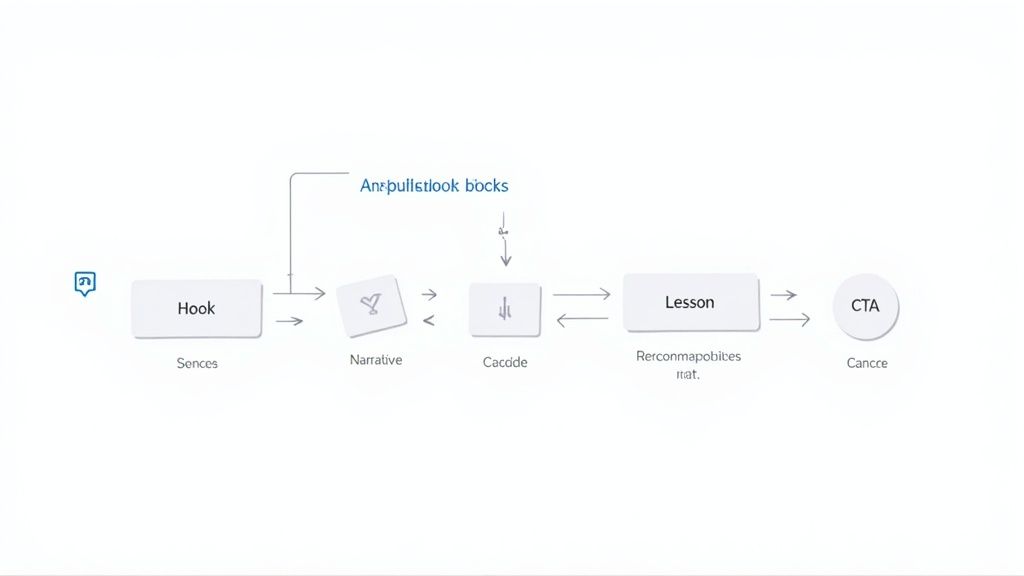
Writing a great post really comes down to a four-part formula: grab them with a great Hook, connect with a relatable Story, deliver a clear Lesson, and finish with a strong Call to Action. Once you get this down, you’ll stop shouting into the void and start creating content that actually builds your brand.
The Blueprint for a High-Performing LinkedIn Post
Before you even start typing, you need to understand the battlefield. The LinkedIn feed is a fast-moving, crowded place. You're not just competing with other professionals for attention; you're up against notifications, DMs, and a million other distractions.
This is why having a strategic framework is a total game-changer.
Just throwing random thoughts or company updates onto your feed won't cut it if you want to generate leads or be seen as an expert. High-performing posts are intentionally built to stop the scroll, hold attention, and deliver real value. It’s not about clickbait; it’s about understanding what makes people pause, read, and actually engage.
The Four Pillars of an Engaging LinkedIn Post
Think of every post as a mini-story with four acts. Each one has a specific job to do, guiding your reader from being a passive scroller to an active follower. Mastering how these pieces fit together is the first real step toward writing content that consistently delivers.
This table breaks down the four essential components of a post that gets results.
The Four Pillars of an Engaging LinkedIn Post
| Component | Purpose | Key Objective |
|---|---|---|
| The Hook | Grab immediate attention | Make the reader stop scrolling and click "...see more" out of pure curiosity. |
| The Story | Build context and connection | Share a personal anecdote, client win, or industry insight to make it relatable. |
| The Lesson | Deliver clear, tangible value | Provide a single, actionable takeaway the reader can apply to their own work or life. |
| The Call to Action (CTA) | Drive engagement and conversation | Tell the reader exactly what you want them to do next—comment, share, or DM you. |
This structure simply works because it taps into how we’re wired. We love stories, we hunt for value, and we want to feel like part of a conversation.
And the data backs it up. When audiences see brand content on LinkedIn, they are six times more likely to convert. This effect is even stronger when the content comes from a personal profile, which consistently gets far more impressions and engagement than a company page. You can dive deeper into this by exploring how to build a winning LinkedIn content strategy.
"Your LinkedIn post isn't a report; it's a conversation starter. The goal isn't just to be seen—it's to be remembered and discussed."
Ultimately, this blueprint is the foundation for everything you'll create. By internalizing these four pillars, you stop being just another person posting online and become someone who strategically communicates with an audience, building a personal brand that drives real business results.
Crafting Hooks That Stop the Scroll
Let's be honest: the first line of your LinkedIn post is everything.
In a feed moving at the speed of light, that single sentence is the only thing that determines whether someone glides right past your content or slams on the brakes. It’s not just an opener; it’s your entire pitch for the next 30 seconds of their attention.
Without a killer hook, the brilliant story and valuable lesson that follow might as well not exist. People just won't click "...see more" if the preview doesn't spark immediate curiosity, urgency, or a feeling of "wow, that's me." This is your one shot to earn that click.
Understanding the Psychology of a Great Hook
A powerful hook works by creating what's called an "information gap." It drops a puzzle piece on the table that the reader’s brain feels an almost primal need to pick up and solve.
This could be a statement that goes against the grain, a problem they know all too well, or a bold claim that makes them question a common belief.
The goal isn't to trick them; it's to be compelling. You’re making a promise of value that the rest of your post will deliver on. It’s the difference between a post that gets a polite glance and one that commands a full read.
Here are a few hook formulas that I've seen crush it time and time again on LinkedIn.
- The Contrarian View: Go against the grain. Challenge a widely accepted industry norm.
- The Relatable Pain Point: Tap into a struggle your audience knows intimately.
- The Surprising Statistic: Drop a number or fact so shocking it forces a pause.
- The Bold Declaration: Make a strong, definitive statement that begs the question, "how?"
For example, instead of saying, "Here are some tips for better meetings," a contrarian hook might be, "I canceled 80% of my meetings. My productivity exploded." See the difference? The second one is impossible to ignore because it completely flips the script on a normal workday.
Real-World Examples of Effective Hooks
Okay, enough theory. Let’s look at these in the wild. Seeing these formulas in action makes it much easier to get a feel for how to write posts that actually stand out. Notice how each one creates an immediate question in the reader's mind.
Example 1: The Pain Point Hook
"You're burning out, but you keep telling yourself it's just 'busy season.' Let's be honest..."
This works because it taps into a universal feeling among ambitious professionals. It feels personal and directly calls out a hidden struggle, compelling the reader to continue because they feel seen and understood.
Example 2: The Bold Declaration Hook
"Cold calling is dead. Here's what we're doing instead to book 20+ demos a week."
This is a classic for a reason, especially for anyone in sales or marketing. It makes a polarizing statement and then immediately dangles a high-value solution, making it irresistible for anyone looking for better ways to generate leads. If you're struggling to come up with these kinds of punchy statements, a free LinkedIn headline generator can be a great place to brainstorm some starting points.
Avoiding the Clickbait Trap
There's a fine line between a compelling hook and pure clickbait. A great hook makes a promise and then over-delivers on it. Clickbait makes an exaggerated promise and then completely fails, torching any trust you had with your audience.
Key Takeaway: Your hook should be a window into the value of your post, not a misleading billboard. Authenticity is your most valuable asset on LinkedIn.
The key is to make sure the body of your post directly and thoroughly addresses whatever claim you made in the hook. If you promise to reveal how you booked 20 demos, you need to deliver actionable steps, not vague fluff.
When you consistently align your hook with high-quality content, you build a reputation for delivering real value. That's how you get people to read everything you publish, turning your posts from simple updates into powerful assets for your personal brand.
Building Your Narrative and Delivering Real Value
You landed the hook. They stopped scrolling. Now what?
This is where the real work begins. The body of your post is your chance to build a genuine connection and deliver the value you hinted at in the first line. This is the difference between a post that gets seen and a post that gets remembered.
The best-performing posts on LinkedIn aren't lists of tips or sterile corporate updates. They're stories. Your audience doesn't connect with abstract advice; they connect with a narrative that feels real and human. The trick is learning to see the stories hidden in your everyday work life.
Finding Your Core Story
Every single professional is sitting on a goldmine of content. You don't need to invent some dramatic, life-altering saga. Honestly, the most powerful stories are often the simplest ones that reveal a hard-won lesson or a universal truth.
Think about what happened this week. Did you solve a tricky problem for a client? Did you see someone in your industry make the same mistake for the tenth time? Did a conversation with a colleague completely change your mind about something?
That's your raw material.
Your job is to take that simple event and give it a narrative structure. It’s not as complicated as it sounds.
- The Beginning (The Situation): Set the scene. What was the problem? Keep it short and relatable.
- The Middle (The Conflict): Here’s the juicy part. What was the struggle? The specific challenge you hit? The turning point that made you rethink everything?
- The End (The Resolution): How did you solve it? What was the outcome? This is the payoff, the breakthrough.
This simple framework turns a dry case study into a journey. Instead of saying, "We improved our client onboarding," tell the story of one specific, frustrated client and the exact changes you made to win them over. That’s a story people will actually read.
Distilling Your Story into a Single Lesson
A story without a point is just an anecdote. After you've walked the reader through your narrative, you have to distill it into a single, memorable lesson. This is the takeaway that makes the post genuinely valuable.
The lesson is the "so what?" of your story. It connects your personal experience to a broader principle your audience can steal and apply to their own careers. It's how you prove your expertise without ever having to say "I'm an expert."
Your story makes you relatable. Your lesson makes you an authority. Don't skip this. It’s the bridge between connection and credibility.
Let's say you told a story about fumbling a major client deal because of poor communication. The lesson isn't "communication is important." Lame. A much better lesson would be specific and actionable, like:
"The takeaway? One 15-minute sync call a week is worth more than a hundred emails. It kills the small misunderstandings that sink big deals."
See the difference? That transition from story to lesson is where you stop entertaining and start teaching.
Finding and Honing Your Authentic Voice
The final piece is your voice. The creators who crush it on LinkedIn all sound like themselves. They're not trying to be a corporate brochure or a generic motivational speaker. They're just... them.
Your authentic voice comes out when you write like you talk.
Seriously, read your drafts out loud. Does it sound like something you'd actually say to a colleague over coffee? If it sounds stiff and formal, delete it and try again.
A few quick tips to let your real voice shine:
- Share your opinions: Don't just state facts. Tell people what you think about those facts.
- Be vulnerable: Talk about your screw-ups and failures, not just the wins. Nothing builds trust faster.
- Use your natural language: If you have a dry sense of humor, let it show. If you're direct and no-nonsense, write that way.
Authenticity is magnetic. When people feel like they're getting the real you—flaws and all—they're far more likely to engage, follow, and ultimately, trust you. It's what separates just another content creator from a true thought leader.
Formatting That Stops the Scroll
You can write the most brilliant post in the world, but if it looks like a dense wall of text, people will scroll right past it. It's that simple.
Great formatting is the final, crucial step that makes your message digestible. It's not about making things look pretty; it's about respecting your reader's time in a fast-moving feed where scannability is everything. Your goal is to make it effortless for someone to pull out your key points, even if they're just skimming on their phone.
Use White Space to Your Advantage
The single biggest change you can make to improve readability is to embrace white space. Think of it as giving your words room to breathe.
Long, blocky paragraphs are a holdover from academic papers. On LinkedIn, they are an absolute death sentence for engagement. You have to write for the mobile screen, where thumbs are always ready to keep moving.
The golden rule is simple: one idea, one paragraph.
- Stick to 1-3 sentences per paragraph. Honestly, a single, punchy sentence often works best.
- Use single-line paragraphs. This creates a natural rhythm that pulls the reader down the page, making it hard for them to stop.
- Always add a blank line between paragraphs. This isn't optional. It immediately makes your post feel less intimidating and way easier to scan.
This isn't just a formatting trick; it forces you to write with more clarity and punch.
Break Up Your Text with Lists and Visuals
Beyond short paragraphs, lists are your best friend. They're perfect for breaking down complex ideas into simple, scannable bites. Use them to outline steps, share key takeaways, or list resources.
And don't forget visuals. Text-only is fine, but mixing in other formats gives you a massive advantage. Posts with images can get up to twice the comment rates, and carousels can pull in up to 278% more engagement than even video posts. If you're really brave, live video drives an insane 24 times more interaction than pre-recorded clips.
With only about 1% of LinkedIn users posting weekly, consistently using these varied formats makes you stand out immediately. For a deeper dive, check out Buffer's breakdown of what makes LinkedIn content perform.
To help you decide what to post, here’s a quick comparison of how different formats typically perform.
Content Format Engagement Comparison on LinkedIn
This table breaks down the most common LinkedIn content formats, showing their potential engagement uplift and where they work best. Use it to match your message to the right medium.
| Content Format | Average Engagement Uplift | Best For |
|---|---|---|
| Image Posts | 2x more comments | Announcing wins, sharing quotes, quick tips, or behind-the-scenes content. |
| Carousels (PDFs) | Up to 278% more engagement | Step-by-step guides, breaking down frameworks, visual storytelling, and data deep dives. |
| Video (Pre-recorded) | 5x more engagement than text | Product demos, tutorials, client testimonials, and sharing personal stories. |
| Live Video | 24x more interaction | Q&A sessions, interviews, event coverage, and real-time announcements. |
| Text-Only Posts | Baseline | Personal stories, contrarian takes, quick insights, and starting conversations. |
| Polls | 2-3x more engagement | Quick market research, gauging audience opinion, and sparking easy interaction. |
Choosing the right format isn't about chasing the highest numbers every time. It's about picking the best vehicle for your message. A powerful story might land best as a text-only post, while a complex framework is perfect for a carousel. Mix it up to keep your feed interesting.
The goal of formatting is to guide the reader’s eye. Use lists, bold text, and even emojis to highlight what's most important and create a clear path through your message.
Using Hashtags and Tagging Strategically
Your formatting job isn't done when the post is written. How you use hashtags and tags can be the difference between your post being seen by a few hundred people or a few thousand.
Nail Your Hashtag Strategy
Hashtags are how people outside your network discover your content. But throwing a dozen tags at the end of your post is a rookie mistake.
- Use 3-5 relevant hashtags. This is the sweet spot. Any more looks spammy and dilutes your message's focus.
- Mix broad and niche tags. Combine a popular tag like
#saleswith more specific ones like#b2bsellingor#saassalesto hit both wide and targeted audiences. - Put them at the very end. Don’t clutter the body of your post. Tucking them after your call to action keeps things looking clean and professional.
Tag People and Companies with Purpose
Tagging someone is a powerful way to expand your reach, but it comes with a major caveat: do it with intention.
When you tag a person or company, you're not just sending them a notification; you're inviting their entire network into the conversation. However, this only works if the tag is genuine. Never tag people randomly to get their attention—it’s the fastest way to get ignored, or worse, blocked.
Only tag people who are actually mentioned in your post, contributed to the idea you're sharing, or would add significant, relevant value to the discussion. A single, well-placed tag can act as a strategic endorsement, opening your content up to a massive new audience. Use it wisely.
Using AI and Workflows to Stay Consistent
What separates the LinkedIn creators who build massive audiences from those who don't? It’s almost never talent. It’s consistency.
But showing up every single day feels impossible when you’re also trying to run a business or manage a team. This is where building smart systems and using the right AI tools becomes your unfair advantage.
You don't need more willpower. You need a better workflow. A simple process for ideation, creation, and scheduling can turn your LinkedIn efforts from a sporadic chore into a high-impact habit that gets predictable results, minus the burnout.
Building Your Content Machine
A great content strategy isn't about having a stroke of genius every morning. It's about having a system that does the heavy lifting for you, separating the creative part from the actual publishing schedule.
First, you need an idea repository. This can be as simple as a spreadsheet, a Trello board, or even just the notes app on your phone. Any time you solve a client's problem, have a unique thought, or read something interesting, toss the raw idea in there. No filter. This becomes your personal content goldmine.
Next, you need to practice content batching. Block off a couple of hours once a week—maybe a Friday afternoon—and turn those raw ideas into fully written drafts. Trust me, writing five posts in one focused session is way more efficient than trying to pull a new idea out of thin air every single day.
This simple two-part system—a place to catch ideas and a dedicated time to flesh them out—removes that daily pressure of staring at a blinking cursor on a blank screen.
Leveraging AI as a Creative Partner
This is where you can really start to scale your efforts. Modern AI tools have moved far beyond clunky text generators. They're now powerful creative assistants that can speed up your entire workflow. Platforms like GetViews.AI are built to be your thought partner, helping you get from a rough idea to a polished post in a fraction of the time.
The infographic below shows the basic formatting flow for any solid post, a process that AI can help make second nature.
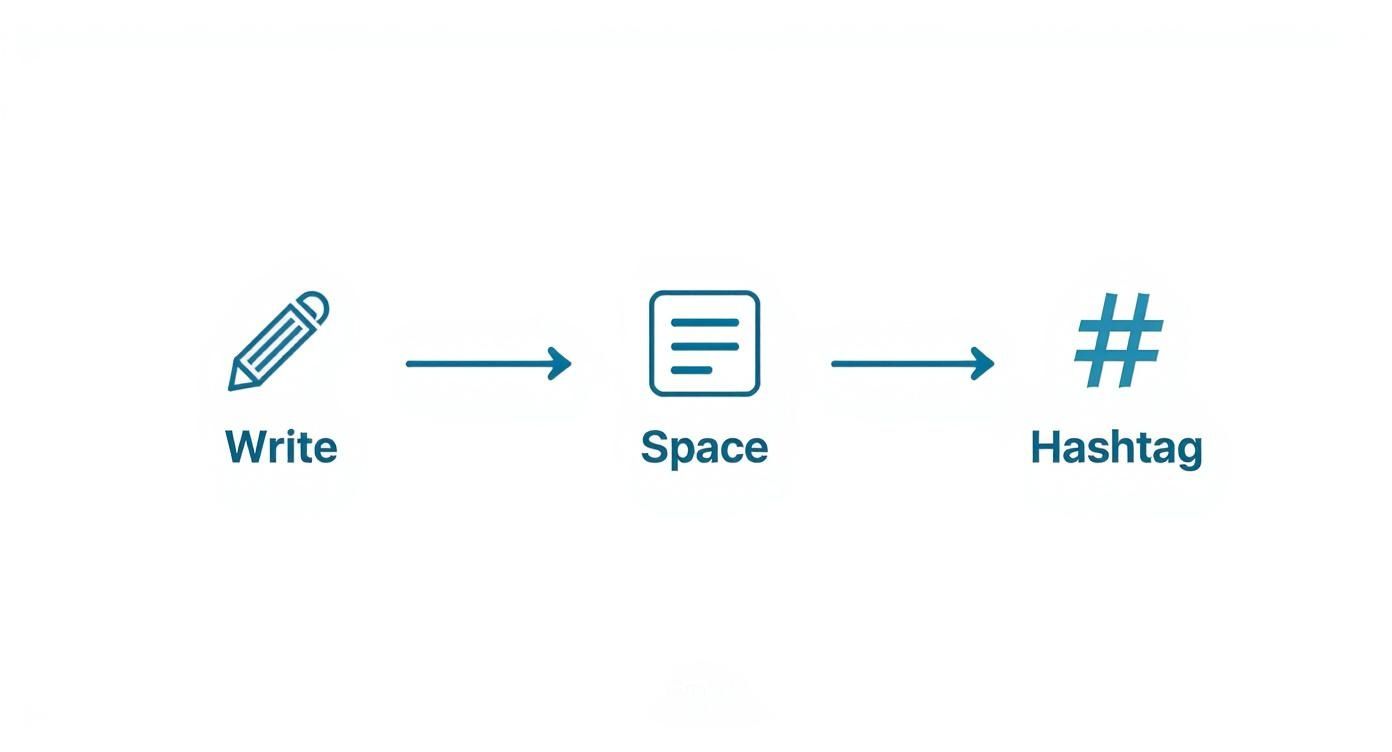
This just reinforces the non-negotiables: clear writing, lots of white space, and a few strategic hashtags. They seem simple, but they're critical for engagement.
You can use AI to accelerate each of these stages. Instead of just asking it to "write a post," get strategic:
- Brainstorm Hooks: Feed the AI your core idea and ask for ten different opening lines.
- Refine Your Draft: Paste in your story and ask it to punch up the language or improve the clarity.
- Repurpose a Single Idea: Give it a post that performed well and ask it to spin that concept into a carousel outline, a poll question, or a script for a short video.
This approach keeps you in control, ensuring the final content is genuinely yours, while letting the AI do the tedious work. You can learn more about how to automate your LinkedIn content creation without losing your authentic voice.
Your Simple Scheduling Workflow
Once you have a batch of drafted posts ready to go, the final piece is scheduling. Consistency always beats intensity, and having your content queued up in advance is how you maintain momentum.
Most scheduling tools give you a calendar view, which is great for planning your content mix visually. You can make sure you're balancing personal stories with industry insights and client wins to keep your feed from getting stale.
A content calendar isn't a set of rigid rules; it's a tool that frees up your mental energy. When your posts are scheduled, you can focus on what actually matters: engaging with the comments and conversations your content sparks.
Platforms like GetViews.AI are designed to bring this whole process together—from ideation and AI-assisted drafting all the way to scheduling and analyzing what works.
Ultimately, knowing how to write a good LinkedIn post is only half the battle. The real challenge is doing it over and over again. By building a simple workflow and using AI as your creative partner, you can finally stop stressing about what to post and start seeing the rewards of showing up every single day.
Your Top LinkedIn Post Questions, Answered
Even with the perfect framework, you’re going to run into questions. Getting good at writing LinkedIn posts that actually work means navigating a few common hurdles. Let’s tackle the ones I hear most often so you can post with confidence.
How Long Should a LinkedIn Post Be, Anyway?
There's no single magic number, but there's definitely a sweet spot. For a text post where you're telling a story and trying to start a conversation, I've found that 1,200 to 2,000 characters is the zone. That’s enough real estate to build a proper narrative—hook, story, lesson—without hitting your reader with a giant wall of text.
Sure, shorter, punchier posts under 500 characters can work for a quick question or a hot take. But the slightly longer format almost always outperforms them. Why? It encourages more "dwell time"—the literal amount of time someone spends on your post. The LinkedIn algorithm loves this. It sees it as a signal of quality and rewards you with more reach.
The goal isn't a character count; it's holding attention. A well-structured, 1,500-character story will beat a sloppy 500-character update every single time.
Are Emojis Okay on LinkedIn?
Yes, but treat them like salt in a recipe. A little bit enhances the flavor; too much ruins the dish. Used strategically, emojis are fantastic for readability and adding a human touch. They’re like little visual signposts that break up text and guide the reader's eye.
But it's incredibly easy to overdo it. A post drowning in emojis just looks unprofessional and distracting, and it can torpedo your credibility before anyone even reads your message.
Here are a few smart ways I use them:
- As Bullet Points: A simple checkmark ✅ or a pointer 👉 is a clean way to make lists scannable. It’s way more visually interesting than a standard dash.
- For Emotional Context: Sometimes, a single emoji says what a whole sentence can't. Ending a story about a tough lesson with a brain emoji 🧠 just reinforces that idea of learning and growth.
- As Visual Breaks: I'll often drop an emoji on its own line between paragraphs. It creates an intentional pause, like a mini chapter break, that makes the whole post easier to digest.
Ultimately, your industry and brand dictate how far you can go. A creative director will probably use more emojis than a financial analyst, but both can use them to make their content feel more human.
What’s the Best Call to Action to Use?
The CTAs that crush it on LinkedIn are the ones designed to start conversations, not make a hard sale. Your main goal with any post is to get people talking. That engagement is what tells the algorithm your content is valuable, which in turn leads to more profile views, connection requests, and DMs.
So, forget the generic "Click the link in my bio." That’s a dead end. Instead, focus on sparking a real dialogue.
Here are a few conversation-starters that have never failed me:
- Ask an Open-Ended Question: This is the heavyweight champion of CTAs. Ask something directly related to your post, like, "What's the biggest wall you're hitting with this?"
- Prompt for a Simple Reaction: Make it stupidly easy for people to engage. A simple "Drop a 👍 if this resonates" can do wonders for your comment count.
- Request Opinions or Experiences: Pull your audience into the conversation. "Do you agree?" or "Share your experience with this in the comments" makes people feel like their voice matters.
Seriously, Where Do You Find Good Ideas for Posts?
Your best content ideas are hiding in plain sight. They’re in your daily work, your conversations, your frustrations. You don't need to invent some earth-shattering new theory; you just need to get good at documenting your professional life.
Your expertise is built on the problems you solve day-in and day-out, the mistakes you've learned from, and the unique opinions you've formed along the way.
Start paying attention to these goldmines:
- Client and Colleague Questions: What are people constantly asking you? Every one of those questions is a post just waiting to be written. You’re literally providing a solution to a known problem.
- Your Wins and Failures: Document the wins, for sure. But more importantly, document the failures. Stories about overcoming a real challenge are incredibly relatable and build a ton of trust.
- Your Unique Perspective: What's your take on that new industry trend? Do you have a contrarian opinion on a popular piece of advice? Sharing a well-reasoned opinion is how you build a reputation as a thought leader.
Keep a running list of these ideas in a notes app on your phone. The next time you sit down to write, you'll have a library of authentic material to pull from instead of staring at a blinking cursor.
Ready to stop guessing and start growing? GetViews.AI transforms your expertise into a consistent stream of high-performing LinkedIn content. Our AI-powered platform helps you brainstorm, write, and schedule posts that build your brand and fill your pipeline, all without the burnout.
Turn your LinkedIn presence into a predictable revenue machine with GetViews.AI