Automate LinkedIn Posts for Smarter Growth
Discover how to automate LinkedIn posts with our proven guide. Learn the best strategies, tools, and workflows to save time and drive real engagement.
Wilmer KarlssonTarstad
Automating your LinkedIn posts isn't just about clawing back a few hours in your week. It's a strategic shift. You're building a consistent, powerful presence that works for you around the clock, turning random bursts of activity into a reliable engine for building authority and creating new opportunities—all without the daily grind.
Why Smart Automation Is Your LinkedIn Superpower
Let's be real for a second. Trying to manually post fresh, insightful content on LinkedIn every single day is a fast track to burnout. The constant pressure to brainstorm, write, and hit "publish" at the perfect time is exhausting. This is where smart automation completely changes the game, turning a daily chore into a scalable professional asset.
The real win here isn't just saving time. It's about giving the LinkedIn algorithm what it craves most: consistency. The platform is designed to reward profiles that consistently share valuable content.
Fueling the Algorithm for Maximum Reach
When you automate a steady stream of posts, you're sending a clear signal to the algorithm that you're an active and valuable voice in your niche. That consistency directly boosts your visibility.
Think about it: businesses that post weekly see a 2x lift in engagement. Profiles that are consistently active get 5x more views than those that are dormant. By sticking to a regular schedule, you're dramatically improving the odds of your content landing in your network's feed. This leads directly to more profile views, more connection requests, and more inbound messages. Digging into more LinkedIn statistics really drives this point home.
The goal of automation isn't to "set it and forget it." It’s to "set it and perfect it." You should use the time you save to engage with comments, build real relationships, and analyze what content actually resonates with your audience.
Building Authority and Trust at Scale
Your professional reputation is built one piece of valuable content at a time. Automation lets you plan and execute a content strategy that systematically showcases your expertise over the long haul. You can schedule out posts on key industry themes, share wins and case studies, and offer up unique insights that position you as the go-to expert.
This is where a tool like GetViews.AI comes into play, helping you build and schedule that entire content pipeline.

A dashboard like this gives you a bird's-eye view of your content calendar, making it easy to ensure a balanced mix of topics and post formats. Planning ahead lets you shift from being reactive to being proactive, building a cohesive brand story that earns trust with your audience week after week.
Manual Effort vs Smart Automation on LinkedIn
To really understand the difference, let's break down the day-to-day reality of both approaches.
| Aspect | Manual Posting | Automated Posting |
|---|---|---|
| Time Commitment | 1-2 hours daily for ideation, drafting, and posting. | 1-2 hours weekly for batching and scheduling. |
| Consistency | Erratic. Depends on daily workload and inspiration. | High. Posts go out on a set schedule, rain or shine. |
| Strategic Planning | Difficult. Often reactive and focused on "today." | Easy. Plan themes and campaigns weeks or months ahead. |
| Reach & Growth | Slower. Inconsistent activity limits algorithm favor. | Faster. Consistent signals to the algorithm boost visibility. |
| Burnout Risk | High. The "content treadmill" is relentless. | Low. Frees up mental energy for high-value tasks. |
| Engagement | Limited to when you're online to post and reply. | Allows you to focus time on replying and connecting. |
The table makes it clear: moving to an automated workflow isn't a shortcut; it's a smarter, more sustainable way to grow your influence on the platform.
Picking the Right Tools for LinkedIn Automation
So, you're ready to start automating your LinkedIn posts. The first big decision is how. It really feels like a fork in the road. Down one path, you have LinkedIn's own built-in tools. Down the other, you'll find powerful, specialized platforms that can become the engine for your entire growth strategy.
Honestly, there's no single "right" answer. It all boils down to your goals, your budget, and how much time you have.
For anyone just dipping their toes in, LinkedIn’s native scheduling feature is a great place to start. It’s free, it’s simple, and you don’t have to leave the platform. If all you need is to get a few posts scheduled each week to stay consistent, it’s perfectly capable. No need to overcomplicate things.
Knowing When to Level Up
But you’ll likely hit the limits of the native scheduler pretty quickly. It’s a great starting point, but it's not built for a serious, scalable content strategy.
You can't upload a month's worth of content at once. The performance data is basic at best. And there's certainly no AI to help you brainstorm ideas or punch up your drafts. This is usually the moment when people realize they need something more robust.
Think about a marketing manager juggling profiles for three different executives—they need a single dashboard to manage everything. Or a founder who needs to know which posts are actually driving demo requests, not just getting likes. That's when a dedicated platform isn't just a nice-to-have; it's a necessity.
A good way to think about it is this: LinkedIn's native scheduler is like a manual screwdriver. It works just fine for a few simple jobs. But a platform like GetViews.AI is the full power drill set, complete with all the bits and attachments you need to build something bigger, faster, and with way more precision.
Why an All-in-One Platform Makes Sense
This is where third-party platforms like GetViews.AI completely change the game. We're talking about moving way beyond just scheduling. These tools are designed to manage your entire LinkedIn workflow, from the first spark of an idea to measuring its real-world impact.
They’re built for people who are serious about growth. You get features that the native tools just can't offer.
Some of the biggest advantages are:
- AI-Powered Content Creation: You can feed the AI a single idea and get back multiple post drafts, catchy hooks, and different angles to explore. It's a massive time-saver.
- Advanced Analytics: Instead of just tracking vanity metrics, you can see what content is leading to more profile views, connection requests, or even clicks to your website. Our free LinkedIn Post Analyzer can give you a preview of how powerful this data can be.
- Bulk Scheduling: This is a huge one. Sit down once, and plan out your entire content calendar for the next month. It’s the key to staying consistent without the daily grind.
- Engagement Features: Some tools even help you stay on top of the conversations your posts generate, so you never miss a chance to build a relationship.
Ultimately, choosing your toolkit is about matching it to your ambition. If you just need to keep the lights on with a couple of posts, native scheduling is fine. But if you're trying to build a reliable system for generating inbound leads and establishing yourself as an authority, investing in a true all-in-one platform is the only way to go.
Building Your Content Automation Workflow
A great strategy is just a dream without a solid workflow to make it happen. If you really want to automate LinkedIn posts the right way, you need a system you can repeat—one that takes you from a spark of an idea all the way to a buzzing, engaged audience. This isn't about making things complicated; it's about building a smooth, sustainable process that practically runs itself.
The whole point is to shift gears. Stop the frantic, day-to-day scramble for content and move to a calmer, more organized batch-processing model. You'll set aside specific blocks of time for each part of the content creation process, which frees up your daily schedule for what really matters: talking to prospects and building relationships.
From Ideation to a Packed Content Calendar
Every great post starts with an idea. Your first job is to make capturing those ideas completely effortless. Grab a simple tool—a notes app, a spreadsheet, whatever works for you—and create a "content backlog." This is your brain dump for every random thought, customer question, industry trend, or personal story that has post potential.
Once you've got a decent list of ideas, block out a recurring "Content Batching" session in your calendar. Maybe it's two hours every other Friday. During that time, your one and only focus is to turn that raw list of ideas into an actual content calendar.
- Group ideas into themes: Bundle similar concepts together to create mini-series or content pillars. For instance, you could dedicate one week to "common sales mistakes" and the next to "leadership lessons."
- Vary your formats: Don't just post text. Plan a healthy mix of post types—text-only, single images, carousels, and video clips—to keep your feed interesting.
- Mine your existing assets: You don't always have to create something from scratch. That old blog post can easily be sliced into five different LinkedIn posts. Getting smart about content repurposing strategies is a game-changer for getting more out of the work you've already done.
This flow chart gives you a great visual for how to choose the right tools as your content strategy grows, from just starting out to needing more advanced solutions.
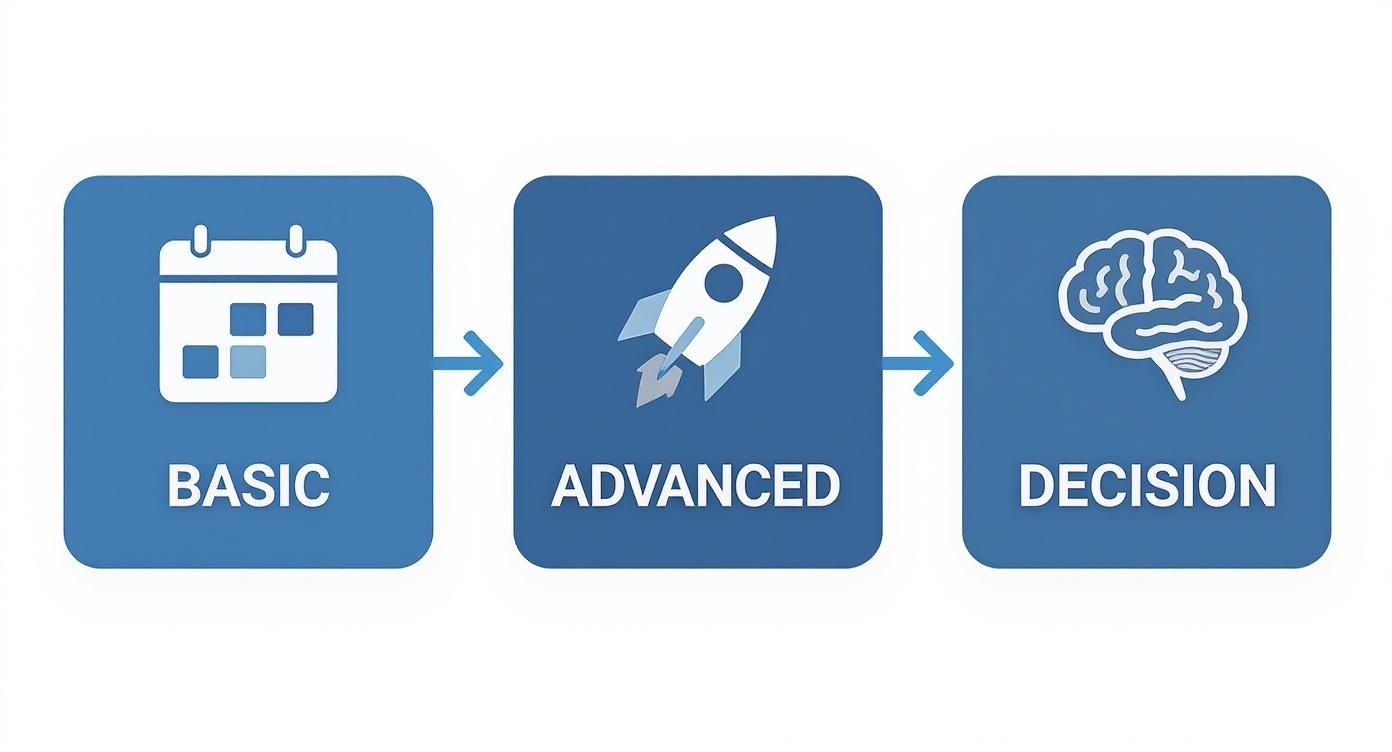
The big idea here is that your workflow should drive your choice of tools, not the other way around. This ensures you have what you need, when you need it.
Drafting and Optimizing with an AI Partner
With your calendar mapped out, it's time to start drafting. This is where an AI-powered platform like GetViews.AI becomes your creative co-pilot. Instead of facing the dreaded blank page, you can plug a topic from your calendar into the AI and get several draft options in seconds.
Your job then shifts from being the writer to being the editor. You take what the AI gives you and polish it, adding your unique voice, personal stories, and specific industry takes. It's a hybrid approach that gives you the speed of AI without losing the authenticity that actually builds trust with your audience.
Remember, the goal of using AI is efficiency, not replacement. It handles 80% of the drafting work, so you can focus on the 20% that makes the content uniquely yours—your stories, your perspective, and your voice.
Scheduling, Amplification, and Engagement
Once your posts are polished and ready to go, you can load them into the scheduler and set them to publish at the best times for your audience. The platform takes over from there, making sure your content goes out consistently. This is where you really start to feel the time savings, as your LinkedIn presence begins to run on autopilot.
But a smart workflow doesn't stop at publishing. It's also about what happens after the post goes live. The final, critical piece is circling back to engage. Your automated posts will start conversations, and it's your job to jump into the comments and messages. This is how you turn passive views into active, meaningful relationships.
Automating Safely and Staying Human
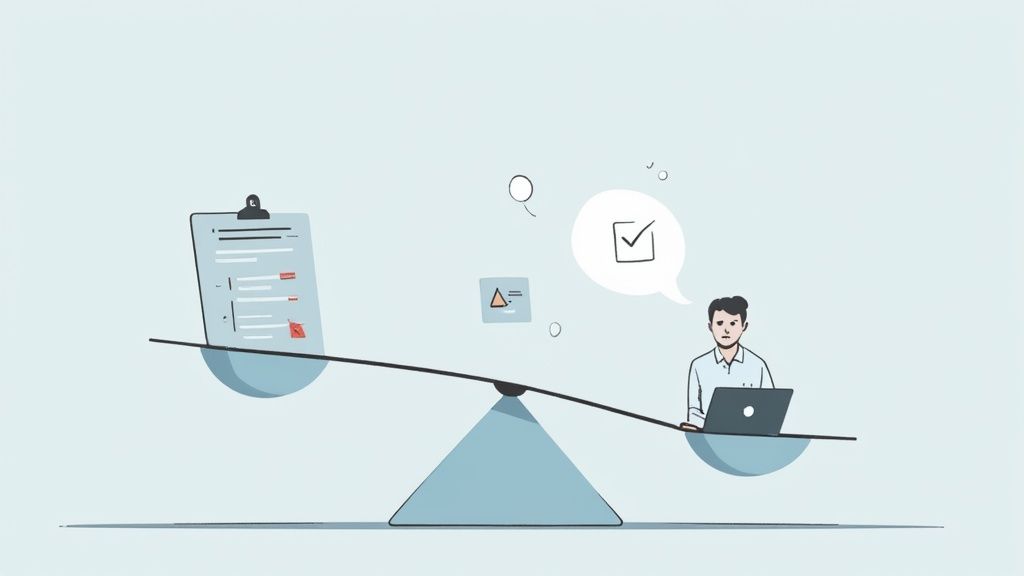
It’s easy to get a little carried away once you start automating your LinkedIn posts. The efficiency is addictive. But there’s a razor-thin line between smart automation and outright spam, and crossing it can do real damage to your professional brand.
The biggest pitfall is letting the tech drown out your unique voice. Remember, automation is a tool to handle the grunt work—like publishing at the perfect time—not to replace your personality. The goal is to scale your presence, not to become a robotic content machine.
Navigating LinkedIn's Unwritten Rules
LinkedIn can be a bit cagey about its official stance on automation. The platform doesn't clearly define "reasonable" activity, which leaves a lot of us in a gray area. To stay on the right side of the algorithm, you need to think like a platform moderator. They look for unnatural behavior—sudden, massive spikes in activity or posts that go live at the exact same minute every single day. For a deeper dive, you can read up on LinkedIn's safety mechanisms to get a better sense of what they're looking for.
Your objective is to mimic a natural, human rhythm. A solid scheduling tool is your best friend here, especially one that lets you randomize posting times by a few minutes. It's all about being consistent without being predictably robotic.
Think of it this way: Automation is your behind-the-scenes stage crew. They set the lights and manage the curtain, but you're the one on stage delivering the performance. Your audience showed up to see you, not the machinery.
Best Practices for Authentic Automation
To make sure your strategy works for you and not against you, aim for a hybrid approach. Technology assists, but you're always in the driver's seat. This is how you preserve the authenticity that builds genuine trust and connections with your network.
Here’s a simple checklist to keep your automation feeling human:
- Always Edit AI-Generated Drafts: Let AI come up with the initial structure or brainstorm some ideas, but never just copy and paste. You have to be the one to inject your personal stories, your unique take, and your specific industry insights.
- Keep a Natural Posting Cadence: Don't dump ten posts in a single day and then disappear for a week. A steady, sustainable rhythm of 3-5 high-quality posts per week is far more effective and looks much more natural to the algorithm.
- Make Manual Engagement a Priority: Automation’s job is done the second your post goes live. That's when your job begins. Block out time every single day to personally respond to comments and messages. This is non-negotiable if you want to build a real community.
- Mix in Some Spontaneous Content: Even if most of your content is scheduled, leave some breathing room for of-the-moment posts. Sharing a quick thought from a recent meeting or a picture from a conference proves there's a real, live person behind the profile.
By sticking to these guidelines, you can automate your LinkedIn posts with confidence. You'll save a ton of time without sacrificing the human connection that actually drives results on the platform.
Measuring the Real Impact of Your Automation
An automation strategy is only as good as the results it drives. It's easy to get caught up in follower counts, but let's be honest—that's a vanity metric. It feels good, but it doesn't pay the bills. The real value comes from your automated LinkedIn posts generating tangible business outcomes.
To really understand what's working, you have to look past the surface. The goal is to track the numbers that show genuine audience connection, real growth, and inbound interest. This is how you prove your efforts are worthwhile and build a system for getting better over time.
Key Metrics That Actually Matter
Forget about likes for a second. Let's focus on the key performance indicators (KPIs) that tell the true story of your content's impact. These are the numbers that show if you’re actually reaching the right people and getting them to take action.
- Engagement Rate: This is the single most important health metric for your content. It’s not about the raw number of likes, but the percentage of people who saw your post and actually did something. A high engagement rate on a post with smaller reach is often far more valuable than a low rate on a "viral" post that hit the wrong audience.
- Profile Views: Are your posts interesting enough to make someone click your name and check you out? This is a huge signal of genuine interest. It’s a critical step in turning a passive scroller into a potential lead.
- Inbound Connection Requests: When your content truly resonates, people will want to connect with you. Keep an eye on the quality of these requests. Are they coming from people who fit your ideal customer profile? That's a huge win.
- Direct Messages (DMs): The ultimate sign of a successful post is one that starts a conversation. Tracking DMs that mention a specific post is the most direct way to measure your content's influence on generating real business opportunities.
Creating a Data-Driven Feedback Loop
Once you're tracking these metrics, you can start connecting the dots. Look for patterns. Which content formats, themes, and opening hooks are consistently driving the best results? Is it the personal stories, the deep-dive industry analysis, or the quick video tips?
Let the data be your guide. If carousels are consistently bringing in more profile views, it’s time to make more carousels. If posts that tackle a specific client pain point always spark high-quality DMs, double down on that topic. This turns content creation from a guessing game into a repeatable, calculated strategy.
Your LinkedIn analytics are a direct conversation with your audience. They're telling you exactly what they want to see more of. All you have to do is listen and adapt your strategy accordingly.
This data is also how you prove your return on investment. By tracking metrics like qualified leads that came from a specific post, you can put a real number on your content's business impact. To simplify this, try our free LinkedIn ROI calculator to connect your content efforts to tangible financial results.
This feedback loop is the secret to getting the most out of your decision to automate LinkedIn posts, ensuring every single piece of content is working as hard as possible for you.
Common Questions About LinkedIn Automation
Even with a solid plan, jumping into automation can feel a little daunting. It's smart to ask the tough questions before you go all-in. Let's walk through some of the most common concerns I hear from people when they're thinking about automating their LinkedIn posts.
Will LinkedIn Penalize My Account?
This is the big one, and for good reason. Nobody wants to get on the wrong side of the algorithm.
The short answer? It's extremely unlikely for just scheduling posts. LinkedIn's user agreement is aimed at stopping spammy behavior—think mass-messaging bots or tools that send thousands of connection requests. Scheduling your own valuable content is a completely different ballgame. It's a standard productivity practice.
The trick is to use well-built, reputable tools and stick to a posting schedule that looks natural. Smart schedulers are designed to work within safe limits, helping you be consistent without setting off any alarms. As long as you're sharing genuinely helpful content and not just blasting out promotions, you'll be fine.
What Is the Best Posting Frequency?
There's no single "magic" number here, but over the years, a clear sweet spot has emerged: posting 3-5 times per week. This seems to be the perfect rhythm to stay top-of-mind without overwhelming your audience.
Honestly, it's far better to publish three incredibly insightful posts a week than it is to churn out ten mediocre ones. The goal is consistent value, not constant noise. Use your automation tool to get your content lined up, then pay close attention to your analytics to see which days and times your specific audience is most active.
Remember, quality always trumps quantity. An automated schedule frees you up to obsess over making each post count, ensuring what you share is actually useful and interesting to your network.
Can I Use AI Without Sounding Generic?
Absolutely. The key is to stop thinking of AI as a ghostwriter and start treating it like a very capable creative assistant.
A tool like GetViews.AI is brilliant for getting you off the starting blocks. Let it brainstorm a dozen different hooks for a post, outline a rough draft, or suggest different ways to approach a topic. It’s fantastic for beating that "blank page" feeling and drastically cuts down on your initial creation time.
But the final touch—the most important part—has to come from you. This is where you weave in your personal anecdotes, your unique point of view, and the voice that makes you, you. This hybrid approach gives you the speed of AI with the authenticity that only a human can bring. The result is content that’s polished but also deeply personal—the perfect recipe for building real trust.
Ready to build a predictable inbound pipeline on LinkedIn without the daily grind? GetViews.AI transforms your expertise into high-performing content that builds authority and starts conversations.