How to Write Engaging LinkedIn Posts
Learn how to write engaging LinkedIn posts with proven frameworks, content formats, and strategies that build authority and drive real conversations.
Wilmer KarlssonTarstad
Ever wonder what makes a LinkedIn post truly take off? It’s not some complicated, algorithm-gaming secret. After creating and analyzing thousands of posts, I’ve found it really boils down to three simple things: a hook that stops the scroll, a body that actually teaches something useful, and a clear call-to-action that sparks a conversation.
Get this structure right, and you'll be on your way to creating content that people actually want to read, share, and talk about.
The Framework for Scroll-Stopping LinkedIn Posts
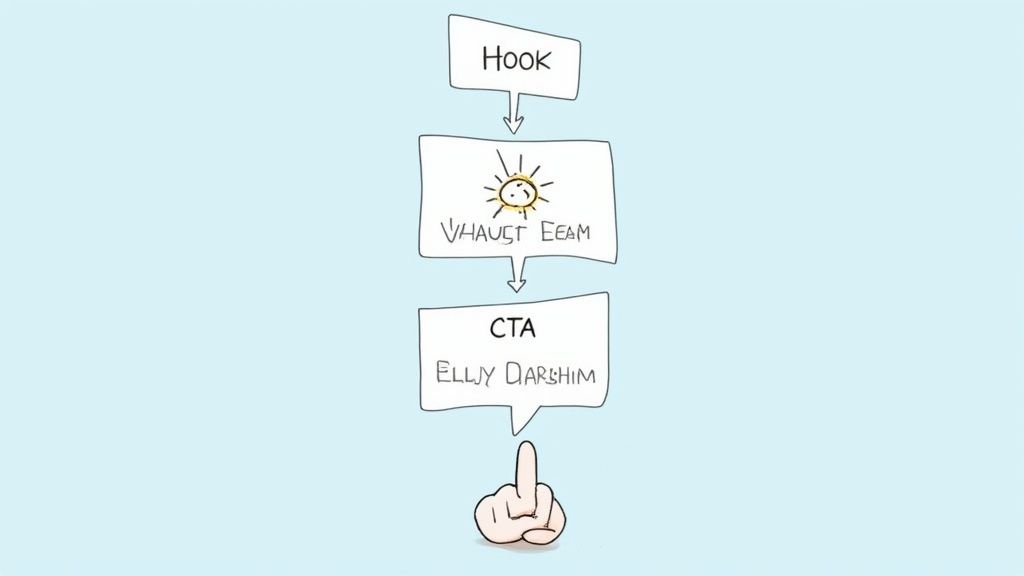
Before you even think about typing a word, you need to understand the basic anatomy of a post that performs well. It’s less about chasing viral trends and more about respecting your audience’s time. Think of each post as a mini-story that grabs a reader’s curiosity and guides them toward a specific action, all within a few hundred words.
This is the blueprint that will help you move away from forgettable updates and start writing engaging LinkedIn posts that genuinely connect with people and get you noticed.
To make this crystal clear, here’s a quick breakdown of what goes into every high-performing post.
Core Components of an Engaging LinkedIn Post
| Component | Purpose | Example Tactic |
|---|---|---|
| The Hook | Grab attention in the first 1-2 lines and make the reader click "...see more." | Start with a surprising statistic or a contrarian opinion. |
| The Value | Deliver on the hook's promise with insights, data, or a personal story. | Use bullet points or a numbered list to break down a complex idea. |
| The CTA | Tell your audience exactly what to do next to encourage engagement. | Ask a direct question related to the post's content. |
Mastering these three elements is what separates posts that get lost in the feed from those that build real momentum.
Crafting an Irresistible Hook
You have about three seconds to stop someone from scrolling past your post. That’s it. Those first one or two lines are everything. Your hook’s only job is to create an immediate spark of curiosity, urgency, or relatability that makes someone need to see the rest.
Here are a few ways I’ve seen this work incredibly well:
- A bold or contrarian take: "Cold calling is dead. Here's what replaced it."
- A thought-provoking question: "What's the single worst piece of career advice you've ever received?"
- A vulnerable personal admission: "I completely bombed my first major sales presentation. Here’s what I learned."
The key here isn’t to write clickbait. It's about making a genuine promise that the rest of your post will deliver on.
Delivering Tangible Value
Okay, you’ve got their attention. Now what? The body of your post is where you make good on your hook’s promise. This is the meat of your content—the real insights, lessons, or data that make reading your post worth their time.
The core of an engaging post is generosity. You're not just sharing information; you're offering a piece of your expertise, a lesson from your experience, or a new perspective that helps your reader think differently.
Value can show up in a lot of different ways. Maybe it’s a step-by-step guide to solving a common problem in your industry, a personal story that illustrates a hard-won lesson, or some unique data that challenges the status quo. Remember to make it easy to read—use short paragraphs, bullet points, and even a few well-placed emojis to break up the text.
Driving Action with a Clear CTA
Finally, every great post needs a clear and compelling call-to-action (CTA). A post without one is just a dead end. Instead of just hoping people will like your content, you need to explicitly tell them what you want them to do next.
A strong CTA doesn't have to feel salesy. In fact, the best ones are simply conversation starters.
- "What's one tactic you'd add to this list? Share it below!"
- "Agree or disagree? Let me know your thoughts in the comments."
- "Tag a founder who needs to see this today."
By guiding your readers toward a specific action, you’re not just getting views—you’re building a community around your expertise.
Understand Your Audience Before You Write a Word
Writing for everyone is the fastest way to connect with no one. Seriously. Before you even think about crafting a post, you have to know exactly who you're talking to. This isn't about guesswork; it's about building a crystal-clear picture of the professionals you want to reach.
When you get this right, your content stops feeling like a broadcast and starts feeling like a valuable, one-on-one conversation.
Jumping straight into writing without this clarity is like giving a speech to a room full of strangers. You might say something interesting, but will it land? Probably not with the impact you're hoping for.
Moving Beyond Simple Job Titles
It’s easy to say your target audience is "founders" or "sales managers." That’s a start, but it’s just scratching the surface. To create content that people actually stop scrolling to read, you need to dig much deeper.
What keeps them up at night? What are their biggest career aspirations? What conversations are they already having with their peers? The answers to these questions are the raw material for compelling content.
For example, don't just target a "Marketing Manager." Think about their day-to-day reality:
- Their Pain Point: They're constantly battling to prove the ROI of their campaigns to a skeptical C-suite.
- Their Goal: They want to be seen as a strategic leader, not just someone who executes tasks.
- Their Interests: They’re probably searching for tips on attribution models, budget optimization, and how to climb the career ladder.
See the difference? This level of detail transforms your content from generic advice into a specific solution for a real person.
How to Find Your Audience's Real Problems
You don't need a massive budget or fancy market research tools to figure this out. LinkedIn itself is your best listening post. This is where you can gather direct intelligence on the challenges, goals, and conversations happening right now.
The most engaging content doesn't create new conversations; it joins the ones your audience is already having. Your job is to listen first, then add value.
Spend some time just observing. Use LinkedIn's search filters to find people by job title and industry, then watch what they post, share, and comment on. Join a few industry-specific groups and see what topics light up the comment section with discussion and debate.
Let's say you're targeting startup founders. Try searching for phrases like "seed funding challenges" or "first marketing hire." Then, dive into the comments. That's where the magic is—a goldmine of unfiltered pain points, honest opinions, and direct questions.
This is how you discover the exact language your audience uses and the problems they're actively trying to solve. Suddenly, you have a bottomless well of ideas for posts that will feel immediately relevant and genuinely helpful.
Choosing the Right LinkedIn Format to Maximize Your Reach
How you say something on LinkedIn is just as important as what you’re saying. A great story can fall flat if it’s packaged the wrong way. If you’re only posting text updates, you're leaving a massive amount of potential reach on the table. It’s that simple.
To really get traction, you need to mix up your content. The LinkedIn algorithm is designed to reward posts that keep people on the platform, and visual content is a magnet for attention. It just works better—capturing eyeballs and encouraging more interaction than a wall of text ever could.
Why Visuals Are a Must-Use
Let’s be clear: visual content isn’t just a nice-to-have. It’s a strategic move. Formats like carousels and document posts almost always outperform plain text because they create a more interactive, almost immersive experience. They let you break down big ideas into easy-to-digest, swipeable pieces.
Think about it from your audience's perspective. What problem are you solving for them? What goal can you help them hit? This infographic nails the core idea—aligning your message and format with what your audience actually cares about.
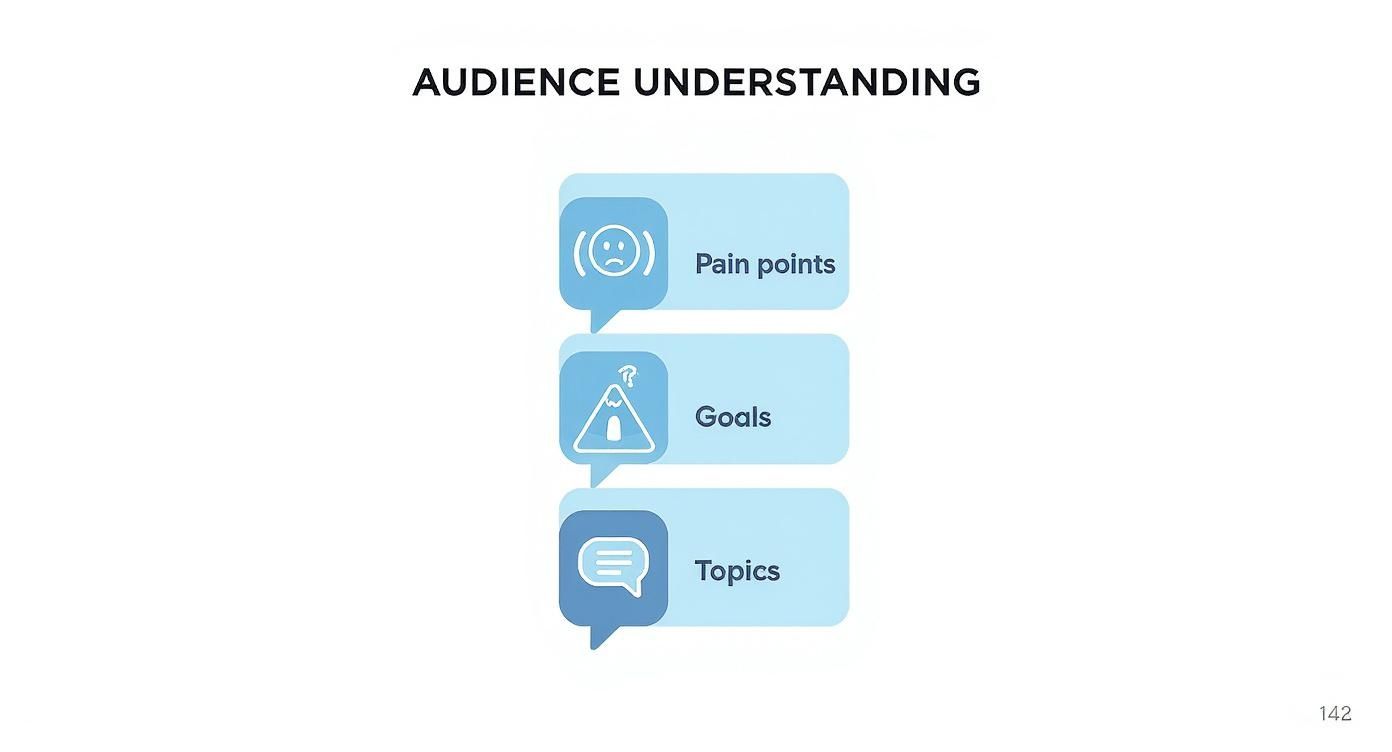
When you choose a format that directly addresses a pain point or a hot topic, you're not just posting content; you're providing value. That strategic alignment is what gets the algorithm to work for you.
The Undeniable Power of Carousels
If there's one format to add to your toolkit right now, it's the carousel. The numbers are staggering. According to research from Cognism, carousels generate 278% more engagement than video, 303% more than a single image, and a whopping 596% more than text-only posts.
That kind of performance means people aren't just seeing your content—they're sharing it, commenting on it, and saving it. It’s the perfect format for telling a story, breaking down data, or walking people through a step-by-step guide.
The secret to a killer carousel? A hook on the first slide that makes them stop scrolling and a clear narrative that keeps them swiping all the way to your call-to-action.
Quick Tips for Creating Winning Visuals
You don’t need to be a graphic designer to make this work. With free tools like Canva and a solid strategy, you can create visuals that look polished and get results.
Here’s where to start:
- Nail the First Slide: Your first slide is your headline. Make it bold. Make it intriguing. It needs to scream, "You'll get value if you keep swiping!"
- Less Text, More Impact: Keep the text on each slide short and punchy. Let icons, charts, and images do the heavy lifting.
- Stay On-Brand: Stick to your brand colors, fonts, and logo. Consistency builds recognition and makes you look professional.
- Always End with a CTA: The last slide is your closing argument. Ask a question, prompt a comment, or tell them exactly what to do next.
For a deeper dive, check out our complete guide on formatting LinkedIn posts to make sure your content is both visually appealing and strategically sound. Once you start mastering these different formats, you'll see a real difference in your reach and engagement.
Tell a Great Story with a Voice That's Actually Yours
Data points and stats are great for backing up a claim, but let's be honest—they don't make people feel anything. Stories do. On LinkedIn, a real, genuine narrative is what separates a forgettable post from content that truly builds a following. At the end of the day, people connect with other people, not just a list of accomplishments.
This is where you stop just informing your audience and start actually connecting with them. Sharing your professional journey—the wins, the hard lessons, even the occasional misstep—builds a kind of trust that facts and figures alone just can't touch.
Finding Your Authentic Voice
What does your professional personality sound like on paper? Are you the analytical, data-first type? Witty and a bit of a contrarian? Or are you more of an inspirational, encouraging guide? There’s no single "right" voice for LinkedIn, but there is one that is uniquely yours.
Authenticity is the whole game. Trying to mimic someone else's style is the fastest way to become background noise.
The best way to find your voice is to write like you talk. If you wouldn't use stuffy corporate-speak in a real conversation, ditch it in your posts. Let your actual personality come through. This is what makes your content instantly recognizable in a sea of updates.
How to Structure a Story That Lands
A good story isn't just about what you say; it's about how you say it. To make your point stick, you need a solid structure. One of the most effective frameworks I've seen is Problem-Agitate-Solve (PAS). It's a classic for a reason—it taps into how we naturally think about challenges.
Here’s what it looks like on LinkedIn:
- Problem: Kick things off with a pain point your audience knows all too well. (e.g., “Why do so many sales teams still struggle with terrible lead quality?”)
- Agitate: Don't just state the problem—poke the bruise. Explain why it's so frustrating and what the real consequences are. (e.g., “It means countless hours wasted on dead-end calls that drain your team's morale.”)
- Solve: This is where you bring it home. Introduce your insight, your experience, or the solution you've found. (e.g., “But we found a way to pre-qualify leads using a simple 3-step method. Here's how it works...”)
This simple arc grabs attention from the first line and holds it all the way through, making your advice feel both urgent and genuinely helpful.
The most powerful stories aren't about pretending you're perfect. They're about being human. Sharing a lesson you learned from a mistake often builds more trust than just showing off your highlight reel.
When you weave your own experiences into a clear narrative, you’re doing more than just sharing information. You’re creating content that connects on an emotional level, making people want to follow your journey. To see how others do this brilliantly, check out these powerful examples of LinkedIn posts that have mastered storytelling. This is how you go from just getting views to building a real community.
Use Hashtags and Timing to Amplify Your Reach
Creating a great post is a huge step, but it's only half the battle. If no one sees your brilliant insights, they might as well not exist. This is where smart amplification comes in. You need to make sure your content actually gets in front of the right people at the right time.
It's all about making the LinkedIn algorithm work for you. Two of the simplest, yet most powerful, levers you can pull are your hashtags and your timing. Get these right, and you'll see your posts go from being published to actually being seen and starting real conversations.
A Smart Hashtag Strategy
Hashtags are not a garnish you sprinkle on at the end. They're discovery tools. Think of them as signposts that tell both the algorithm and your ideal audience what your post is about.
A lot of people either skip them entirely or just jam in a bunch of random, trending tags. The real magic is in a balanced, strategic mix.
For the best results, try using a combination of a few different types:
- Broad Industry Tags: Pick 1-2 popular, high-volume hashtags like #Marketing or #Tech. These are your lottery tickets for getting seen in massive, industry-wide conversations.
- Niche Community Tags: This is your bread and butter. Add 2-3 specific tags that your target audience actually follows, like #B2BLeadGen, #SaaSFounders, or #ContentStrategy. This is where the quality engagement lives.
- Branded or Event Tags: If you have one, always include your unique company tag, like #GetViewsAI. It’s a great way to group all your content together and build brand recall.
The goal isn't just reach; it's relevant reach. Niche hashtags are your secret weapon for attracting a more qualified and engaged audience, which almost always sparks better discussions.
And don't forget, you can also tag relevant people or companies in your post. For a full rundown on how to do that effectively, check out our guide on how to tag someone in a LinkedIn post.
Post When Your Audience Is Listening
When you hit "post" can be just as important as what you’ve written.
If you publish when your audience is most active, you give your content a shot at high "initial velocity"—that burst of likes, comments, and shares in the first hour. Good early engagement is a massive signal to the LinkedIn algorithm that your post is worth showing to more people.
So, how do you find that golden window? Stop guessing and start looking at your own data.
Head over to your LinkedIn Analytics and click on the "Followers" tab. LinkedIn literally shows you the days and times your specific followers are most active.
Look for the patterns. Are they always online Tuesday through Thursday mornings? Do you see a spike around lunchtime? Start posting during those peak hours, and watch what happens. Experiment with different days and times, but always come back to the data. It's the surest way to maximize the impact of every single post you create.
Use Document Posts to Showcase Your Expertise
If you're serious about positioning yourself as a go-to expert in your field, document posts are your secret weapon. These aren't just simple updates; they're shareable PDFs and slide decks that let you pack a ton of value into one interactive post. Think of them as the perfect way to turn dense, complex ideas into easy-to-follow guides, checklists, or industry reports.
The magic of a document post is its dwell time. When someone stops scrolling to click through your slides, they're spending way more time on your content than they would on a quick text post. That's a huge green flag for the LinkedIn algorithm, which rewards that engagement by showing your post to more people.
Why Documents Get Such Great Results
From a strategic standpoint, document posts deliver one of the best returns on your content creation efforts. Sure, they take a little more time to put together than a quick text update, but the payoff is absolutely worth it.
The numbers don't lie. Document posts on LinkedIn pull in 278% more engagement than video and a staggering 596% more engagement than text-only posts. Some reports even show engagement rates as high as 6.1%, making them the undisputed champion of content formats on the platform. You can dig into more of these powerful LinkedIn statistics on Wavecnct.com.
This format gives you the visual punch of a carousel and the deep value of a blog post, all without making your audience click away from the LinkedIn feed.
Quick Ideas for High-Value Documents
You don't need a graphic designer on retainer to create something that looks great. Free tools like Canva make it easy to produce professional-looking documents that people will actually want to read.
Here are a few ideas to get the ball rolling:
- Industry Cheat Sheets: Create a one-page PDF that sums up key terms, stats, or essential processes in your niche.
- Step-by-Step Guides: Break down a complicated task into simple, visual steps—one step per slide.
- Case Study Breakdowns: Tell a client success story, walking through the problem, your solution, and the incredible results across a few slides.
- "Top 10" Lists: Put together a curated list of the best tools, books, or strategies your audience needs to know about.
When you package your expertise into a downloadable or easily shareable resource, you're doing more than just sharing a post. You're creating a genuine asset that builds your authority long after you hit "publish."
This strategy turns your profile from a simple feed of updates into a valuable library of resources. It encourages comments and shares, cementing your reputation as someone who truly knows their stuff. It’s a core tactic for writing engaging LinkedIn posts that don't just get likes, but build a real following.
Got Questions? Let's Get Them Answered.
Even with the best framework, you're bound to have some questions as you get into the rhythm of creating content. Let's tackle a few of the most common ones I hear from founders and marketing teams trying to crack the LinkedIn code.
How Long Should My LinkedIn Posts Be?
There's no single magic number, but the data consistently points to a sweet spot. Posts between 1,200 and 2,000 characters tend to get the most love from the algorithm. This gives you enough room to spin a compelling story or share a valuable insight without writing a novel.
But here’s the real secret: readability trumps length every single time.
Think short, punchy paragraphs—just one or two sentences each. Use bullet points and the occasional emoji to break things up and guide your reader's eye down the page. Remember, you have to earn the "See more" click, which happens around the 210-character mark. Your opening hook has to be absolutely magnetic.
How Often Should I Be Posting?
This is a big one. The simple answer is that consistency beats frequency, hands down. It’s far better to publish three genuinely great posts a week than it is to churn out seven forgettable ones just to hit a quota. Find a cadence you can actually stick to without burning out.
If you're looking for a benchmark, aiming for 3-5 posts per week is a solid goal. This keeps you visible in the feed and helps you build momentum with both your audience and the algorithm. Dropping below two posts a week makes it really tough to gain any real traction.
What's the Deal with Links? Should I Put Them in My Posts?
Ah, the great link debate. Here's the inside scoop: LinkedIn wants to keep people on LinkedIn. When you drop a link that sends someone off-platform, the algorithm can sometimes throttle your post's initial reach. It's just how the game is played.
So, what's the workaround?
A proven strategy is to drop the link in the first comment. Then, in your post, simply tell people where to find it. Something like, "Link to the full guide is in the comments!" works perfectly. This approach actually gives you a little engagement boost (from the comment) while still getting eyes on your resource. It's a classic win-win.
Ready to turn your hard-won expertise into a reliable stream of inbound leads? GetViews.AI uses an AI Story Engine and Content Amplifier to help you craft and distribute high-performing LinkedIn content that starts real conversations and drives revenue. Stop guessing and start growing at https://getviews.ai.