How to Write LinkedIn Post That Gets Noticed
Discover how to write linkedin post that drives engagement with hooks, storytelling, and visuals to grow your brand.
Wilmer KarlssonTarstad
A great LinkedIn post really just comes down to three things: a hook that stops the scroll, a story or insight that actually provides value, and a clear call-to-action that gets a conversation started. If you can nail those three, you’ll stop broadcasting updates and start having real discussions.
Why Your LinkedIn Posts Aren't Working

Let's be honest: most of the content on LinkedIn gets completely ignored. Too many B2B professionals fall into the trap of treating the platform like a digital resume, pumping out dry updates that sound like they were written by a committee.
If your posts feel like you're just shouting into the void, you're probably making a few common mistakes.
One of the biggest culprits is stiff, corporate jargon. Nobody connects with phrases like "synergistic partnerships" or "leveraging core competencies." It creates distance. People want to hear from a human, not a corporate memo. Finding your authentic voice is the first step to writing a post that actually connects.
Another reason posts fall flat is the lack of a unique point of view. Just resharing industry news isn't enough. Your network follows you for your perspective. What do you think about that new trend? What did you learn from that project that went sideways?
The goal isn't just to inform; it's to engage. You need to shift from broadcasting accomplishments to starting genuine conversations.
The Audience and Algorithm Disconnect
So many professionals write for themselves or their boss, not for their actual audience. If you don't have a crystal-clear picture of who you're talking to, your message will be too generic to land. Before you even think about writing, you have to know who you're trying to reach. (We have a whole guide on https://getviews.ai/blog/how-to-identify-target-audience if you need to sharpen your focus.)
And then there's the algorithm. To figure out why your posts are underperforming, you first need to understand what social media engagement is. It's not just about likes.
The LinkedIn algorithm is watching for quality interactions, especially in the first hour after you post. This is the "golden hour." Posts that get strong engagement right away are shown to a much wider network.
In fact, something as simple as responding to comments quickly can boost your post's visibility by up to 35%. The algorithm sees it as a sign of an active, valuable discussion and rewards you for it.
Crafting a Hook That Stops the Scroll
On LinkedIn, your first sentence isn't just a sentence—it's your entire sales pitch.
In a feed that moves at the speed of light, you get about two seconds to convince someone your post is worth their time. A weak opener means your brilliant insight gets scrolled past without a second thought. End of story.
The secret to stopping that scroll is a powerful hook. This is the one line that breaks the pattern, sparks curiosity, and makes them smash that "...see more" button. If you want to learn how to write a LinkedIn post that actually performs, you have to master this first, critical moment.
Proven Hook Formulas That Work
Look, you don't need to reinvent the wheel here. The top creators on the platform lean on a handful of proven formulas that tap into basic human psychology. The real skill is picking the one that feels authentic to you and fits the story you're about to tell.
Here are three approaches that are absolute gold:
- Share a Contrarian Opinion: Go against the grain. Take a widely held belief in your industry and challenge it head-on. A hook like, "Cold calling is dead. Here's the data that proves it," is an instant pattern interrupt. It practically begs for engagement and debate.
- Highlight a Relatable Pain Point: Speak directly to a problem that keeps your audience up at night. A B2B founder might start with, "I burned $10k on ads last month and got exactly zero qualified leads. It was a painful lesson." That kind of vulnerability builds immediate empathy.
- Start with a Surprising Personal Story: We are hardwired for stories. A hook like, "On Tuesday, I got fired from the company I helped build," is impossible to scroll past. It’s raw, unexpected, and promises a hell of a story.
These formulas work because they trigger an emotion—curiosity, empathy, or pure shock. They make your post feel less like a corporate memo and more like the beginning of a real conversation.
From Hook to Narrative
A killer hook earns you a few seconds of attention. A compelling narrative is what keeps it.
Once you’ve stopped the scroll, you have to deliver on the promise of your opener with a clear, valuable story. Don't just state your contrarian opinion; show the messy journey that led you there.
A simple but effective framework I use is Hook > Context > Insight > Action. You grab their attention, provide the backstory, share what you learned, and then give your audience a reason to engage.
Let's see it in action. A marketing leader could turn a simple data point into a memorable post:
- Hook: "Our most successful campaign last quarter came from a single, three-word email."
- Context: Briefly set the stage. Explain the challenge you were facing and the quick experiment you decided to run.
- Insight: Reveal the lesson you learned about brevity, clarity, and cutting through the noise.
- Action: End with a question that pulls the reader in, like, "What's the shortest, most effective email you've ever sent or received?"
This structure transforms a simple observation into a sticky lesson that actually resonates. For a deeper dive into keeping your readers glued to the page, you can explore more strategies for writing engaging content. By connecting your hook to a meaningful narrative, you create posts that don't just rack up views—they build your authority and start the conversations that lead to real business.
Formatting Your Posts for Readability
Even the most brilliant insight will get ignored if it’s a giant wall of text.
On LinkedIn, readability isn't a "nice-to-have"—it's everything. If your post looks like a chore to read, people will just keep scrolling. Simple as that.
Good formatting is your secret weapon. It pulls the reader's eye down the page, creates a smooth reading experience, and makes your key points pop. The goal is to make your content feel effortless to skim on a phone screen.
This starts with breaking up your text. Forget what you learned in English class about building long, beautiful paragraphs. On LinkedIn, shorter is always better.
- Use single-line sentences. They’re punchy, they stand out, and they create a nice rhythm.
- Keep paragraphs to 1-3 sentences max. This creates white space, making the whole post feel more approachable and less crowded.
- Lean on bullet points and numbered lists. They are perfect for breaking down complex ideas, listing takeaways, or walking through a simple process.
Think of your post's structure visually. How can you use formatting to create a flow that keeps people reading? For a deeper dive, check out our complete guide on formatting LinkedIn posts.
Beyond Text: The Power of Visuals
While smart text formatting is the foundation, adding visuals is the single best way to stop the scroll. Our brains are wired to process images and videos way faster than text, making them an instant engagement magnet.
The data doesn't lie. LinkedIn posts that include an image receive 98% more comments than those without. Overall, posts with any kind of visual see double the engagement of text-only updates. And video? Video is on another level, generating five times the engagement of standard posts.
Your content isn't just competing with other text posts. It's competing with photos, videos, and eye-catching graphics. If you're not using a visual, you're starting the race with a serious handicap.
This is especially true when you’re using hooks that tap into emotion or personal experience. A visual can amplify that message instantly.
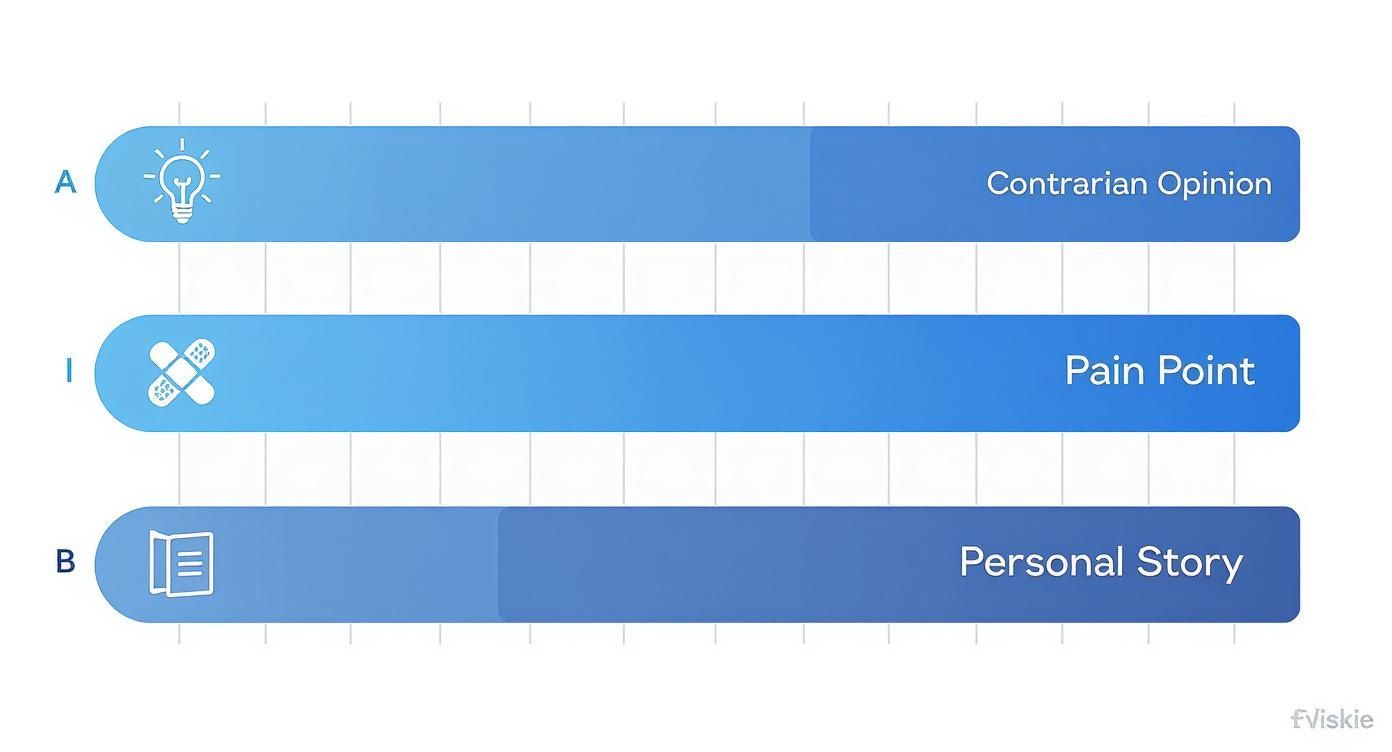
As you can see, connecting with personal stories and pain points is incredibly powerful. Pairing those narratives with an authentic photo or a simple graphic makes them hit even harder.
LinkedIn Visual Content Performance Comparison
Not all visuals are created equal. This table breaks down how different visual formats typically perform on LinkedIn, helping you match the right visual to your post's goal.
| Content Type | Average Engagement Lift | Best For |
|---|---|---|
| Authentic Photos | 2-3x | Building personal connection, behind-the-scenes content, storytelling. |
| Simple Graphics/Charts | 3-4x | Highlighting a key stat, sharing a quote, making data digestible. |
| Short-Form Video (Native) | 5x+ | Quick tips, personal stories, explaining a complex topic simply. |
| Carousel/Document Posts | 2-3x | Step-by-step guides, repurposing presentations, in-depth tutorials. |
While a professionally shot video can perform well, the key takeaway is that any relevant visual is better than none. Authenticity often beats high production value on LinkedIn.
Choosing the Right Visuals
Good news: you don't need a professional production crew. In fact, authenticity often outperforms polished, corporate-style content on LinkedIn.
Here are a few simple options to get started:
- Authentic Photos: A clear, well-lit photo of you, your team, or your workspace does wonders for building a human connection. It puts a face to the words.
- Simple Graphics: Hop into a tool like Canva and create a simple graphic with a key quote, a powerful statistic, or the main takeaway from your post. This makes your point incredibly shareable.
- Quick Videos: Pull out your phone and record a 60-second video sharing a quick tip or telling a short story. Just make sure you have decent lighting and the audio is clear. No fancy equipment needed.
The trick is to choose a visual that complements your text, not just decorates it. It should reinforce your message and give people one more compelling reason to stop, engage, and remember what you have to say.
Driving Action with Calls and Hashtags
You've done the hard work. You nailed the hook, spun a compelling story, and made your post a breeze to read. But if you walk away without telling people what to do next, you're leaving money on the table. It’s that simple.
Every single post needs a job to do. A powerful post with no call-to-action (CTA) is like a sales pitch that just trails off awkwardly. It leaves the reader hanging and fails to turn their attention into something tangible for your business.
Your CTA doesn't have to be some aggressive, hard-sell command. In fact, on LinkedIn, it almost never should be. The real goal is to gently guide your audience to the next logical step, turning them from passive scrollers into active participants in a conversation.
Moving Beyond "Link in Comments"
Look, the classic "link in comments" CTA has its place, but let's be honest—it’s overused and easy for people to ignore. The most effective CTAs are woven directly into the purpose of your post. Are you trying to kick off a debate, get some quick feedback, or point people to a resource?
Let the goal of your post dictate the action you ask for.
- To Spark Engagement: Ditch the generic questions. Get specific and make it easy for someone to chime in. Try something like, "What’s one piece of advice you’d add to this list?" It's a low-effort way for them to contribute.
- To Gather Insights: If you just shared a tough lesson from a failed project, your CTA could be, "What’s the biggest lesson you learned from a project that went sideways?" This invites people to share their own war stories, which is gold.
- To Drive Traffic: When you need to share a link, frame it as the solution. "If you're wrestling with X, I broke down the exact framework we used in my latest blog post. Link’s in the comments."
A great CTA makes the reader feel like a contributor, not a customer. It should feel like a natural extension of the conversation you just started, inviting them to add their voice.
Using Hashtags for Strategic Discovery
Once your post is polished and ready, hashtags are your secret weapon for getting it in front of the right people beyond your immediate network. Think of them as signposts telling the LinkedIn algorithm exactly what your content is about and who needs to see it.
But piling on the hashtags is a rookie mistake. A post cluttered with a dozen tags looks spammy and actually waters down your message. The sweet spot is 3 to 5 highly relevant hashtags. This focused approach is way more effective for getting discovered.
The trick is to use a smart mix of broad and niche tags.
- Broad Hashtags (1-2): These are the high-traffic tags for your general industry, like
#marketingor#sales. They give you a shot at wide visibility. - Niche Hashtags (2-3): These get much more specific to your topic, like
#b2bsaasor#contentstrategy. This is how you attract a targeted, high-intent audience that is genuinely looking for your specific expertise.
This balanced combo maximizes both broad reach and targeted discovery, making sure your carefully crafted post lands in the feeds of people who will actually care. Learning how to write a LinkedIn post that connects also means learning how to guide it to the right destination.
Building a Sustainable Content Rhythm
Knowing how to write a great LinkedIn post is half the battle. The other half—the part where the real growth happens—is doing it consistently. A few great posts scattered across a month won't build the momentum you need to stay top-of-mind.
But let's get real. The pressure to pump out a daily masterpiece is a fast track to burnout.
The secret isn’t posting more, it’s working smarter. It’s about finding a sustainable rhythm that fits your life, whether that’s cranking out five posts a week or just two really solid ones. The key is showing up reliably.
Work Smarter with Content Batching
Stop waking up every morning with that nagging "what should I post today?" feeling. Instead, block off one chunk of time each week and knock out all your content at once.
This is called content batching, and it's an absolute game-changer.
Set aside two hours on a Friday afternoon. Use that time to plan, write, and schedule every single post for the week ahead. This lets you tap into a state of creative flow without the constant mental gear-shifting that comes with daily creation. It frees up your brain for the rest of the week so you can focus on what really matters: engaging with your audience and closing deals.
If you want to get really organized, batching works perfectly with a structured plan. You can learn more about how to create a content calendar to map everything out.
Keep the Idea Well from Running Dry
The number one reason people fall off the consistency wagon? They run out of things to say. You need a system to catch ideas as they come so you’re never staring at a blank screen.
- Build a Swipe File: This is non-negotiable. Create a simple document or a folder on your computer. Anytime you see a compelling post, an interesting article, or a question from a customer, save it. When you feel stuck, open the swipe file. Instant inspiration.
- Repurpose, Repurpose, Repurpose: Don't reinvent the wheel. That webinar you hosted last month is a goldmine. The blog post you wrote is packed with ideas. Pull out key quotes, surprising data points, or powerful stories and spin them into standalone LinkedIn posts.
The goal is to build a content engine that works for you, not the other way around. By batching your creation and systematically collecting ideas, you turn posting from a stressful daily chore into a manageable, strategic activity that fuels your growth.
A simple weekly schedule can keep your content fresh and your audience engaged without burning you out. Here's a sample cadence you could follow:
Sample LinkedIn Posting Cadence
| Day of Week | Content Pillar | Post Type Example |
|---|---|---|
| Monday | Tactical How-To | "The 3-step framework I use to qualify leads in under 5 minutes." |
| Wednesday | Personal Story / Lesson | "We almost lost our biggest client. Here’s the painful lesson I learned." |
| Friday | Data-Driven Insight | "We analyzed 100 SaaS pricing pages. 78% make this same mistake." |
This balanced mix ensures you're providing tactical value, building a human connection, and establishing your authority all in the same week.
Finally, let the data be your guide. Dive into your LinkedIn analytics. What’s getting the most impressions? Which posts are sparking the most comments? This is direct feedback from your audience. If posts about a certain topic are blowing up, that's your cue to make more of that. Double down on what resonates, and your content rhythm will become not just sustainable, but more effective over time.
Answering the Tough Questions About LinkedIn Posts
Even when you've got the frameworks down, writing LinkedIn posts that consistently hit the mark can feel like trying to hit a moving target. You're going to have questions and run into roadblocks. It’s part of the process.
This is where we tackle the most common trip-ups I see founders, marketers, and sales pros struggle with. Think of it as your go-to guide for clearing those last few hurdles that stand between you and a killer LinkedIn presence.
Let's get into it.
What Is the Best Time to Post on LinkedIn?
Everyone wants the magic answer, but the real "best" time to post is whenever your specific audience is scrolling. That said, there are definitely some patterns you can use as a starting point.
Midweek mornings, specifically Tuesday through Thursday between 8 a.m. and 11 a.m. in your target audience's local time, tend to be the sweet spot for engagement.
Why? It’s simple. That’s when most professionals are settling into their day, catching up on notifications with their morning coffee before the real work begins. I've also seen a decent bump around the lunch hour (roughly 12 p.m.).
But don't just set your watch to this. Treat it as a hypothesis to be tested.
- Experiment: Try posting at different times over a couple of weeks. Mix it up.
- Analyze: Dive into your LinkedIn analytics. Which posts got the most traction in the first hour?
- Refine: Once you spot a pattern, double down on the time slots that work for your network.
Remember, an audience of West Coast tech founders has a totally different daily rhythm than East Coast finance execs. Your own data is the only ground truth.
How Long Should a LinkedIn Post Be?
There's no single perfect word count, but I've found that the highest-performing text-only posts land somewhere between 150 and 250 words.
This range hits a psychological sweet spot. It’s just long enough to tell a compelling micro-story or share a genuinely useful insight, but it’s short enough that someone can read it on their phone without feeling like it’s a chore.
You want someone to absorb your entire post in under a minute. It's about respecting their time and making it easy for them to get to your main point.
The goal isn't word count; it's impact. A powerful 100-word post with a sharp hook and a clear takeaway will destroy a rambling 400-word post that buries its message.
Be ruthless with your editing. Every single sentence needs to earn its place by either pushing the story forward or delivering value. If a line feels like filler, it is. Cut it.
How Many Hashtags Should I Use?
Stick to three to five hashtags. That's it. This is the optimal range that tells the LinkedIn algorithm what your content is about without looking like you're desperate for attention.
Going over five hashtags often leads to diminishing returns. The algorithm might get confused about your post's primary topic, diluting its reach. And let's be honest, a huge block of hashtags at the bottom of a post just screams "spammy." It can be an instant turn-off for savvy readers.
Here's the simple strategy I recommend:
- Broad Industry Tags (1-2): Think
#marketingor#startups. These give your post a shot at broader visibility. - Niche Topic Tags (2-3): Get super specific with tags like
#saasgrowthor#b2bleadgen. This is how you attract the right audience—the people actively looking for your specific expertise.
This balanced approach makes sure your content can be discovered by a wider audience while still zeroing in on the professionals who are most likely to care about what you have to say.