How to Create a Content Calendar That Works
Learn how to create a content calendar with our proven guide. Get actionable steps, tools, and workflow tips to plan and publish content consistently.
Wilmer KarlssonTarstad
Building a content calendar really comes down to four key moves: defining your goals and content pillars, picking your posting schedule and formats, creating a workflow you can actually stick to, and then scheduling everything for distribution. This isn't just about planning; it's about turning random acts of content into a predictable growth engine.
Why a Content Calendar Is Your Secret Weapon
Let's be real—the idea of "staying organized" is probably the least exciting reason to use a content calendar. The real magic happens when you turn content chaos into a system that consistently delivers results. A good calendar doesn't just tell you when to post. It gets your whole team on the same page, protects your brand voice, and, most importantly, saves you from that last-minute "what should I post today?" panic.
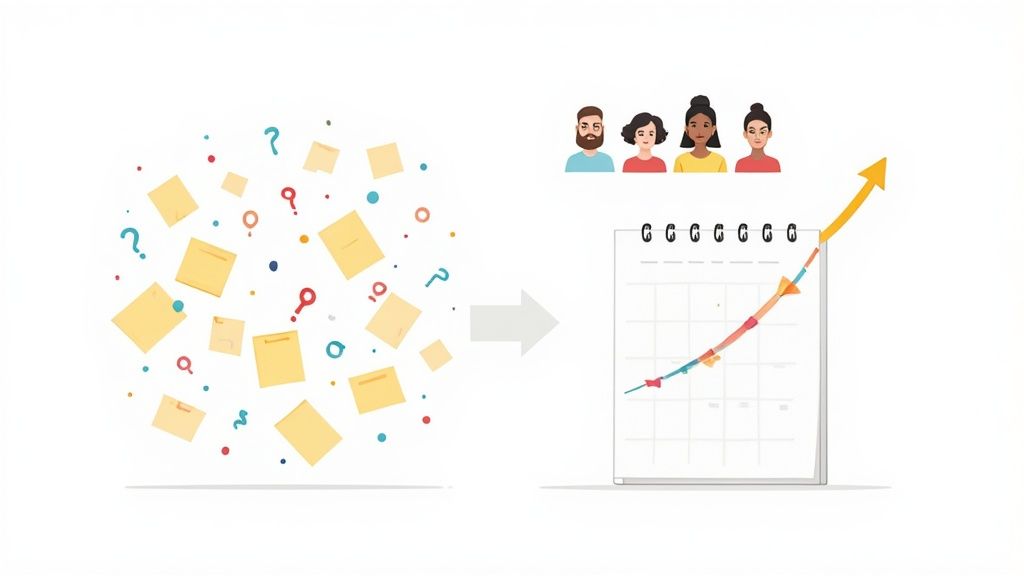
It’s what separates reactive, frantic posting from a smart, strategic approach. This guide is designed to get you past the obvious advice and give you a practical framework for a calendar that genuinely saves you time and sharpens your marketing.
From Administration to Amplification
If you're only thinking of a content calendar as a scheduler, you're missing the bigger picture. Look at it as the operational blueprint for your entire content strategy. This is where your big-picture goals meet the daily grind of creating, posting, and measuring what works.
A well-built calendar gives you so much more than a schedule. It provides:
- Strategic Alignment: Every single post, video, or article you create should tie back to a specific business goal. This ensures you're not just making noise, you're making progress.
- Brand Consistency: It helps maintain a steady tone, style, and publishing cadence. That consistency is what builds trust and recognition with your audience over time.
- Team Sanity: No more confusion. Clear assignments, deadlines, and review stages get rid of the bottlenecks and let your team focus on doing great work.
- Improved Content Quality: When you're not scrambling, you have time to research, think, and create. The quality of your content naturally goes up when you move away from rushed, half-baked posts.
A well-structured calendar is less about filling empty slots and more about creating a deliberate, impactful narrative over time. It transforms your content from a series of disconnected announcements into a cohesive story that guides your audience.
We all know content isn't cheap. The global content marketing industry is expected to reach USD 107.5 billion by 2026. Yet, creating quality content is still a major hurdle for 30% of marketers. This just proves that a solid content calendar isn't a "nice-to-have" anymore; it's essential for managing the complexity of modern marketing. If you want to dig even deeper into planning, a comprehensive guide to marketing content calendars offers some great additional strategies.
Set Your Strategy Before You Schedule Anything
A calendar without a strategy is just a list of random chores. Before you ever touch a spreadsheet or a scheduling tool, you need to have a rock-solid answer to a simple question: "What are we actually trying to accomplish here?"
Jumping straight into scheduling is like setting sail without a map—you’ll be busy, sure, but you won’t get anywhere meaningful. Your strategy is the foundation that gives every single piece of content a purpose. It ensures you're not just posting to fill a void but are actively working toward a tangible business outcome.
Define Your Marketing Goals First
Vague goals like "get more engagement" or "increase brand awareness" are useless for planning. They're impossible to measure and offer no real direction. What you need are specific, measurable, achievable, relevant, and time-bound (SMART) goals.
Think about what success truly looks like for your business this quarter. Is it more qualified leads? Is it higher website traffic from a specific demographic? Maybe it's a shorter sales cycle?
Here’s how to translate those fuzzy ideas into actionable goals:
- Instead of "more engagement," aim for: "Increase the average comment count on our LinkedIn posts by 25% over the next 90 days to build a more active community."
- Instead of "drive traffic," aim for: "Generate 500 new website visitors per month from our blog content to support the inbound funnel."
- Instead of "get more leads," aim for: "Increase marketing qualified leads (MQLs) from our content downloads by 15% this quarter."
See the difference? These specific targets give your content calendar a clear mission. Every post, article, and video should be a deliberate step toward one of these objectives. Before you lock anything in, make sure you have a solid grasp of how to develop content strategy to guide your efforts.
Identify Your Core Content Pillars
Once you know where you're going, you need to figure out what you're going to talk about. This is where content pillars come in.
Think of these as the 3-5 broad, recurring themes your content will consistently revolve around. They live at the intersection of your brand's expertise and your audience's deepest interests. Pillars keep your content focused and prevent you from chasing random trends that don’t serve your audience or your goals.
To build a strong set of pillars, you have to understand who you're talking to. Digging into audience questions and building out detailed customer profiles is essential. If you haven't already, creating detailed buyer personas is a non-negotiable step. We have a whole guide on how to create buyer personas to get you started.
Your content pillars should directly address the primary pain points, challenges, and aspirations of your ideal customer. They are the foundational topics that build your authority and create a loyal following.
So, how do you find these pillars? It's not as hard as it sounds.
- Analyze Customer Questions: What are the most common questions your sales and support teams hear? This is pure gold for content ideas.
- Review Competitor Content: Look for gaps. What topics are your competitors ignoring or only covering at a surface level? This is your chance to own a conversation.
- Lean on Your Expertise: What unique insights or perspectives can only your brand offer? Your distinct point of view is a powerful differentiator.
Putting It All Together with an Example
Let's say we have a B2B SaaS company that sells project management software to marketing agencies. Their primary goal is to "increase qualified demo requests by 20%."
Their content pillars might look something like this:
| Pillar Name | Description | Example Content |
|---|---|---|
| Agency Profitability | Content focused on helping agencies improve their margins, pricing, and financial health. | A guide on "5 Ways to Price Your Services for Maximum Profit" or a post on "How to Reduce Scope Creep." |
| Team Productivity | Actionable tips and frameworks for improving team efficiency and reducing burnout. | A video tutorial on "Running More Effective Team Stand-ups" or a template for "Delegating Tasks." |
| Client Management | Strategies for improving client communication, retention, and satisfaction. | An article on "Setting Clear Expectations with New Clients" or a case study on successful project delivery. |
| Operational Scaling | Advice for agency owners on how to grow their business sustainably. | An interview with a successful agency founder or a post on "When to Make Your Next Hire." |
Notice how each pillar is directly tied to the core challenges of their target audience? This strategic foundation makes creating a content calendar incredibly straightforward. You're no longer guessing what to post. You’re systematically solving your audience's biggest problems, which is the fastest way to build trust and drive real results.
Design a Calendar Your Team Will Actually Use
A brilliant strategy is worthless if it just sits in a slide deck. The real magic happens when you translate those big ideas into a practical, living content calendar that your team can actually follow week in and week out.
This is where we build the engine. The goal isn’t to create a rigid, intimidating document that gets ignored after a couple of weeks. It’s to build a tool that makes everyone’s job easier and turns your content goals into a consistent, high-quality reality.
Find Your Sustainable Publishing Cadence
One of the biggest mistakes I see teams make is overcommitting right out of the gate. They get excited, plan to post on LinkedIn daily, launch a weekly newsletter, and start a podcast all at once. It’s a fast track to burnout and, worse, a feed full of rushed, low-impact content.
The secret isn't posting constantly; it's posting consistently.
Before you decide on a cadence, get brutally honest about your team's capacity.
- How many hours can you realistically set aside for content each week? Don't plan for the perfect week; plan for the average one.
- Who’s on the hook for what? Think about the entire process—writing, designing, editing video, getting approvals.
- What's your "minimum viable consistency"? It's far better to nail two fantastic LinkedIn posts a week than to aim for five and miss the mark entirely.
A two-person marketing team at a B2B startup might find that three solid LinkedIn posts and one newsletter a week is the sweet spot. A larger company with a dedicated content team could easily manage daily posts. Start small, prove the system works, and then you can always ramp up.
Diversify Your Content Formats
If all you post are text-only updates, your audience will eventually tune you out. A healthy content plan mixes things up to keep your feed fresh and appeal to how different people like to consume information. It’s like a balanced diet—you need variety to thrive.
Make sure your format mix connects back to your content pillars. Let's say one of your pillars is "Team Productivity." You could tackle that single topic from several angles:
- Quick-Win Carousels: A five-slide carousel on "3 Ways to Run Better Team Meetings."
- In-Depth Blog Posts: A comprehensive guide on "The Ultimate Guide to Asynchronous Communication."
- Engaging Video Shorts: A 60-second clip of your CEO sharing their top tip for managing a remote team.
- Text-Only Thought Leadership: A short, punchy post with a contrarian take on hustle culture.
The key is to map different formats to different stages of the audience journey. Quick tips on social media build awareness, while in-depth blog posts capture leads and build authority.
This approach not only keeps your audience engaged but also makes your life easier. That one deep-dive blog post can be sliced and diced into five or six smaller social media assets. That’s how you maximize the return on every piece of content you create.
Choose the Right Tool for the Job
The software you use to manage your calendar can either become the central hub for your content operation or a frustrating roadblock. It has to fit your team's size, budget, and how you actually work. A tool that’s too complicated will get ignored, but one that’s too simple won't give you the oversight you need.
It's no surprise the market for these tools is booming. It's projected to hit USD 32.4 billion by 2035, with small and medium-sized businesses expected to account for 55% of that. This shows just how critical a good system is for teams of all sizes. If you're interested in the data, you can read the full research on the marketing calendar software market to see where the industry is heading.
So, what are your options? It really comes down to a few key categories.
Choosing Your Content Calendar Tool
Picking the right platform is crucial for keeping your content engine running smoothly. Here’s a breakdown to help you decide what’s best for your team's size, budget, and needs.
| Tool Type | Best For | Pros | Cons | Example |
|---|---|---|---|---|
| Spreadsheets (Google Sheets) | Solopreneurs and small teams on a tight budget. | Free, highly customizable, and easy to share. | Prone to errors, lacks automation, can get messy fast. | Google Sheets |
| Project Management Tools | Teams managing content alongside other projects. | Great for task tracking and workflows; clear accountability. | Can be overkill for just content; not content-specific. | Asana, Trello |
| Dedicated Content Calendars | Marketing teams focused purely on content. | All-in-one planning, scheduling, and analytics. | Can be expensive; may have a steeper learning curve. | CoSchedule, Loomly |
Ultimately, the best tool is the one your team will actually open every day. If you’re unsure, start with a simple spreadsheet. You can always graduate to a more powerful, dedicated platform as your process matures.
A great calendar also plugs right into your distribution workflow. Once a post is approved, the next step is getting it live. Figuring out how to automate LinkedIn posts, for example, can save you hours each week and ensures your content goes out on schedule without any last-minute scrambling.
Map Your Content Production Workflow
Okay, so you've got a list of topics and a schedule. That's a solid start, but it's really just the beginning. An idea is just an idea until you have a clear, repeatable way to turn it into a live post. This is where you build your content assembly line—the system that takes a spark of an idea and smoothly transforms it into a polished piece of content.
Without a defined workflow, you're just setting yourself up for last-minute scrambles and missed deadlines. A good process makes it crystal clear who does what and when, which stops bottlenecks before they even start and keeps your whole team on the same page.
Think of it this way: your strategy (what you'll post and when) needs a tactical plan to actually make it happen. This flowchart breaks down the core pieces.
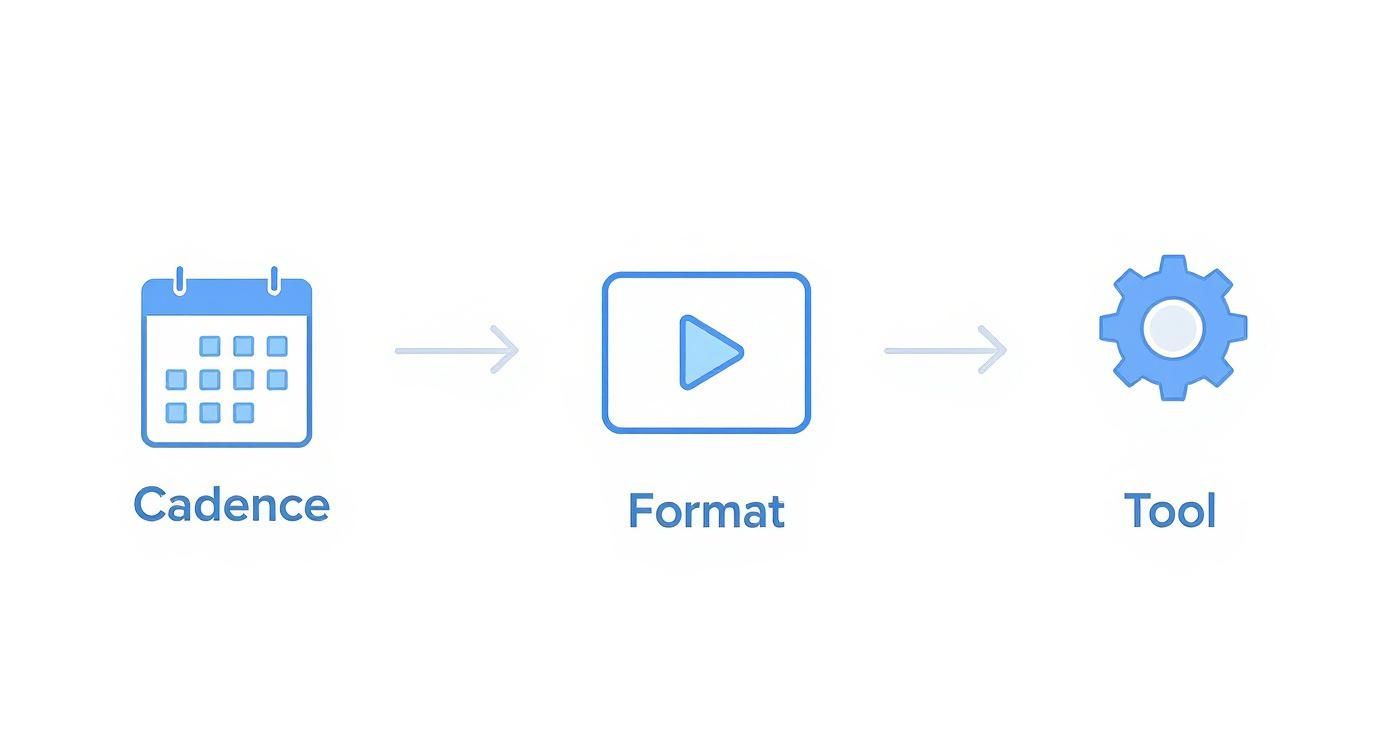
As you can see, it all flows from big-picture decisions like cadence and format down to the nitty-gritty of the tools you use. Let's walk through what this execution process actually looks like in practice.
From Raw Idea to Actionable Brief
First things first, you need to turn a concept into a concrete plan. Ideation isn't a one-time thing; it should be happening constantly. Pull ideas from customer conversations, see what competitors are talking about, dig into keyword research, or just have a good old-fashioned team brainstorm. Keep a running "idea bank" in a shared doc or a project management tool like Asana or Trello.
Once you've picked an idea, the next step is creating a detailed content brief. I can't stress this enough: the brief is probably the single most important document in this entire process. A lazy brief is a recipe for endless rewrites, confusion, and content that completely misses the point.
A rock-solid brief should nail down:
- The Goal: What, specifically, do we want this post to accomplish? (e.g., get 10 demo sign-ups, rank for "LinkedIn content strategy").
- The Audience: Who exactly are we talking to? What problem are we solving for them?
- Key Talking Points: What are the 3-5 core messages we absolutely have to get across?
- Call-to-Action (CTA): What’s the very next step we want the reader to take?
- Required Assets: Does this need custom graphics? A short video clip? Quotes from an expert?
This brief becomes the bible for everyone involved, from the writer to the designer. No more guessing games.
The Creation and Review Loop
With a great brief in hand, the fun begins. This is the creation phase, where the copy gets written, the visuals get designed, and any video gets edited. Make sure one person "owns" this stage to keep things moving and maintain accountability.
After the first draft is done, it heads into the review cycle—and this is where so many workflows fall apart. To avoid getting stuck in a nightmare of endless feedback and conflicting opinions, you need a structured process.
The biggest mistake I see is people blasting a draft to a huge group for feedback all at once. Instead, set up a sequential review process. Each person gives their input at a specific stage, which keeps the feedback organized and constructive.
A sane review loop might look like this:
- Subject Matter Expert Review: The first person to see it checks for technical accuracy. Is what we're saying actually correct?
- Marketing/Brand Review: Next, someone checks that the tone, voice, and key messages are on-brand.
- Final Polish: Lastly, a dedicated editor or proofreader does a final sweep for any pesky typos or grammar errors before it gets the final green light.
This layered approach stops the "too many cooks in the kitchen" problem and keeps the momentum going.
Scheduling and Final Checks
The finish line! Once a piece of content is fully approved, it’s ready for scheduling. But this isn't just about plugging it into a tool and calling it a day.
This is your last chance for a final quality check. Click every link to make sure it works. Double-check that all images look good and are optimized. Are your UTM tracking parameters in place? The person handling the scheduling should also confirm the post is tagged correctly in your calendar, tying it back to its content pillar and any broader campaign.
By mapping out these clear stages and giving people ownership, you create a predictable, low-stress system. This workflow is the engine that powers your content calendar, turning your strategy into a steady stream of high-impact posts that actually get results.
Plan for Distribution and Amplification
Let's be honest, hitting 'publish' is just the starting line. You can create the most brilliant piece of content in the world, but if no one sees it, did it even happen? The real work begins after you post. A truly effective content calendar isn't just a production schedule—it's your launchpad for getting that content in front of the right eyeballs.
This is about shifting your mindset from just filling a content library to actively building a system that squeezes every last drop of value out of your work.
Build Distribution Directly Into Your Calendar
Your content calendar needs to do more than track what you're creating. Add dedicated columns or fields for distribution tasks. It’s a simple change, but it completely reframes how you think about content. It forces the question, "Okay, this is done... now what's the plan to promote it?"
Think of it this way: for every big piece of content, like a new blog post or case study, your calendar should map out its entire promotional journey.
- Initial Blast: What's the plan for the first 24-48 hours? Schedule the main LinkedIn post, the announcement tweet, and maybe a story for Instagram. Specify the copy and visuals for each.
- Newsletter Slot: When will this be featured in your email newsletter? Pencil it in. Make a note of the specific angle you'll use to hook your subscribers.
- Community Drop: Where does your audience hang out? Plan to share the content in relevant Slack communities, Facebook Groups, or niche forums.
Suddenly, your calendar transforms from a simple to-do list into a strategic command center.
Systematize Your Amplification Efforts
Amplification is all about getting more mileage from your hard work. It's about taking one core asset and turning it into ten, twenty, or even thirty smaller pieces of content. The secret is to make this a repeatable system, not a chaotic, last-minute scramble.
The market for social media calendar tools is expected to grow at a 12.5% CAGR through 2031 for a reason. With 65.7% of people worldwide on social media, using an average of 6.84 platforms each, a haphazard approach just won't cut it. You need a system to break through the noise. You can read more about the social media tool market to see just how critical this has become.
A single blog post isn't just one asset; it's a dozen potential pieces of micro-content. Your calendar should be the place where you plan this transformation, turning one effort into sustained visibility.
Tools like GetViews.AI are built for this, letting you centralize your content planning and automate the distribution so nothing slips through the cracks.
This is how you manage a complex schedule of original posts and all their repurposed variations without losing your mind.
Let's say you just published an in-depth article. Here's how you could plan its amplification right in your calendar:
- Week 1: Publish a LinkedIn carousel that summarizes the key takeaways.
- Week 2: Schedule a series of text-only posts, each diving deep into a single statistic or quote from the article.
- Week 3: Turn the main points into a short video script for a quick educational clip.
- Week 4: Feature an exclusive insight from the article in your newsletter.
By planning these derivatives ahead of time, you create an echo chamber for your best ideas. For a deeper dive, check out our guide on powerful content repurposing strategies that will help you multiply your reach.
Measure What Matters and Improve Your Plan
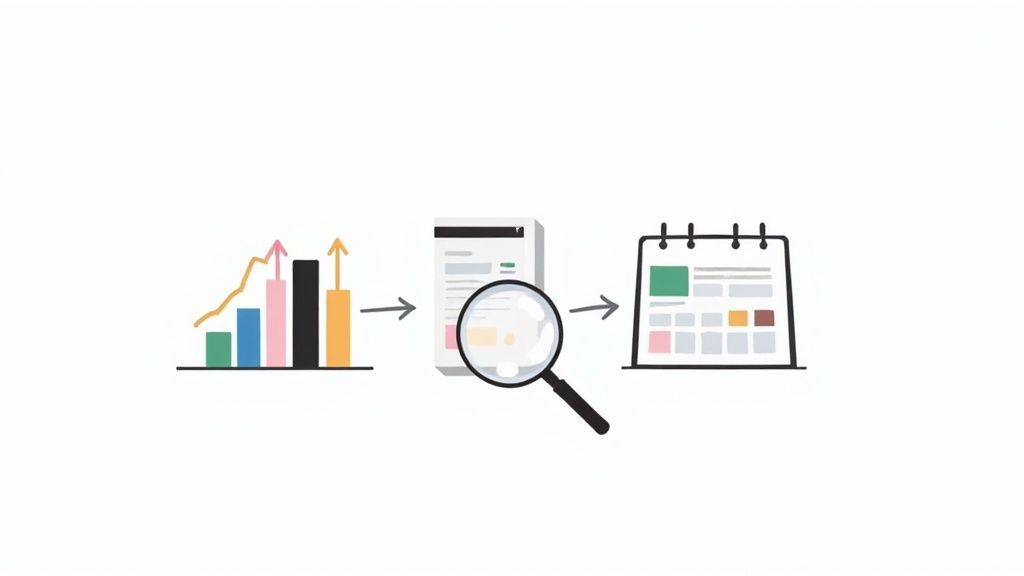
Think of your content calendar as a living document, not something you carve in stone and then forget about. It's meant to evolve and get smarter over time, but only if you feed it the right data. The difference between a good content strategy and a great one isn't just about execution; it's about creating a powerful feedback loop. What you learn from this month's performance should directly shape next month's plan.
This is how you stop guessing what works and start knowing what works.
Pinpoint Your Key Performance Indicators
Not all metrics are created equal. It's easy to get caught up chasing vanity metrics like follower count, but those numbers don't tell you much about real business impact. Instead, your focus should be laser-sharp on the numbers that tie directly back to the goals you set in the very beginning.
What you track really depends on the platform and what you want a specific piece of content to achieve:
- For Blog Posts (Lead Generation): Go beyond just organic traffic. Look at time on page and, most critically, the conversion rates on your calls-to-action (CTAs). Are people actually downloading that e-book or signing up for your webinar?
- For LinkedIn Posts (Audience Growth): Monitor the engagement rate, but remember that comments and shares are far more valuable than likes. Also, track profile views and the number of new connection requests you're getting from your ideal prospects.
- For Newsletters (Nurturing): Keep a close eye on your open rates, click-through rates (CTR), and unsubscribe rates. A consistently high CTR is a fantastic sign that your content is truly hitting the mark with your audience.
Establish a Monthly Content Review
Setting aside time for a monthly review is the perfect rhythm. It's frequent enough to spot trends but not so often that you get bogged down by daily noise. This meeting shouldn't just be a recitation of numbers from a dashboard. The real goal is to turn that raw data into actionable insights that make your next content calendar even better.
The most valuable question you can ask in a content review is not "What performed best?" but "Why did it perform best?" Understanding the 'why' is how you build a repeatable formula for success.
A simple but effective way to structure your review is to sort your content into three buckets:
- Winners: These are the pieces that knocked it out of the park. What was the topic? The format? What kind of hook did you use? Dig deep here.
- Steady Performers: This is the content that met your expectations. It forms your baseline for performance.
- Losers: The posts that just fell flat. Was the topic too niche? Did the copy miss the mark? Was it the wrong time of day? Be honest.
When you start to see patterns—maybe carousel posts about common mistakes always do well, but text-only posts about industry news don't—you can make smarter decisions. You can double down on the content pillars and formats that are clearly resonating and stop putting time and energy into what isn't. This constant cycle of planning, executing, measuring, and iterating is the real secret. It turns your content calendar from a simple organizational tool into a powerful engine for growth.
Your Content Calendar Questions, Answered
Alright, so you've got a plan. But as anyone who's ever managed a content schedule knows, the real test comes when you start putting it into practice. Let's tackle some of the common questions that pop up once the rubber meets the road.
How Far Out Should I Actually Plan My Content?
This is a classic balancing act. I’ve found that for most teams, planning one month in advance is the sweet spot.
It gives your team enough runway to create high-quality work without that frantic, last-minute pressure. At the same time, it keeps you nimble enough to react to a trending topic or a sudden industry shift. You're prepared, not locked in.
Now, for bigger-picture stuff—think major product launches, seasonal campaigns, or cornerstone content—it's smart to sketch out those themes three to six months ahead. Just keep the detailed, post-by-post schedule on that rolling 30-day basis.
Help! I’m Already Falling Behind Schedule. What Do I Do?
First, take a breath. It happens to the best of us. Instead of panicking, use this as a diagnostic tool.
Pinpoint the actual bottleneck. Is the writing taking longer than expected? Are you constantly waiting on design assets? Is your approval process a black hole where content goes to die? Once you identify the source of the clog, you can adjust the process itself, not just the symptom.
For now, triage your upcoming content. Focus on getting your most important posts out the door and don't be afraid to reschedule or even scrap the lower-priority stuff. It's always better to publish one fantastic piece than three mediocre ones you rushed to finish.
This is a gift, really. A missed deadline is a blaring signal that you need to build more buffer time into your workflow. Adjust your next month's plan accordingly.
Isn't a "Content Calendar" Just Another Name for an "Editorial Calendar"?
It's a fair question, and people often use them interchangeably. But there’s a nuance that's actually pretty helpful.
Think of an editorial calendar as your high-level strategy document. It’s where you map out your major themes, big-rock content pieces like webinars or whitepapers, and key company milestones. It’s the "what" and the "why."
Your content calendar, on the other hand, is the day-to-day, tactical execution plan. It details every single social media post, newsletter drop, and blog article, complete with specific publishing dates, times, channels, and copy. It’s the "when," "where," and "how." One is the blueprint, the other is the build schedule.
Ready to turn your content calendar into a predictable revenue machine? GetViews.AI transforms your expertise into high-performing LinkedIn content that builds your pipeline automatically. Start your free trial today.