Posting Videos on LinkedIn That Actually Get Views
Learn the strategy for posting videos on LinkedIn that drives results. This guide covers preparation, optimization, and how to create engaging video content.
Wilmer KarlssonTarstad
Posting videos on LinkedIn isn't just another box to check in your content strategy—it’s now the single most powerful way to grab attention and spark real conversations on the platform. The algorithm absolutely loves native video, giving it a massive boost in reach. More importantly, video builds trust and helps your message stick in a way a simple text post never could.
Why Video Is Your Secret Weapon on LinkedIn
If your LinkedIn feed feels more alive and dynamic these days, you’re seeing the shift firsthand. The platform has evolved from a static, resume-like environment into a bustling hub for video. This isn't just a trend; it's a fundamental change in how professionals share and absorb information. People want to see the person behind the title, hear their perspective, and connect on a human level.
Video does this better than anything else. It lets you share your personality, expertise, and subtle nuances all at once, which builds trust with your audience incredibly fast. Think of it as the digital version of a great face-to-face meeting.
The Undeniable Power of Native Video
Let's get one thing straight: the LinkedIn algorithm is built to keep people on the platform. Native video is its favorite tool for the job. When you upload your video file directly to LinkedIn—instead of just dropping a YouTube or Vimeo link—the platform rewards you with significantly more visibility.
The numbers don't lie. Native video uploads on LinkedIn have exploded, jumping by 34% year-over-year. In 2025, a well-made video post can generate up to 3x more engagement than a standard text or image post.
For anyone in B2B, this next stat is a game-changer: buyers retain 95% of a message they see in a video, compared to just 10% from reading text. That massive gap is exactly why posting videos on LinkedIn has become a core strategy for anyone serious about growth. You can dive deeper into these LinkedIn statistics to see just how much the platform is prioritizing video.
LinkedIn Content Format Performance Overview
To put the power of video into perspective, let's look at how different content types stack up against each other. The data clearly shows that visual formats, especially native video, are in a league of their own when it comes to driving engagement.
| Content Type | Average Engagement Rate |
|---|---|
| Native Video Posts | 5.50% - 7.50% |
| Image/Carousel Posts | 3.50% - 5.00% |
| Text-Only Posts | 1.75% - 2.50% |
| External Link Posts | 1.00% - 1.50% |
While text and images have their place, the numbers make it clear that if you want to maximize your reach and interaction, video is the way to go. The algorithm heavily penalizes external links, making native content the undisputed king.
The bottom line is clear: uploading your video directly to LinkedIn gives you a significant advantage. The platform gives native content priority placement in the feed, leading to more impressions, comments, and shares.
Building Authentic Connections Through Video
Beyond the algorithm, video is simply better at creating real connections. A good video can do things other formats struggle with:
- Showcase Authenticity: It’s the easiest way to let your true personality come through. This is how you build a personal brand that people actually connect with.
- Simplify Complexity: You can break down a tough concept or demo a product in a way that’s instantly understandable and far more engaging than a wall of text.
- Foster Trust: When people see and hear you, they feel like they know you. That's pure gold for building professional relationships and nurturing potential leads.
By consistently posting videos on LinkedIn, you're doing more than just sharing content—you're building a community of people who trust your expertise.
A killer LinkedIn video isn’t just about what you say—it’s about setting the stage for success before you even think about hitting “upload.” Getting the prep work right is the difference between a video that stops the scroll and one that gets lost in the noise.
First things first: the technical nuts and bolts. You have to get these right. While LinkedIn is pretty flexible, you should always aim to use MP4. It's the universal standard for a reason—it just works. For quality, don't even think about uploading anything less than 1080p (1920x1080 pixels). A fuzzy, low-res video screams unprofessional and instantly kills your credibility.
Mastering LinkedIn Video Specs
LinkedIn has its own set of rules, and playing by them makes sure your video looks crisp and uploads without a hitch. You don't want a technical glitch to derail your launch.
The platform's own help center gives you the full rundown on their requirements.
The big takeaway here is the massive 5GB maximum file size. This is great news. It means you don't have to compress your video into oblivion and sacrifice all that beautiful quality you worked so hard on.
Optimizing for Mobile and Engagement
Now, let's talk strategy. Your video's shape and length aren't just creative choices; they're tactical decisions. The overwhelming majority of people are scrolling LinkedIn on their phones, so if you’re not thinking mobile-first, you’re already behind.
- Go Square or Vertical: That classic widescreen (16:9) video you shot? It looks tiny on a phone. A square (1:1) or vertical (4:5) video, on the other hand, dominates the screen. It's physically harder to ignore, which is exactly what you want.
- Keep It Short and Sweet: Yes, LinkedIn lets you upload videos up to 10 minutes long. But are people actually watching for that long? Rarely. The sweet spot for engagement is somewhere between 30 and 90 seconds. That’s just enough time to land a key point without your viewer’s thumb getting twitchy.
- Don't Skimp on Audio: This one's a dealbreaker. People will put up with slightly shaky footage, but they will immediately tune out if your audio is muffled, tinny, or full of background noise. Use a decent mic. Find a quiet room. It makes a world of difference.
Your video is fighting for attention against hundreds of other posts. Every single choice—from aspect ratio to audio clarity—needs to be geared toward winning that fight.
Before you export that final file, take a second to think about who you're actually trying to reach. The perfect video format for a quick tip might be different than for a deep-dive case study. If you're struggling to nail down your ideal viewer, our guide on how to identify your target audience can give you the clarity you need.
One last pro tip: use a tool like HandBrake to compress your video file smartly. It can drastically shrink the file size with almost no visible loss in quality. This means a faster upload for you and, more importantly, smoother playback for your audience, even if they have a slow connection. Nail these technical details, and you're giving your content the best possible chance to make a real impact.
Alright, your video file is prepped and ready to go. Now for the most important part: actually posting it on LinkedIn.
This isn't just about hitting "upload." Getting this part right is the difference between a video that gets seen and one that gets scrolled past. Every choice you make from here on out can seriously impact your video's performance.
Whether you’re on your desktop or phone, the first few clicks are simple. You start a new post, pick your video file, and you're in. But what comes next is where you turn a simple file into a piece of content that actually works. And before you get deep into video, it's worth knowing the full landscape of which content types you can post on LinkedIn so your video fits into a broader strategy.
Think of it like a quick technical pre-flight check. You need to nail these three things before you go live.
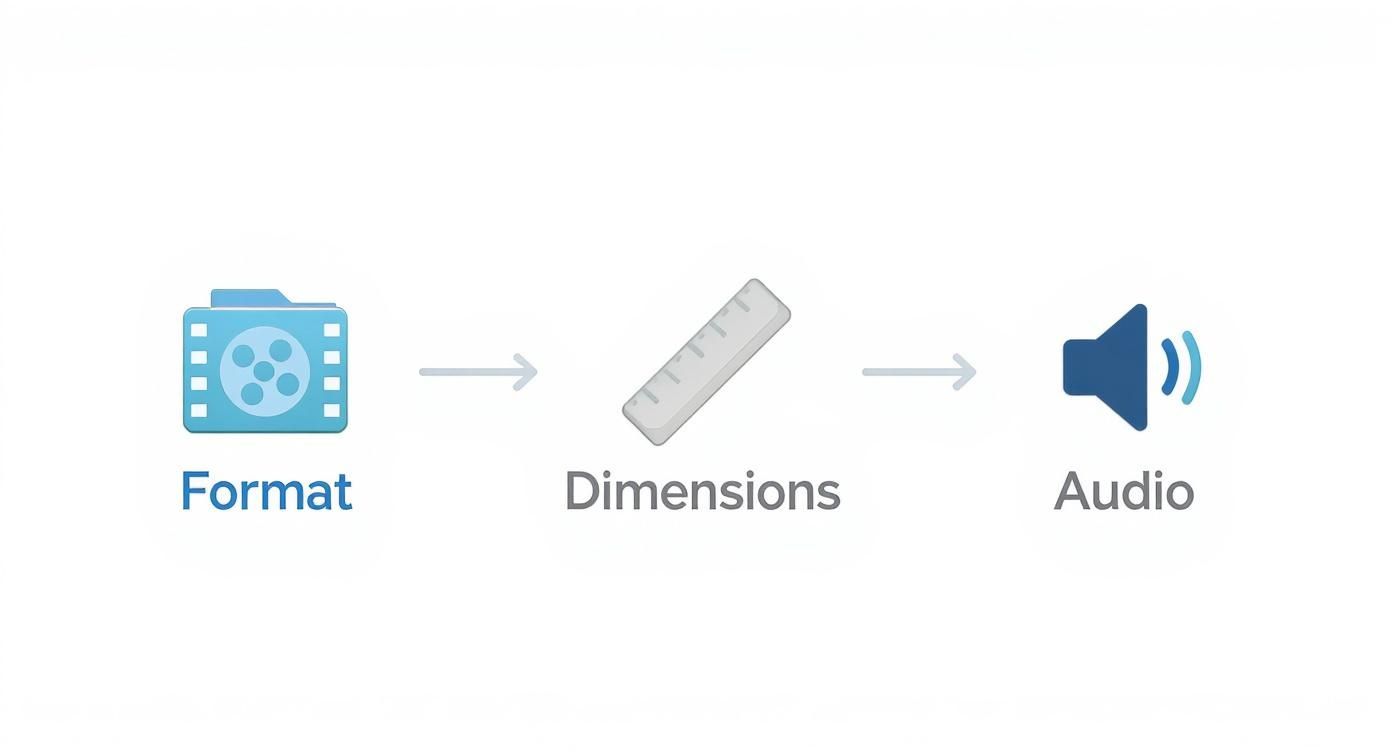
Get the format, dimensions, and audio right, and you’ve built a solid technical foundation for your video to succeed.
Choosing a Compelling Thumbnail
The first thing LinkedIn asks for after the upload is a thumbnail. Don't rush this. This is probably one of the most critical decisions in the entire process. Your thumbnail is the static image people see in their feed before the video autoplays, and its only job is to make them stop.
LinkedIn gives you two options: pick a frame from the video or upload a custom one. Always upload a custom thumbnail. A random frame from your video just won't cut it against a purpose-built graphic.
Here’s what I’ve seen work best for thumbnails:
- Use Bold Text: Slap a short, punchy title or a question on the image to spark curiosity. Something like "This Mistake Costs Founders Millions" is way more effective than a generic shot of you talking.
- Show a Face: We're wired to connect with other people. A clear, expressive shot of someone looking at the camera can massively increase clicks.
- Keep It Clean: Don’t overdo it. A simple background, a high-quality photo, and just a few words of text are all you need to grab attention without creating a mess.
The Critical Role of Captions
Next up: captions. This part is non-negotiable. A huge chunk of people watch LinkedIn videos with the sound off, especially if they're scrolling at work or on the go. If you don't have captions, your message is completely lost on them.
LinkedIn has an auto-captioning tool, which is a decent starting point, but it's rarely perfect. For a truly professional look, you need to upload your own SRT (SubRip Subtitle) file. You can create these with tons of free tools online. It ensures your captions are accurate, easy to read, and show you care about the details.
Think of it this way: no captions means no message for silent scrollers. Taking a few extra minutes to upload a clean SRT file can be the difference between a view and a scroll-past.
Tagging for Amplified Reach
Okay, one last thing before you hit "Post." You get a chance to tag relevant people or companies. This is a simple but powerful way to kickstart your video's reach.
When you tag someone, they get a notification. That little nudge often gets them to engage with the post early on. That initial engagement is a strong signal to the LinkedIn algorithm that your content is worth showing to a wider audience.
Just be smart about it. Don't spam a list of influencers hoping for a share. Only tag people or companies who are actually relevant to the content. Maybe you mentioned them in the video, featured their product, or worked with them on the project. This makes your post feel like part of a real conversation, not just a broadcast.
Crafting a Post That Sparks Conversation
 A great video can stop someone mid-scroll, but it's the text you write with it that actually starts the conversation. The copy is your chance to add crucial context, frame the video, and tell your audience what to do next. Without it, even the best video feels incomplete.
Think of your post copy like your opening line at a networking event. It needs to grab attention, offer value, and make it incredibly easy for the other person to respond. A blank description isn't just lazy; it’s a massive missed opportunity to turn a passive viewer into an active lead.
How you structure the text is just as important as the words themselves. Keep your paragraphs short—two or three lines, max. Use plenty of white space. People are scanning on their phones, and a giant wall of text is the fastest way to get them to scroll right past all your hard work.
The Anatomy of a High-Performing Post
Every great video post on LinkedIn follows a similar formula. It’s not a secret, but it works consistently because it respects the viewer’s time and attention. Once you master this simple structure, you'll know exactly how to write engaging LinkedIn posts every single time.
Here's the breakdown I use for my own content:
- The Hook: The first sentence or two is everything. You have to create enough curiosity or make a bold enough claim to make someone stop and click "see more."
- The Context: In a few short lines, explain what the video is about and, more importantly, why they should care. Set the stage and tell them what they’ll get out of watching.
- The Question: Always, always end with a direct, thought-provoking question related to your video. This is the single most powerful way to get people commenting.
- The Hashtags: Stick to 3-5 highly relevant hashtags. This helps expand your reach beyond your immediate network. I like to mix a couple of broad industry terms with a few more niche, specific topics.
Your post’s opening line is your digital handshake. If it’s weak, people will move on. A strong hook, like a startling statistic or a controversial opinion, is your best tool for pulling them in.
From Hook to Hashtag: Let's Get Practical
Let’s make this real. Imagine you’ve recorded a killer video sharing a productivity tip for sales teams.
Here's the Weak Copy: "Here's a video about sales productivity. #sales #productivity"
This is completely forgettable. It gives me zero reason to watch or comment and does nothing to spark any kind of intrigue. It’ll get lost in the feed instantly.
Now, here's the Strong Copy: "Most sales reps waste 40% of their day on tasks that don’t generate revenue. Shocking, right?
In this 60-second video, I break down the one change our team made to reclaim those hours and focus on what actually closes deals. It’s simpler than you think.
What’s the biggest time-waster you see on your team? Let me know in the comments.
#SalesEnablement #SalesLeadership #B2BSales #ProductivityHacks"
See the difference? The strong example hits you with a powerful hook, gives you context and a clear benefit for watching, and wraps up with a specific question that’s easy to answer. This is the level of thought required to get real traction when posting videos on LinkedIn.
Your Call-to-Action (CTA) doesn't always have to be a question, though. You can also point people to a resource in the comments, ask them to tag a colleague who needs to see it, or invite them to connect. The key is to always give your audience a clear next step. Never leave them hanging.
Balancing Video in Your Content Mix
Look, as powerful as LinkedIn video is, going all-in on a single format is a surefire way to burn out your audience. Your network craves variety. Think of it like a diet—nobody wants to eat the same meal every single day, no matter how good it is. A balanced content strategy keeps people engaged and coming back for more.
Even with video's incredible rise, don't sleep on other visual formats. They still pack a serious punch. Multi-image posts and document carousels, for example, are absolutely crushing it on the platform.
In fact, multi-image posts are the top dog among all static formats, pulling in a 6.6% average engagement rate. That number alone proves that killer visual storytelling is far from dead.
This isn't to say video is losing steam. It just means that high-quality, engaging visuals are still incredibly competitive and absolutely essential for a well-rounded feed.
Weaving Different Formats Together
So, how do you actually put this into practice? It's simple: let the story dictate the format. Not every idea needs to be a full-blown video production.
- Multi-Image Posts: Got an event recap or want to show off your company culture? A series of well-shot photos can tell a compelling story that's quick and easy for your audience to scan.
- Document Carousels (PDFs): These are gold for sharing high-value, practical content. Think checklists, short guides, or frameworks that people will want to save and refer back to later. They position you as a go-to resource.
- Text and Image Posts: Perfect for quick updates, sharing a single powerful insight, or highlighting a quote that makes people think. They're simple to create but can be incredibly effective with the right visual.
By mixing it up, you’re catering to how different people like to consume content. Some will binge-watch your videos, while others just want to skim a carousel for the key takeaways. A varied approach shows you respect your audience's time and preferences. If you're wondering how to map this all out, our guide on how to create a content calendar will help you get organized.
A diverse content mix does more than just prevent audience boredom. It lets you test what truly resonates with your specific audience, leading to smarter, more impactful content over time.
Repurpose Your Video to Maximize Your Efforts
Balancing your content doesn’t mean creating a mountain of extra work. It’s about working smarter. The real secret is repurposing your core video assets into a bunch of different formats. This is how you squeeze every last drop of value out of your creative efforts.
For example, once you post a great video on LinkedIn, the work isn't over. You can easily pull out key ideas and give them new life. To make sure your video content is working as hard as possible, it pays to implement some proven content repurposing strategies.
Here are a few quick ideas to get you started:
- Grab the most impactful quote from your video and turn it into a sharp-looking graphic for a text-and-image post.
- Take screenshots of key moments or important slides and stitch them together into a document carousel that summarizes the video's main points.
- Transcribe the audio from your video and pull out the key insights to share as a short text post or even a longer-form article.
This approach amplifies your message and reaches people who might have missed the original video. Best of all, it keeps your content feed fresh and dynamic without forcing you to constantly reinvent the wheel.
Your Top LinkedIn Video Questions, Answered
Once you get into a rhythm with video, the real-world questions always start popping up. You’ve got the strategy, but the nitty-gritty details can make or break a post. Let’s clear up the most common ones I hear all the time.
What’s the Real Sweet Spot for Video Length?
LinkedIn will let you upload a video that's up to 10 minutes long, but don't fall for it. The magic happens between 30 and 90 seconds. That's the perfect window to grab a busy professional scrolling on their coffee break.
Think of it this way: you have just enough time to land one solid point, share a valuable tip, or tell a quick story. If you're doing a deeper dive, like a mini-tutorial or case study, you might be able to push it to three minutes, but your hook in the first five seconds has to be absolutely magnetic.
Your goal isn't to create a long video; it's to create a video that feels too short. Get in, deliver value, and get out. Respecting your audience's time is what keeps them coming back.
Should My Video Be Square, Vertical, or Horizontal?
This isn't just a creative choice; it's a strategic one. For LinkedIn, square (1:1) and vertical (4:5 or 9:16) formats are the only way to go.
Why? They own the screen on mobile, and that's where your audience lives. A bigger video is harder to scroll past. It literally stops the thumb.
- Square (1:1): This is your safest, most versatile bet. It looks fantastic on both desktop and mobile and gives you plenty of room for eye-catching captions.
- Vertical (4:5): This is even more powerful on mobile. It creates an immersive, modern feel that commands attention.
Forget about traditional horizontal (16:9) videos. They get shrunk down in the feed and look tiny and unimportant. Avoid them unless you have a very specific reason not to.
Are Subtitles Really That Important?
They’re not important—they’re non-negotiable. A huge chunk of your audience is watching with the sound off. They're in an open-plan office, on a train, or scrolling late at night.
Without captions, your message is completely lost on them. Always, always upload an accurate SRT file. It’s a small step that massively boosts how long people watch, makes your content accessible, and ensures the work you put into the video actually lands.
Can I Fix a Mistake in My Video After I Post It?
This is the one that gets people every time. After you publish, you can go back and edit the text description, hashtags, and mentions in your post.
But you cannot, under any circumstances, change the video file itself.
If you notice a typo in the video or want to swap it for an updated version, you have to delete the entire post and start from scratch. That means losing all the likes, comments, and shares you’ve already earned. So, do yourself a favor: double- and triple-check your video file, thumbnail, and captions before you hit publish. A 60-second review can save you a ton of frustration.
Ready to turn your LinkedIn presence into a predictable pipeline without spending hours on content? GetViews.AI uses an AI Story Engine and Content Amplifier to transform your expertise into high-performing posts that spark real conversations with decision-makers. Stop guessing and start growing by visiting https://getviews.ai to see how it works.