what does impressions mean on linkedin? Quick explainer
what does impressions mean on linkedin? Learn what this metric signals, how it differs from reach, and steps to boost your post visibility.
Wilmer KarlssonTarstad
On LinkedIn, an impression is simply the total number of times your content gets displayed on someone's screen. Picture it like a digital billboard on a busy highway. An impression is counted every single time a car (or in this case, a LinkedIn user's screen) passes by, whether they slow down to read the message or not.
What LinkedIn Impressions Actually Mean
Ever glanced at that "impressions" number under your LinkedIn post and wondered what it's really telling you? It's the most basic measure of your content's visibility, and understanding it is the first step to building a strategy that actually works. Whether you're trying to find new clients, establish yourself as an expert, or just expand your professional circle, it all starts here.
This metric is all about exposure. An impression is tallied the moment your post is at least partially visible on a user's feed. They don't have to stop scrolling, click, or even read it. It just has to show up. To really nail your strategy, it's helpful to discover more insights about LinkedIn metrics and how they're counted.
Here’s a quick breakdown to keep in mind:
Table: LinkedIn Impressions at a Glance
| Concept | Explanation |
|---|---|
| What it is | The total number of times a piece of content is shown on a screen. |
| How it's counted | An impression is counted each time the post appears in a user's feed. |
| Key detail | One person can generate multiple impressions for the same post. |
This table highlights the core idea: impressions are about the frequency of visibility, not the number of unique people who see it.
The Foundation of Your Content Strategy
Think of your impressions as the foundation of a house. You can't build the walls, rooms, or roof without a solid base. In the same way, you can't get likes, comments, shares, or website clicks if no one sees your content in the first place. Impressions are the first domino to fall.
A high impression count is a great sign. It means:
- The LinkedIn algorithm likes your post and is showing it to more people.
- Your content is getting distributed to your network and possibly beyond.
- You’ve successfully created an opportunity for someone to engage.
An impression is an opportunity for connection. It’s the moment your voice enters a professional's busy feed, creating a chance to inform, influence, or inspire them. High impressions mean you're getting more of those chances.
Here’s a practical example: say one of your followers sees your post in their feed. Later that day, their colleague shares that same post, and your follower sees it again. That counts as two impressions, even though it was only seen by one unique person (which LinkedIn calls "reach"). This distinction is crucial for understanding how often your message is getting out there in the professional world.
Impressions vs. Reach vs. Engagement: What's the Real Difference?
To really get a handle on what impressions mean, you have to see how they fit alongside two other key metrics: reach and engagement. People often use them interchangeably, but they each tell a very different part of your content's story. Mixing them up is an easy way to misread your performance and make strategic mistakes.
Think of it like putting up a billboard on a busy highway.
- Impressions: This is the total number of times cars drive past your billboard. If 1,000 cars pass it today, that’s 1,000 impressions. If the same car passes it twice on a round trip, that counts as two impressions. It's all about the total number of views.
- Reach: This is the number of unique cars that drove past. Even if 1,000 trips were made, they might have been by only 700 unique cars. Your reach is 700. It’s about the size of the audience you actually got in front of.
- Engagement: This is how many drivers actually did something because of your billboard—maybe they took the exit to visit your store, or looked up your website later. On LinkedIn, this is your likes, comments, shares, and clicks. It’s the action.
The simple act of your post appearing on someone's screen is the foundational event—the impression—that makes everything else possible.
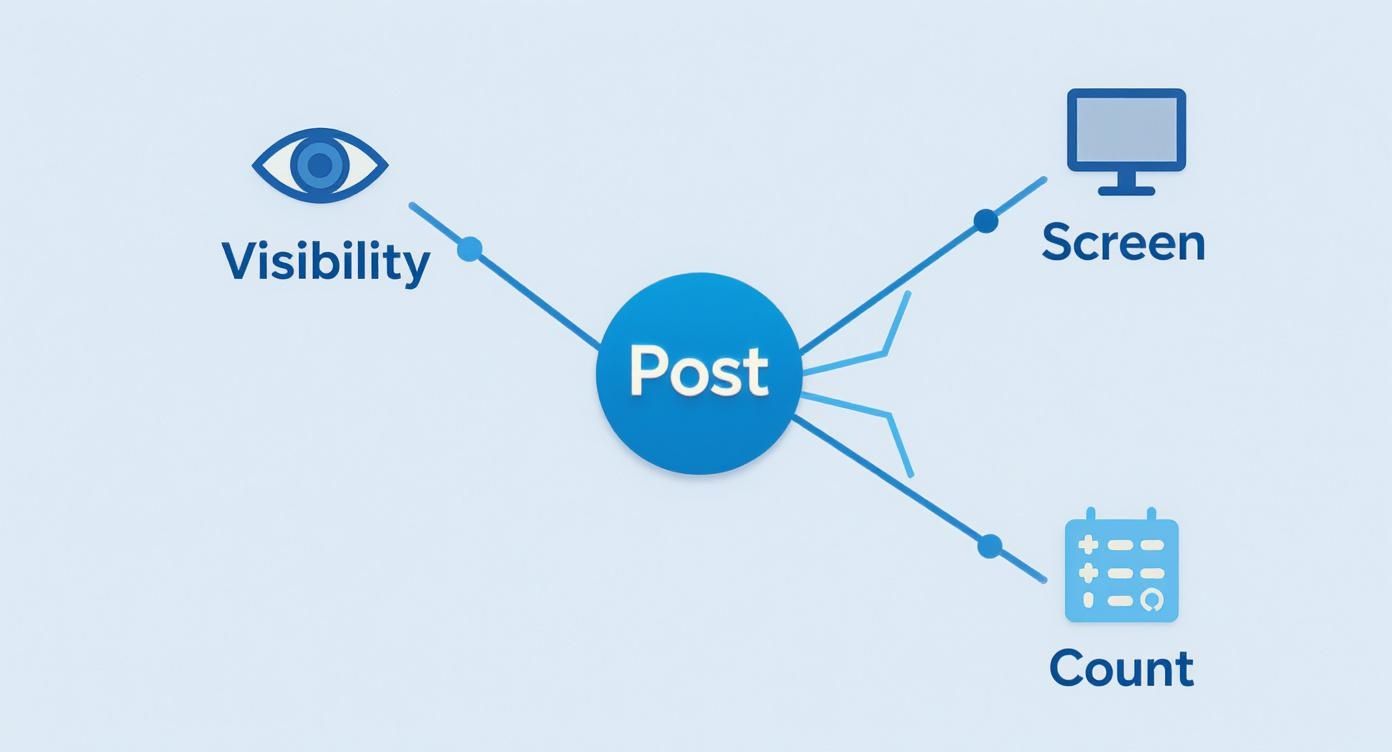
As you can see, the impression is just step one. It's the moment of visibility that opens the door for someone to actually connect with your message.
Why This Distinction Is So Important
These metrics aren't in competition; they work together to give you a clear, three-dimensional view of how your content is doing. Impressions measure opportunity, reach measures your audience size, and engagement measures the impact your content actually had.
Here’s a practical look at how these metrics differ and what each one really tells you.
Comparing Key LinkedIn Metrics
| Metric | What It Measures | Example |
|---|---|---|
| Impressions | The total number of times your content was displayed on a screen. Repetitive views by the same person are counted. | Your post was shown 5,000 times in the LinkedIn feed. |
| Reach | The number of unique people who saw your content at least once. Each person is only counted once. | Out of 5,000 impressions, 3,500 individual people saw your post. |
| Engagement | The number of interactions (likes, comments, shares, clicks) your content received. | Your post got 150 likes, 40 comments, and 25 shares. |
Seeing these side-by-side makes it clear: a high impression count is great, but it's only the start of the conversation.
From Just Seeing to Actually Doing
Impressions are the very top of your content funnel. They represent potential. But what you really want is to turn that potential into something tangible.
A post can have 10,000 impressions but only reach 2,000 people. This just means that, on average, the people who saw it saw it five times. High frequency like this can be fantastic for drilling a message home.
Understanding the difference helps you diagnose your content. Are tons of people seeing your post once and scrolling by? Or is a smaller, dedicated group seeing it over and over? Each scenario tells you something different about your content and audience.
Ultimately, the goal is to convert those passive impressions into active engagement. Likes, comments, and shares are the proof that your message didn't just appear on a screen—it connected with a real person. If you're looking for practical ways to make that happen, our guide on how to improve social media engagement is packed with strategies to help you turn viewers into a community.
How Content Formats Drive Your Impressions
Let's get one thing straight: not all content on LinkedIn is created equal. The format you choose—whether it's a simple text post, a slick video, or a multi-page carousel—has a huge impact on how many eyeballs your content actually reaches. The way you package your message is just as critical as the message itself.
Think of it like this: a visually sharp infographic or a post with multiple images can literally stop someone from scrolling past. That pause is often all it takes for your content to stay on their screen long enough to count as an impression. It's all about matching your format to your message and what the platform's algorithm currently favors.
Nailing this alignment is what turns a basic understanding of impressions into a real, practical strategy for growth.
The Magic of Interactive and Visual Content
Some formats are just built to generate impressions. Polls and quizzes, for example, are absolute goldmines because they make it incredibly easy for people to participate. When someone casts a vote in your poll, LinkedIn often broadcasts that action to their connections, kicking off a viral loop that pushes your post in front of entirely new audiences. Suddenly, every vote becomes a new distribution channel, multiplying your impressions without any extra effort.
The same goes for visually appealing formats like carousels (which are just PDF documents in disguise). They get users to spend more time on your post as they click through each slide. This increased "dwell time" is a massive positive signal to the LinkedIn algorithm. It sees people sticking around and concludes your content must be valuable, rewarding it with more and more visibility in the feed.
If you want to get the mechanics right, check out our guide on how to format LinkedIn posts for the best results.
Picking the Right Format for Your Goals
The data doesn't lie—visual and interactive content consistently performs better. For instance, multi-image posts are powerhouses, pulling in an average engagement rate of 6.60%. This just goes to show how effective visual storytelling can be on a professional network. Even a simple single-image post still holds its own with a strong 4.85% average engagement rate.
Here's a fascinating trend: LinkedIn polls have seen their engagement rates double since 2023, making them a top contender for generating impressions. Why? It's all about that built-in sharing. Every vote helps push the poll back out to the voter's network, creating a powerful ripple effect.
So, what does this all mean for your content plan? To get the most out of your impressions, you need to mix things up.
- Want quick engagement and a shot at going viral? Use polls to ask thought-provoking questions about your industry.
- Need to teach or explain something complex? Break it down into easy-to-digest slides with a carousel post.
- Have a story to tell or data to share? Weave it into a compelling narrative using a multi-image post.
By using a blend of these formats, you keep your feed feeling fresh and appeal to a wider range of preferences. More importantly, you're constantly showing the algorithm that you're a source of diverse, high-value content. For an even deeper look at the numbers, you can explore these LinkedIn content trends and benchmarks to really fine-tune your approach.
Why LinkedIn's Impression Scale Matters
To really get what impressions mean on LinkedIn, you have to zoom out and look at the whole picture. It's not just about your personal dashboard; it's about the entire ecosystem. And frankly, it's a surprisingly top-heavy world where a tiny fraction of people create almost all the content.
This reality completely reframes the value of impressions. When you share a post, you're not just another voice in a deafening crowd. You're actually speaking up in a room where most people are just listening. This is where the sheer scale of LinkedIn becomes a massive advantage for anyone willing to show up consistently.
The Creator Advantage
The platform is built to reward people who actually contribute. Get this: only about 1% of users post anything on a weekly basis. But that tiny group is responsible for a staggering 9 billion impressions every single week.
What does that tell you? It means the competition for being a recognized voice in your field is much lower than you'd think. You can dig deeper into these LinkedIn user trends to see just how lopsided it is. This imbalance is exactly why impressions matter so much. Every piece of content you share has a far better chance of being seen here than on other, more saturated platforms.
The scarcity of content creators on LinkedIn means that consistent posting doesn't just add to the noise—it fills a vacuum. High impression counts are a direct result of capitalizing on this supply-and-demand gap for quality professional insights.
Capturing Fleeting Attention
The other big piece of the puzzle is how people use LinkedIn. It’s a professional network, and our behavior there is different. We're not doomscrolling for hours. The average visit is quick, lasting only about 8.33 minutes.
People pop in, check their messages, glance at industry updates, and then they're out. This super-short attention span makes every single impression incredibly valuable. Your content has just a few seconds to catch someone's eye before they're on to the next thing.
So, a high impression number isn't just a vanity metric. It's a measure of how many times you successfully cut through the noise and earned a moment of that brief, professional focus. It proves your content is doing its job in a fast-moving feed.
Proven Strategies to Increase Your LinkedIn Impressions
Okay, so you know what impressions are. But how do you actually get more of them? It's not about hoping for the best; it's about having a smart, repeatable strategy that tells the LinkedIn algorithm your content is worth showing to more people.
Let’s get practical. These are the tactics that consistently work to get your content seen.
The secret sauce is pretty simple: create posts that get people talking. The more likes, comments, and shares you get early on, the farther your content will travel.
Optimize Your Posting Schedule
Timing is huge. If you post when your audience is actually online and scrolling, you give your content a fighting chance to get that crucial initial engagement. A great post shared at the wrong time is just a tree falling in an empty forest.
While you'll often hear that mid-week mornings are best, your network is unique. Test different days and times and pay close attention to your analytics. You might find that a post at 8 AM blows a 2 PM post out of the water. Once you find what works, stick to it. Consistency builds momentum.
Use Hashtags and Tagging Intelligently
Hashtags aren’t just for decoration; they’re your ticket to reaching people outside your immediate network. Think of them as signposts that guide users interested in certain topics right to your content. A good mix of broad and specific tags is the way to go.
- Broad Hashtags: Use 1-2 popular tags like #Marketing or #Leadership to get in front of a large crowd.
- Niche Hashtags: Add 2-3 specific tags like #B2BContentStrategy to attract a smaller but much more relevant audience.
Tagging can also be a game-changer. Mentioning a relevant company or person in your post can pull their followers into the conversation, giving your impressions a serious boost. Just make sure the tag is genuinely relevant—nobody likes being spammed.
The "Golden Hour" on LinkedIn is real. Encouraging comments and replies within the first 60 minutes after posting tells the algorithm your content is valuable and engaging, prompting it to push your post to a much larger audience.
Diversify and Repurpose Your Content
Don't let a great piece of content die after a single post. A smart approach is to explore the best practices of social media cross-posting. This helps you get your hard-earned insights in front of the widest possible audience with minimal extra work.
Putting these tactics together creates a powerful engine for growth. If you're looking for a complete playbook, our ultimate 2025 guide on how to get views on LinkedIn dives into even more advanced techniques. At the end of the day, it's all about starting conversations and building a community—that's what truly drives massive impression growth.
Turning Impressions into Meaningful Results
Getting a ton of impressions feels great, but it’s just the starting point. Think of it like a packed concert hall—it proves people showed up, but it doesn't tell you if they actually liked the music. To make your LinkedIn efforts count, you have to connect those eyeballs to actions that actually grow your business or career.
Impressions are the very top of the funnel. They represent the initial spark of awareness that makes everything else possible. But chasing impressions without a plan for what comes next is like spinning your wheels. The real magic happens when you guide that awareness toward a tangible outcome.
Moving Beyond Visibility
So, instead of getting hung up on how many people saw your content, start digging into what they did next. A smart LinkedIn strategy is all about tracking the journey from a passive glance to an active step.
This means shifting your focus to metrics that show real interest and intent:
- Profile Views: Did your post make someone curious enough to click on your name and learn more about you? A jump in profile views right after you post is a fantastic signal that your content is hitting the mark.
- Connection Requests: This is a huge win. It means your ideas resonated so much that someone wants you in their professional circle, turning a random viewer into a valuable contact.
- Website Clicks: If you included a link in your post, how many people actually clicked it? This is a direct measure of your ability to pull an audience from LinkedIn over to your own turf.
- Inbound DMs: Are people sliding into your DMs to ask questions or start a conversation? These are often the first conversations that lead to genuine opportunities.
For many, the end goal of boosting impressions is better lead generation. Honing your approach with a modern outbound lead generation playbook can be the key to turning all that visibility into real business.
An impression earns you a moment of someone's attention; a clear call-to-action converts that moment into momentum. Your content should always guide the audience on what to do next.
Setting Action-Oriented Goals
To make your impressions work harder for you, every single post needs a purpose. Before you even think about hitting that "Post" button, ask yourself: what do I want someone to do after reading this?
Do you want them to drop their opinion in the comments? Visit your new blog post? Or send you a connection request?
This simple change in mindset takes your content from being a passive broadcast to an active conversation starter. When you define a clear call-to-action, you give your audience an easy, obvious next step. Ultimately, a winning strategy is one that turns that initial flicker of awareness into valuable professional relationships, transforming fleeting impressions into lasting impact.
Frequently Asked Questions About LinkedIn Impressions
Even after you get the hang of what impressions are, a few questions tend to crop up again and again. Nailing these down is key to really dialing in your content strategy and making sense of your analytics.
Let’s walk through the most common ones. Getting clear on these points will help you move from just watching numbers go up and down to making genuinely smart decisions with your content.
Are High Impressions Always a Good Thing?
Honestly, not really. While a big impression number feels great and shows your content is getting out there, it can be a vanity metric if it doesn't lead to anything meaningful. Think quality over quantity.
It’s much better to have fewer impressions from the right people—the ones who actually care and interact with what you’re posting.
For instance, a post hitting 10,000 impressions but only getting a few likes and zero comments isn't a win. It means the content was seen but didn't connect. Always look at your impressions next to your engagement metrics (likes, comments, shares) and business metrics (profile views, website clicks) to see the full story.
Why Did My LinkedIn Impressions Suddenly Drop?
It happens to everyone, and a sudden dip is usually not a cause for panic. There are a few common culprits. The LinkedIn algorithm is always evolving, so what worked last month might not work this month. Or maybe you’re just posting at the wrong time of day for your audience.
The biggest reason for a sudden drop? A lack of early engagement. If a post doesn't get some love—likes and especially comments—within the first hour or two, the algorithm often assumes it isn't resonating and throttles its reach.
If you see a drop, take a look at your recent posts. Are you trying different formats? Are you asking questions and encouraging conversation right from the get-go? A little experimentation can get you right back on track.
Can I See Exactly Who Viewed My Post?
This is the million-dollar question, but the answer is no. LinkedIn won’t give you a neat list of every single person who scrolled past your post.
What it does give you, however, is a goldmine of aggregated demographic data. Just click the little analytics bar below any of your posts. You’ll see a breakdown of the job titles, companies, industries, and locations of the people who saw it.
While you don't get individual names, this information is incredibly useful for figuring out if your content is actually reaching the audience you’re trying to attract.
Ready to turn those impressions into a predictable pipeline? With GetViews.AI, you can automate your content creation, amplify your reach to qualified buyers, and convert engagement into real business opportunities. Stop guessing and start growing. Discover how GetViews.AI can transform your LinkedIn presence today.